Best AI Photo Restoration Tools 2026: Free and Paid Picks
Restore your own photo free on BestPhoto with no sign-up, then pay about 14¢ a clean copy. FixFade if you'd rather pay once, Gemini if it must cost nothing.
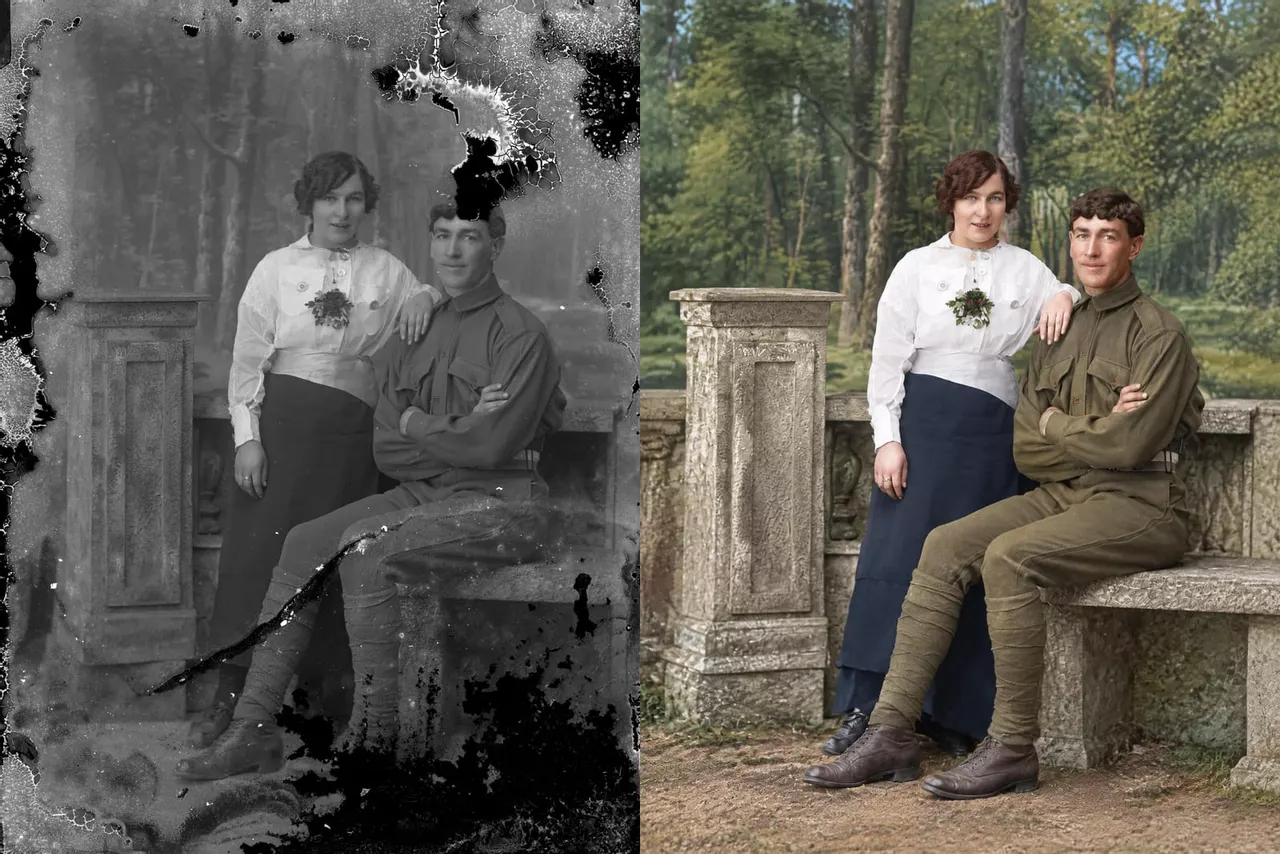
For most damaged family photos, the best AI restoration tool is BestPhoto: you can restore your own photo online free, with no account, and $14 a month gets you about 100 clean, full-size copies. If you'd rather pay once, pick FixFade, and if the clean file has to cost nothing, Gemini makes one, just a small one.
We make BestPhoto, and FixFade is made by the same team. Here's who each tool suits:
- 1BestPhoto, for most damaged family photos: see yours restored free, then about 14¢ a photo.
- 2FixFade, for a few precious photos: $19 once for 25, and the credits never expire.
- 3Gemini or ChatGPT, for no budget: both are free, and Gemini's copy can come without a visible mark.
- 4MyHeritage, for family historians: repair, color and animate photos next to your family tree.
- 5Remini, for one blurry face on your phone: one tap, billed by the week.
- 6VanceAI, for big batches on a Windows PC: a desktop app you buy once.
They all fix the crack now
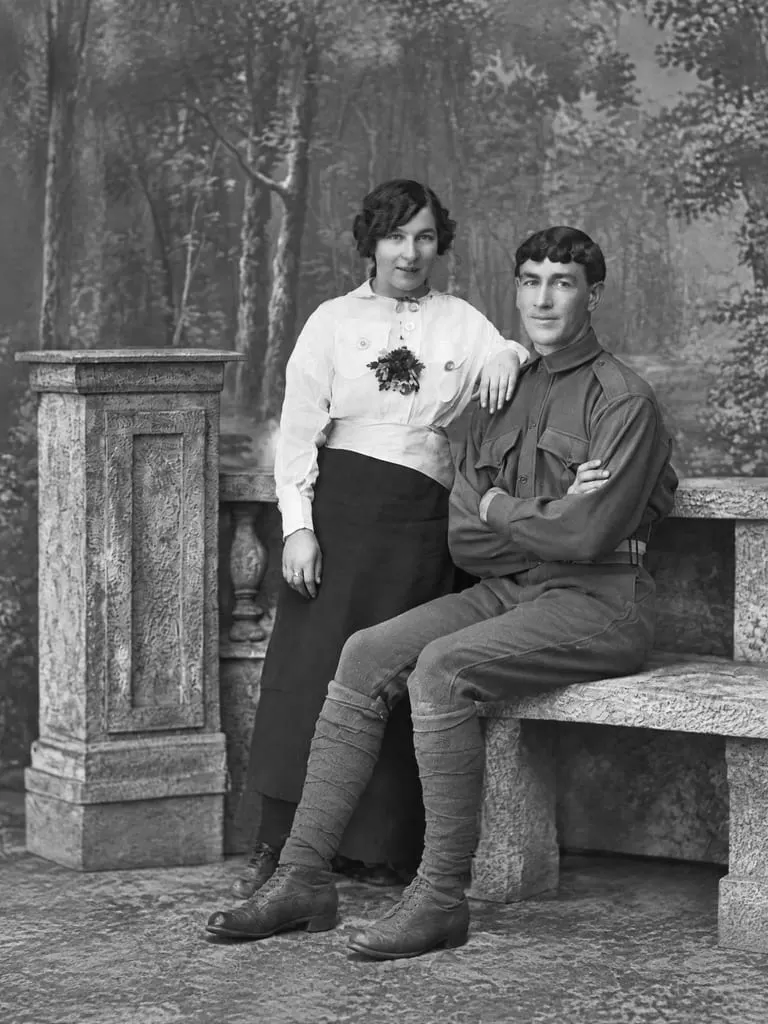
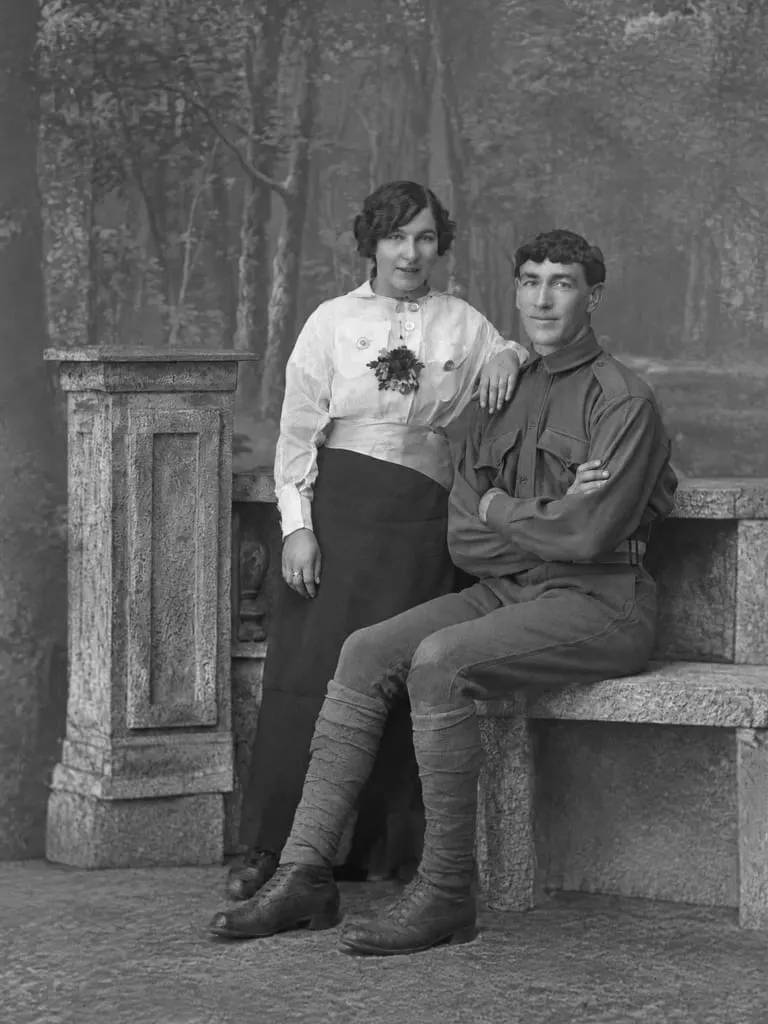
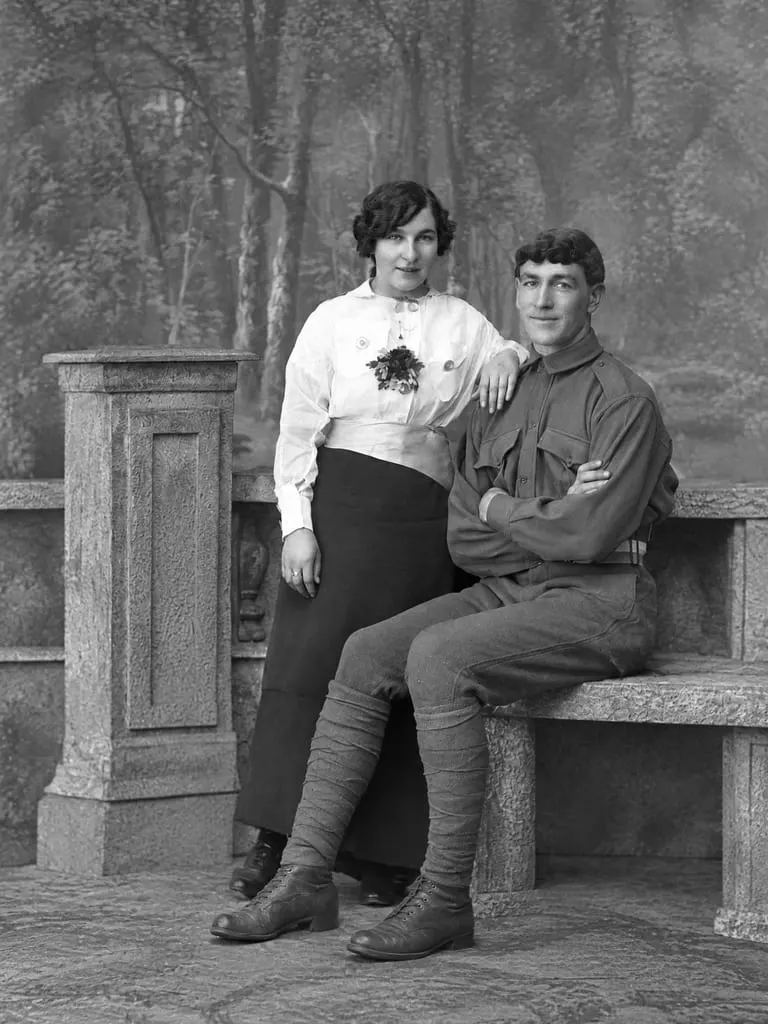
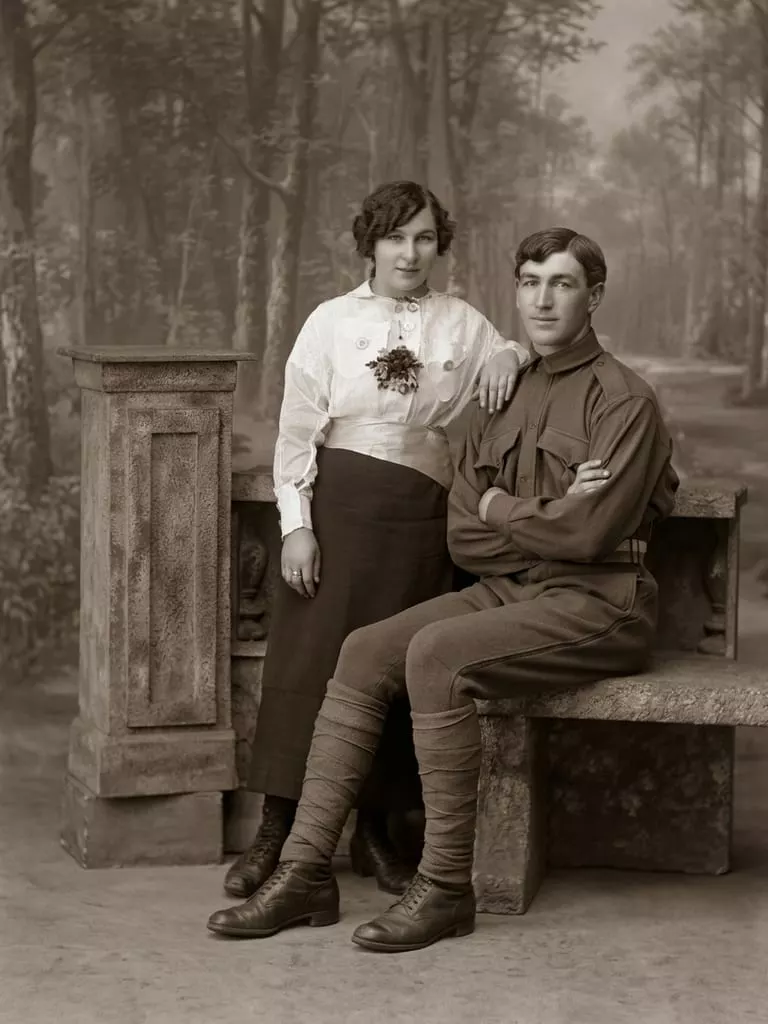
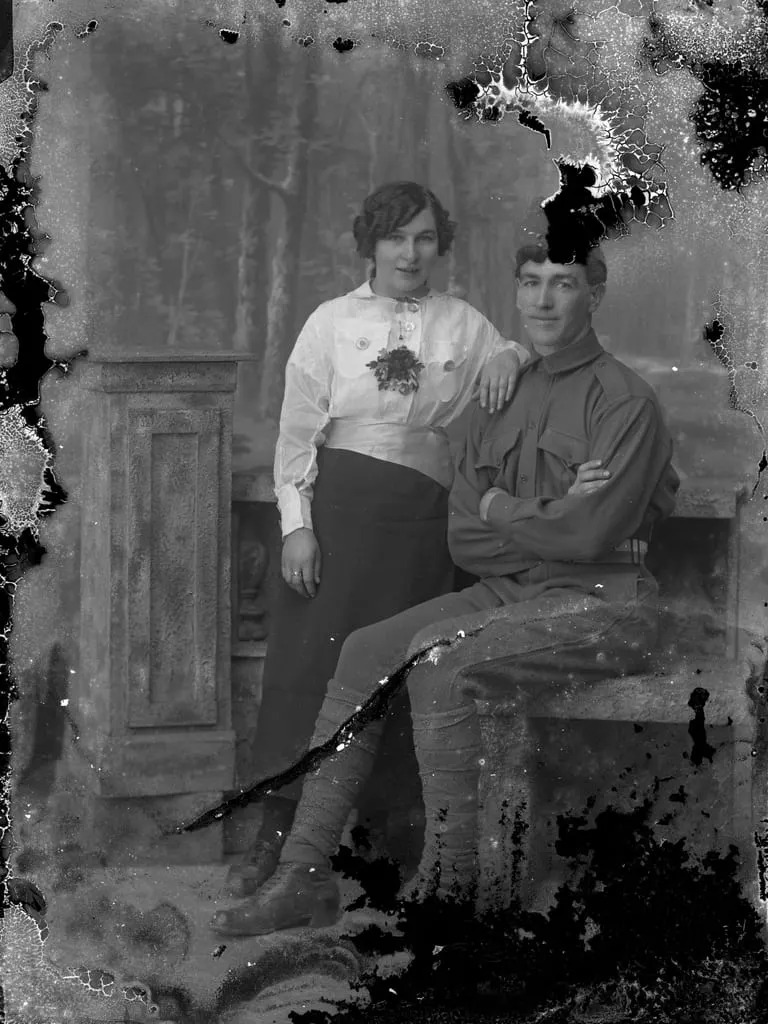
Here's a glass plate from about 1914: a crack across the soldier's legs, flaking at every edge, and a dark hole where the top of his head should be. Pick a tool to see its repair, then zoom in on the faces.
 BeforeBestPhoto
BestPhoto, on Restore only: the crack, spots and flaked edges are gone, and it stays black and white.
All four closed the crack and rebuilt the flaked edges. They differed only where they had to guess: each drew different hair where the plate had lost it, and Gemini's model also turned the photo brown. Every restorer guesses like that where damage hides part of a face, so put the result next to the original before you share it. Here's how to check a restored face.
That leaves two questions that do separate them: what the free version lets you keep, and how you pay for a clean copy.
1. BestPhoto: best for most damaged family photos
Upload a scan, or a phone photo of the print, to our photo restorer and the repair comes back in about a minute, no account needed. It fixes cracks, tears, spots and fading.
By default it also adds color, and the colors are a guess. In the photo at the top, it gave both of them blue eyes and turned the painted studio backdrop into a real-looking forest. Pick Restore only to keep a black-and-white photo black and white, as in the slider.
Your two free tries, shared with our other photo tools, come back as watermarked previews. A clean full-size file needs a paid plan: Basic is $14 a month and covers about 100 restores, roughly 14¢ each.
Why it ranks first
You see your own photo restored before you pay anything, in any browser, and the same place can enlarge it for printing or turn it into a short moving clip.
The trade-offs: a clean file means a subscription you have to remember to cancel, and it's web only, with no app. You can get a refund within 7 days of paying, as long as you haven't made anything since.
2. FixFade: best if you'd rather pay once
FixFade does one job, damaged family photos, in any browser with nothing to install. You buy credits once: $19 for 25, $39 for 75 or $89 for 200. A restore costs one, credits never expire, and there's no subscription to cancel. A black-and-white photo stays black and white unless you ask for color.
You can try it twice a day free with no account, or five times signed in. Those free tries are watermarked previews, and one of them is what you see in the slider.
Paid credits run a different mode, Archival HD, and on this plate it guessed more than the free preview did: it added rank stripes to his sleeve and a house to the painted backdrop. When something turns up that wasn't there, a touch-up lets you ask it to remove just that, for another credit.
Why it's here
It's the pay-once option: no plan to remember to cancel, and credits that wait for the next box you find in the attic.
The other trade-off is price: 44¢ to 76¢ a photo depending on the pack, against about 14¢ on a month of BestPhoto.
3. Gemini or ChatGPT: best if you have no budget
Both chat apps will restore a photo free if you upload it and ask. What you type changes the result, so name what must stay the same; these prompts help.
In the slider, ChatGPT's image model was asked to keep the faces, and it did. Gemini's got Google's own suggested wording, “Restore this old photo and make it sharper,” and it turned the photo brown and gave the soldier a new side part.
Gemini's free download is 1K, enough for a phone screen or a small print, and in most countries you can switch its visible mark off in Settings. An invisible AI label always stays, and 2K needs a Google AI plan, from $4.99 a month. ChatGPT doesn't publish its free limit; Go is $8 and Plus $20 a month.
What users complain about
Faces that become someone else. A tech blogger who ran his old photos through Gemini wrote that in one of them, “my face was clearly not my own.”
Better than us if one photo for a phone screen is all you need and you're happy to write the request yourself.
4. MyHeritage: best for family historians
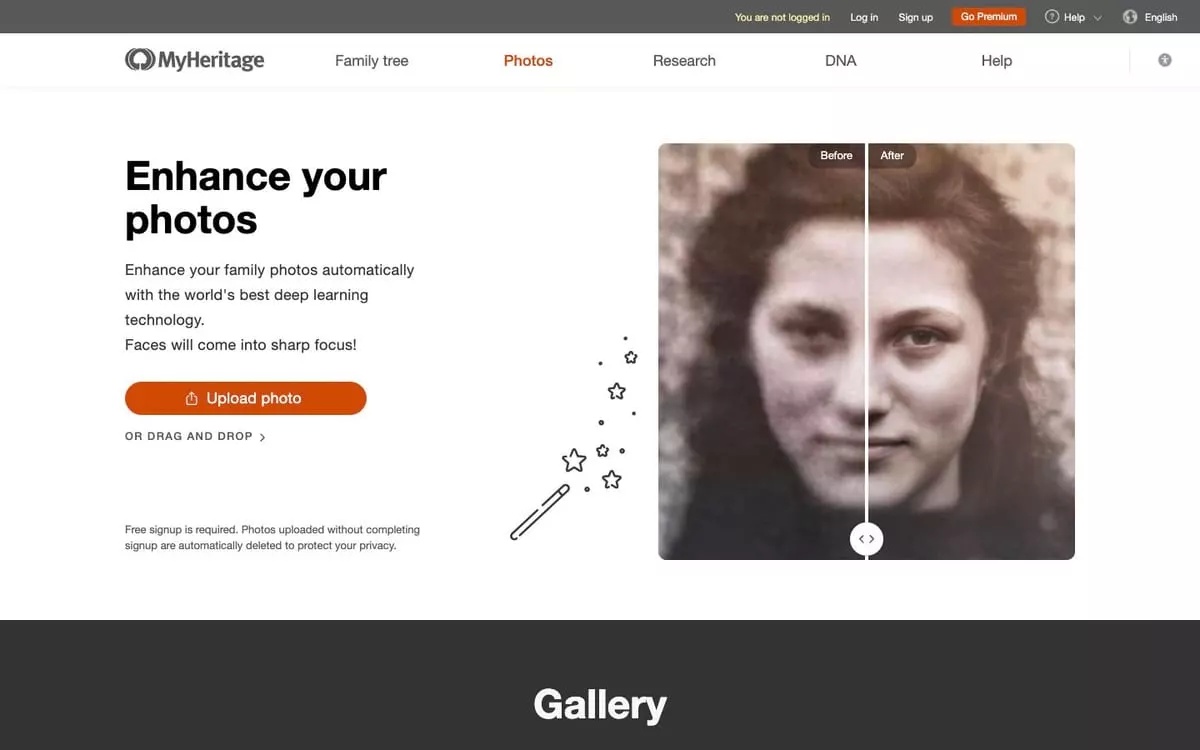
MyHeritage's photo tools sit next to your family tree: Photo Enhancer sharpens faces, Photo Repair fixes scratches and tears, and you can colorize and animate too. Anyone can enhance 10 photos free, with a MyHeritage logo in the corner.
Its Reimagine phone app scans whole album pages and splits them into separate photos. It costs $49.99 a year after a 7-day trial, or $7.99 a month, and both include unlimited use.
What users complain about
Faces sharper than everything around them. One Reimagine reviewer on the App Store said it seemed to sharpen the faces, “leaving a bizarre scene of sharp features on a blurry body and background.”
Better than us if you're already building a tree there, or you have whole albums to scan on your phone.
5. Remini: best for one blurry face, on your phone
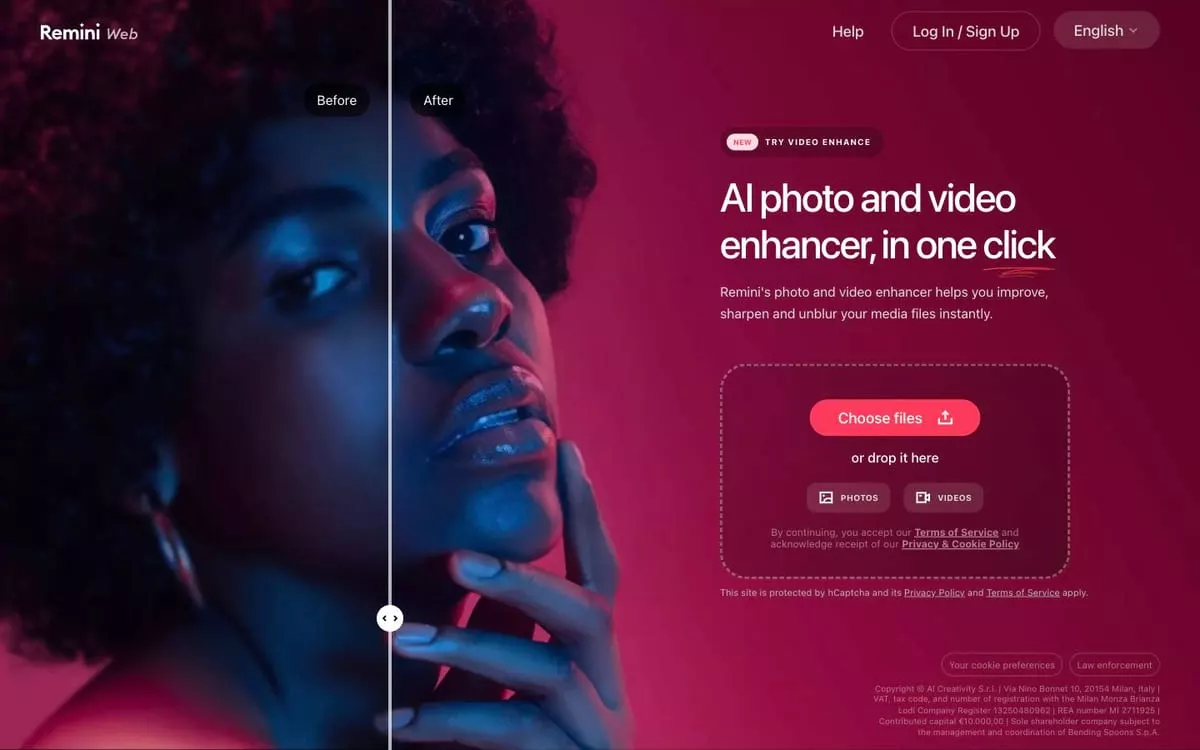
Remini is an iPhone and Android app that sharpens blurry faces in one tap. It's free with ads, and its listing says it can repair old and scratched photos, but faces come first.
Pro is $9.99 a week, the same price as its one-month plan, so if you need it once, pick the month and cancel in your Apple or Google settings.
What users complain about
Sharp faces on grainy bodies. One App Store reviewer who rates it highly still warns it “can also leave the rest of their body (arms, for example) grainy because it's concentrating on the face.”
Better than us if the photo is blurry rather than damaged and you want it done in an app.
6. VanceAI: best for big batches on a Windows PC

VanceAI's web restorer fixes scratches, tears, creases and fading, with color as a separate step. Plans start at $15 a month billed yearly, enough for about 65 restores. New accounts get two free restores, and the previews carry no watermark.
Its Windows app, $129.90 for life, restores a folder of scans in one batch, which the web version doesn't do.
What users complain about
Strange results and no refund. A Trustpilot reviewer who paid to restore a family photo said “the AI distorted faces, garbled text, and added weird artifacts,” and that support wouldn't refund her.
Better than us if you have hundreds of scans on a Windows PC.
What you can keep for free, and what a whole box costs
If free has to mean a file you can keep, Gemini is the surest: a clean 1K copy once the mark is off. BestPhoto's and FixFade's free results are watermarked previews and MyHeritage's carry its logo; they're there so you can see the repair on your own photo before you pay.
Past that, how many photos you have decides the cheapest way to pay.
| Tool | 1 photo | 25 photos | 300 photos |
|---|---|---|---|
| BestPhoto | $14a month of Basic | $14same month | $29a month of Starter |
| FixFade | $1925-photo pack | $1925-photo pack | $147three packs |
| MyHeritage | $7.99a month of the app | $7.99same month | $7.99if done in a month |
| Gemini | $01K file | $01K files | $01K, daily cap |
A monthly plan wins once the box is big, as long as you cancel when you're done. Packs win when photos turn up a few at a time over the years. Paying a person costs far more per photo; here's what professional restoration costs.
All six side by side
| Tool | How you pay | Free try | Clean file | File size | Runs on |
|---|---|---|---|---|---|
| BestPhoto | Monthly plan from $14 (about 100 restores) | 2 results, no account, watermarked | Any paid plan | Usually 1,000 to 3,000 px, depending on your scan | Any browser |
| FixFade | Packs from $19 for 25, paid once, never expire | 2 a day, no account (5 signed in), watermarked | Any pack | 2K | Any browser |
| Gemini | Free; Google AI Plus $4.99 a month | Yes, daily limit not published | Free at 1K, visible mark switched off | 1K free, 2K on a plan | Web, Android, iPhone |
| MyHeritage | Reimagine app $7.99 a month or $49.99 a year | 10 enhancements, with a logo | Logo-free on a Complete plan | Not published | Web and phone apps |
| Remini | Pro $9.99 a week, or $9.99 for a month | Free with ads | Not stated | Not published | iPhone, Android, web |
| VanceAI | From $15 a month billed yearly, 4 credits a photo; Windows app $129.90 once | 10 credits (2 restores) | With credits | 1K or 2K; 4K costs more | Web; Windows app for batches |
Which to choose
One photo tonight: try BestPhoto free with no account, and take a month of Basic if you want the clean file. For no money at all, use Gemini and switch off the mark.
A shoebox: a month of BestPhoto covers about 100 photos, and Starter, at $29, covers about 330. If you'd rather work through them on your phone, a month of Reimagine costs less.
No subscription: FixFade. Pay once and keep the credits for the next box.
Remini, MyHeritage or VanceAI: MyHeritage for a damaged print, since it repairs and adds color; Remini for a blurry face on your phone; VanceAI's desktop app for hundreds of scans on Windows.
It must stay on your computer: Photoshop Elements, $99.99 once for a three-year license on Windows or Mac, works offline once its features are downloaded.
Quick questions
Can I do this from my phone?
Yes. BestPhoto and FixFade work in your phone's browser, and Gemini, ChatGPT, Reimagine and Remini have apps. Photograph the print flat, in daylight, with no glare on it. For a whole box, here's the best way to scan a shoebox of old photos.
Is the restored file big enough to frame?
A restored file around 2,400 x 3,000 pixels prints sharply at 8x10. If yours is smaller, our free enlarger doubles files up to 2 MB without a watermark, and the photo size guide shows how many pixels each print size needs.
Can I make it move?
Yes. BestPhoto, FixFade and MyHeritage can all turn a restored photo into a few seconds of gentle movement; on BestPhoto, a free account includes two short clips at basic quality. Here's how to animate an old family photo without it looking strange.
Images: “A soldier with a girl”, Alexander Galloway, c.1914, from the glass negative held by the Coalfields Local History Association, public domain. Cropped, then restored with BestPhoto (the color version at the top and Restore only in the slider), FixFade's free preview, ChatGPT's image model and Gemini's image model.
Try it on one of your own photos
Upload a picture and see the result free, with no card. Pay only when you want more.