Restoring an Old Photo as a Christmas Gift: A Timeline
The repair itself is quick. Finding the photo, checking the face with family, and printing and framing take weeks. Here's a calendar working back from Dec 25.
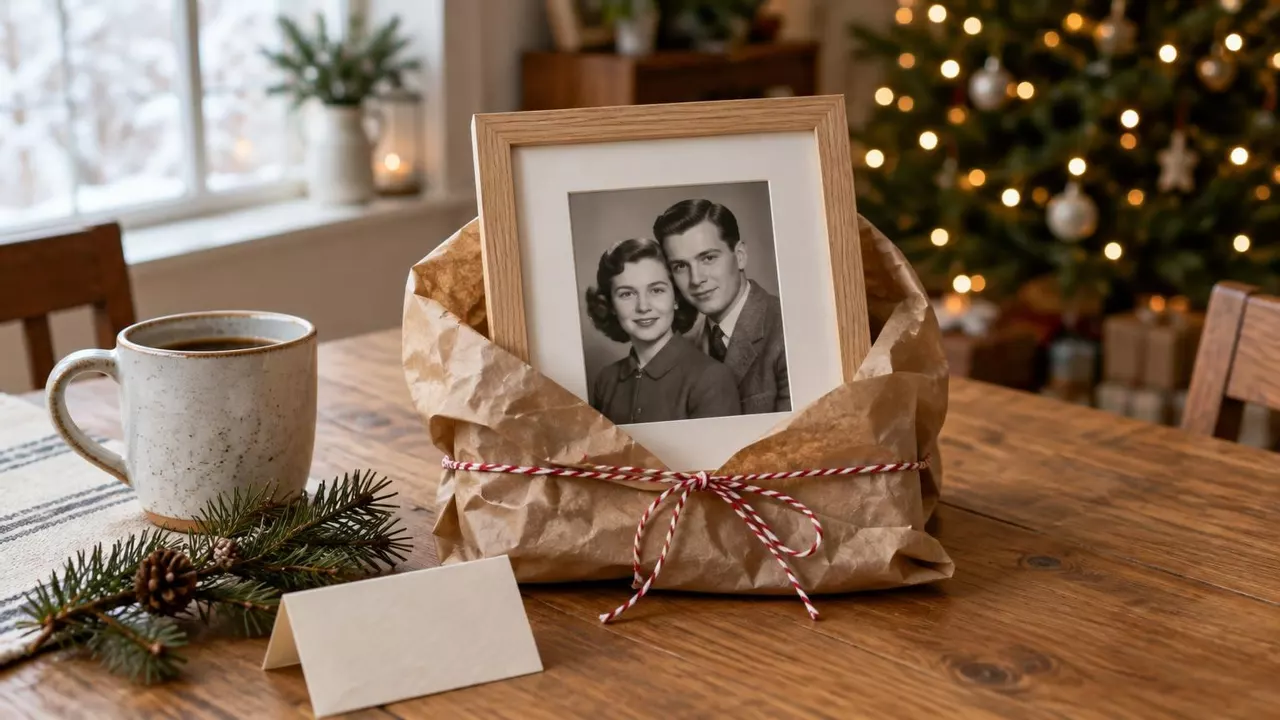
You can already see it. Christmas morning, Mom pulls back the paper, and there are her parents on their wedding day: the crease gone, the faces clear, in a frame she can hang.
Here's what surprises people. The repair is the quick part: upload, pick a mode, and the result is back while your coffee is still hot. Getting hold of the photo, checking the face with someone who knew them, and printing and framing it take weeks. So plan backwards from December 25, and start this month.
The plan
- By Dec 1Get the original, scan it and restore it.
- By Dec 5Show the result to someone who knew them.
- By Dec 10Order the print and a frame with a mat.
- Dec 25Give the framed copy. Hand the original back.
Work back from December 25
Start with the gift and count backwards. Each step needs a little room, and the one you'd expect to take longest barely shows up.
Online print shops post their Christmas cutoffs. This year Shutterfly's last order day for standard shipping is Monday, December 14, and it warns that some items have earlier cutoffs (Shutterfly's holiday shipping guide). Your cart shows the real arrival date before you pay.
Ordering by December 10 leaves a few spare days for a print that comes out too dark or a box that runs late. If a frame shop is doing the framing, ask how long it takes in December before you leave the print there.
Get the photo without spoiling the surprise
This is usually the slowest step, because the photo lives in someone else's house: Mom's album, an aunt's drawer, the frame on Grandpa's dresser. Three ways in:
- Borrow it “for a scan”. It's true, and nobody asks follow-up questions about copying old family photos. Give it back the same week.
- Photograph it at the next visit. Thanksgiving falls on November 26 this year, which fits the calendar nicely. Take it out of the frame if you can, lay it flat near a window and hold your phone straight above it. If a white shine shows up, move the light, not the photo.
- Ask a cousin. Someone in the family may have scanned it years ago.
If you can borrow it, a flatbed scan beats a phone picture. Scan for the size you'll print; a small snapshot headed for an 8x10 frame needs a higher setting than you'd guess (what DPI to scan photos). Keep that full scan safe, and upload a JPEG copy about 2,000 to 3,000 pixels on its long side.
The repair is quick. The check takes a week.
Upload the copy to our photo restorer. Pick “Restore only” to fix the damage and keep it black and white, or “Restore and add color” if you want color.
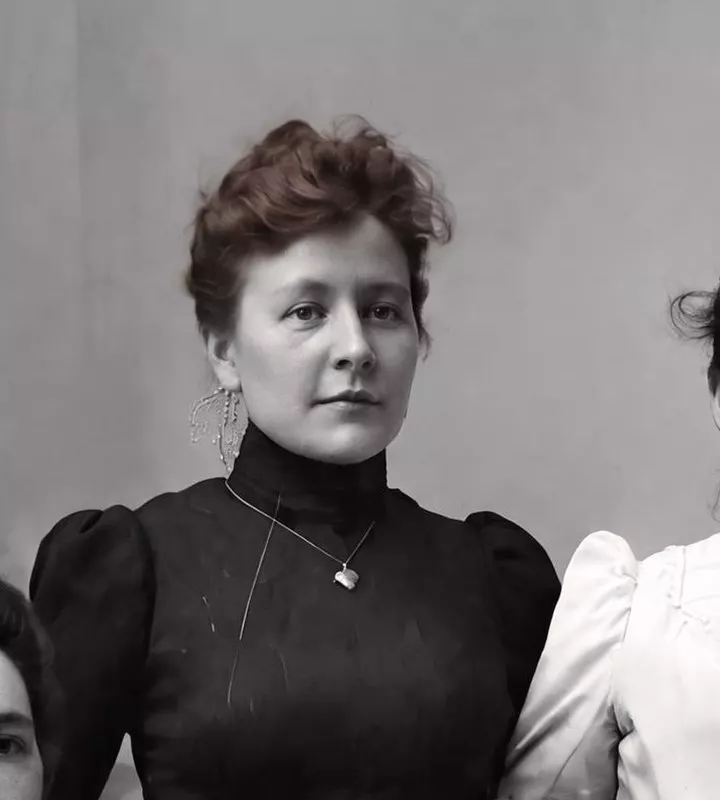
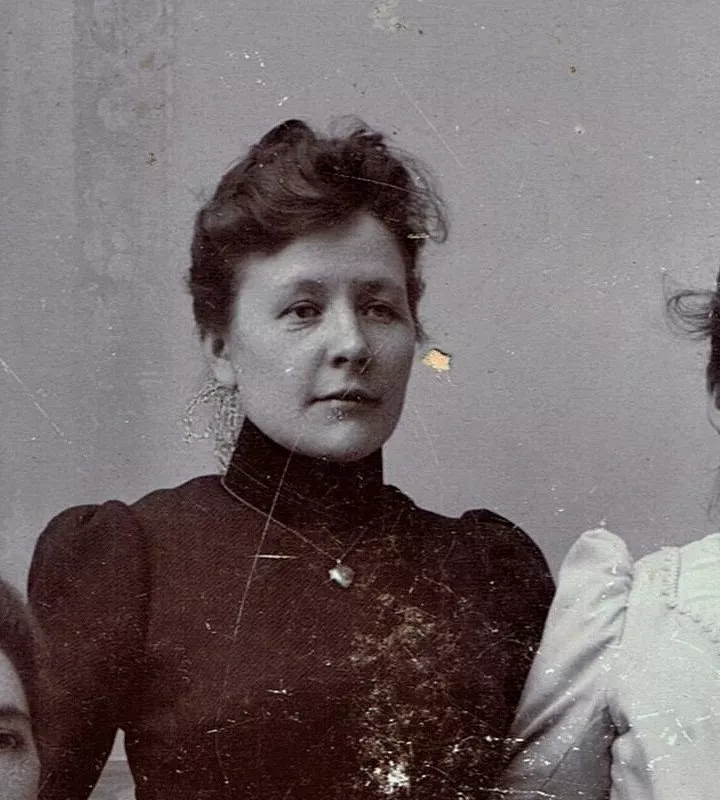
On this portrait from around 1907, it cleared the white flecks where the surface had flaked away, the bare patch beside her cheek and most of the scratches. One long scratch down her dress survived as a thin line, the kind of thing you only catch by comparing. Her face came through as the same woman, because it was clear in the original.
That isn't a promise. When damage covers a face, the AI has to fill in what's missing, and it can give you someone slightly different (here's how to tell). Smaller guesses slip in too: look at the warm brown her hair picked up, which the print never showed.
So before you print, show it to someone who knew them. An aunt, Mom's cousin, an old family friend. “Does this look like Grandma?” takes thirty seconds on a phone and keeps the secret. If they hesitate, compare the eyes, mouth and hairline with the original and run it again.
Went for color? Use the same call to ask about it. Gray holds no color, so the dress and the eyes are the AI's guess until someone who remembers says otherwise (colorizing old photos accurately).
Print it sharp, and keep it off the glass
Free tries give you a watermarked preview, fine for that family check but not a file to print. The clean, printable file comes with a plan from $14 a month. A file around 2,400 x 3,000 pixels prints sharply at 8x10, and if yours comes back smaller, the free upscaler doubles it.
Then the frame. Get one with a mat, the white card border with a window cut in it. Besides looking nice, it holds the glass away from the photo.
The easy buy for an 8x10 print is an 11x14 frame sold “matted for 8x10”. The window is a little smaller than the print, so the edges tuck under the mat and stay put.
A print pressed against glass can stick to it over the years. The Library of Congress calls separating the two “difficult and often impossible” without damage, and its advice is a window mat or spacers so the photo never touches the glass (Library of Congress).
The same page says light slowly damages any framed photo, even behind UV-filtering glass, and suggests framing a copy of anything precious. So give the copy in a frame and hand the original back. That way nothing irreplaceable leaves the family album.
Add the story
On a card tucked behind the frame's backing, write who's in the photo, where it was taken and the year. A guess with a question mark is fine. It's the part most old photos are missing.
Slip the original into an envelope with the gift, or put it quietly back in the album. Then listen on Christmas morning. Someone will remember who took the picture, or what happened that day. Write that on the card too.
Start with the repair
Upload a scan or phone photo of the original. Try it free; clean, printable downloads come with a plan.
Images: the wrapped frame at the top is an illustration made with AI. Portrait: detail of a c.1907 family portrait by Carl Jette, Wikimedia Commons, public domain, restored with our tool; the same restored portrait appears in the calendar and frame videos, which are ours.
Try it on one of your own photos
Most of our photo tools have a free version. Upload a picture and see what it does before you decide anything.