Why Do I Look So Bad in Pictures? 3 Simple Reasons
Mostly it's not your face: photos show you unflipped, phones sit too close and widen your nose, and ceiling lights shade your eyes. Here's how to fix each.
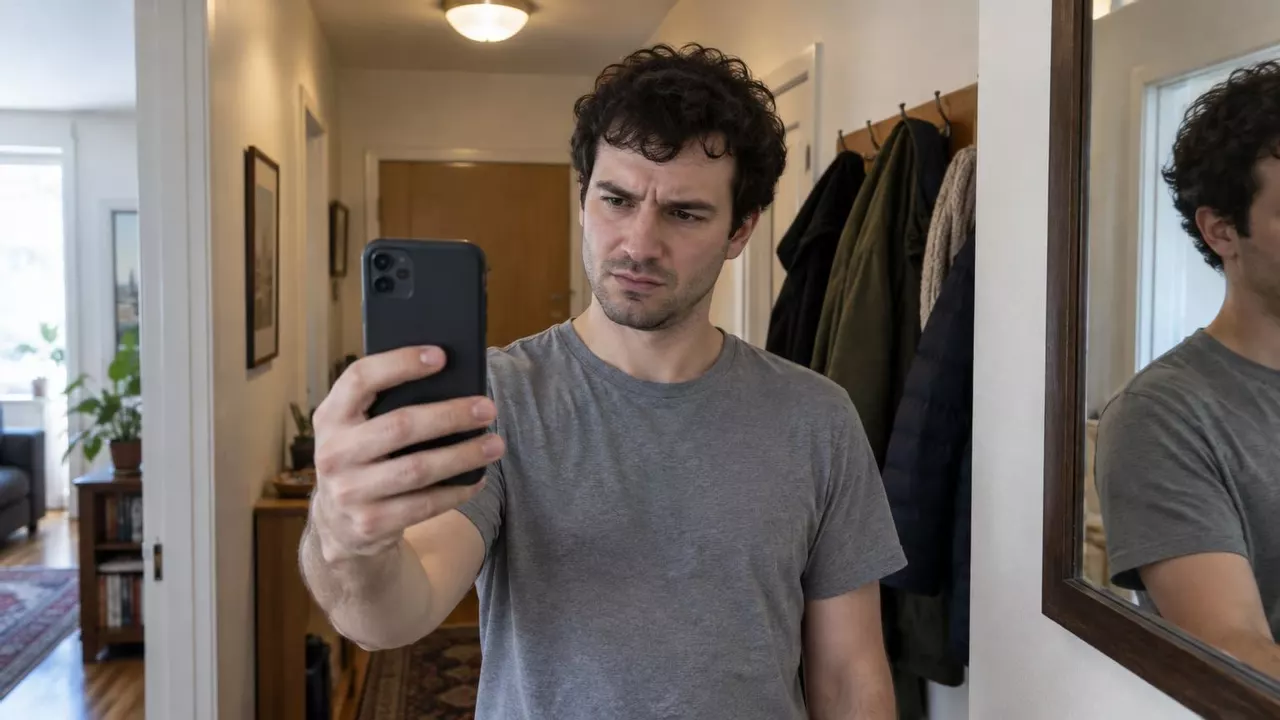
You looked fine in the hallway mirror. Then a friend shows you the photo from dinner and you want to delete it.
The short answer: three things that have little to do with your face. A photo shows you flipped the other way from your mirror, phones get held too close, and ceiling lights shade your eyes. Each takes seconds to fix.
01The camera shows the face you never see
Your mirror flips you left to right, and that flipped face is the one you've looked at every day of your life. A photo shows the other version. Every little asymmetry, like a parting, a lopsided smile, or one higher eyebrow, lands on the "wrong" side.
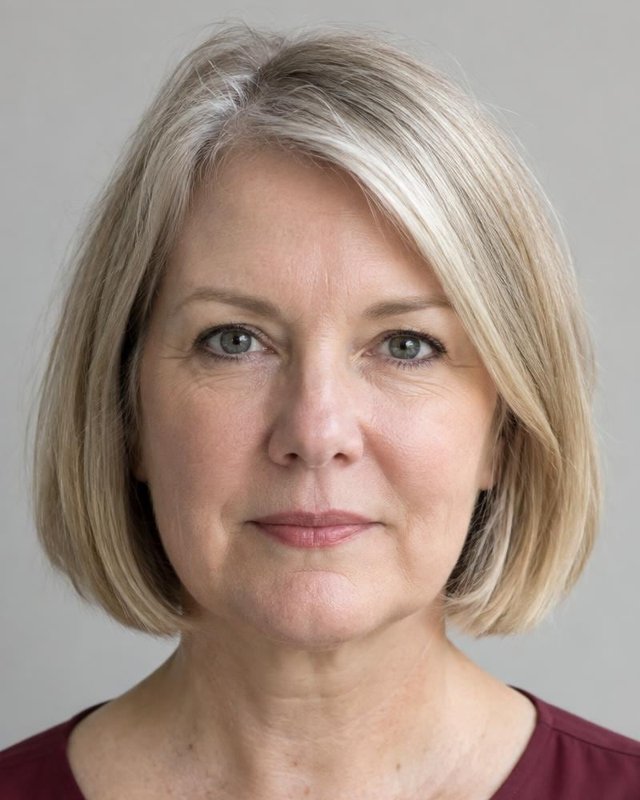
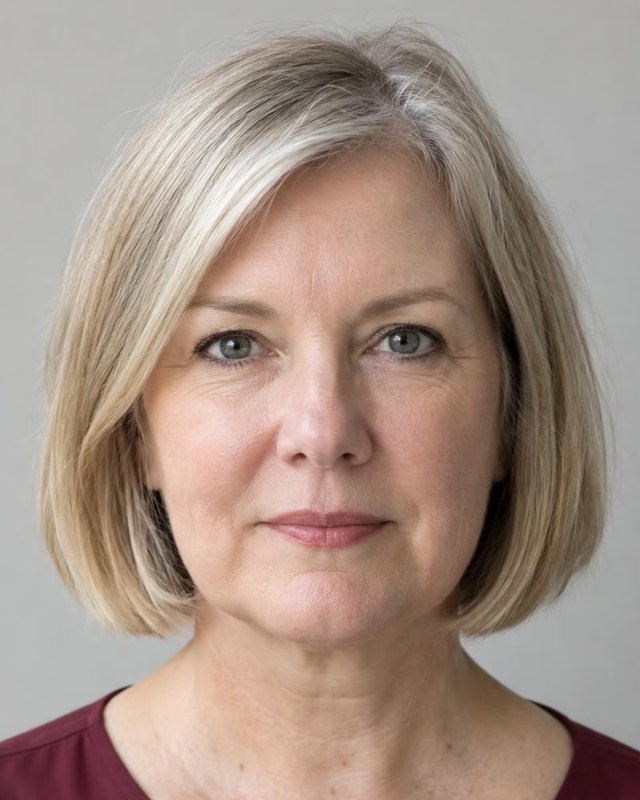
We like what we've seen most, which psychologists call the mere-exposure effect. In a 1977 study, about two in three women preferred a mirrored print of their own face. Their friends and partners mostly picked the unflipped one.
So the photo that bugs you is probably the one everyone else likes. If you want selfies saved the mirror way, iPhone has Settings > Camera > Mirror Front Camera, and Pixel and Galaxy phones call it "Save selfies as previewed."
02Your phone is too close to your face
A selfie is taken from about a foot away. At that range your nose is a lot closer to the lens than your cheeks and ears, so it comes out bigger and your ears slip behind your cheeks. Drag the camera and watch.
Facial plastic surgeons worked out in 2018 that a nose looks about 30% wider from 12 inches than from far away. When we rendered a 3D head at arm's length and at 1.5 m, the change was smaller but easy to see. By about 5 feet it mostly fades.
Pinch-zooming from up close won't undo it, because zoom only crops the picture. The distance is what reshapes your face, so the fix is to step back and zoom in.
03Overhead light hides your eyes
Ceiling lights, bathroom lights and midday sun all hit you from above. Your brow casts a shadow straight down into your eye sockets, and you look tired even when you aren't.
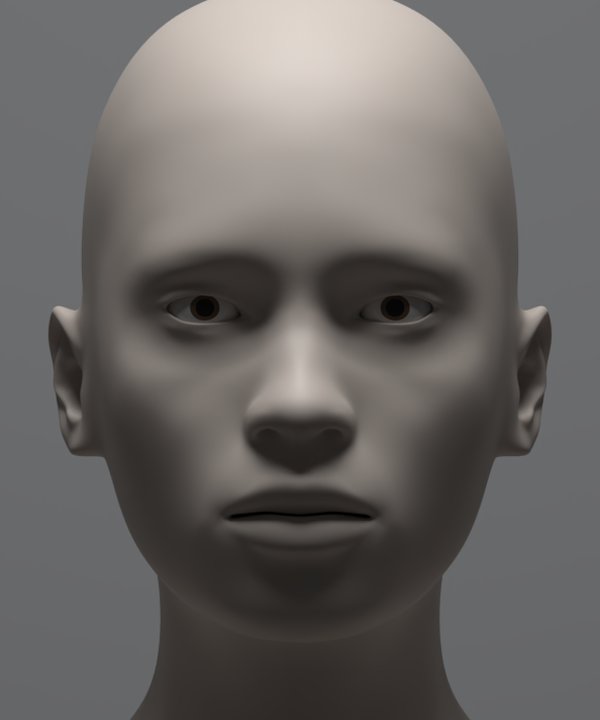
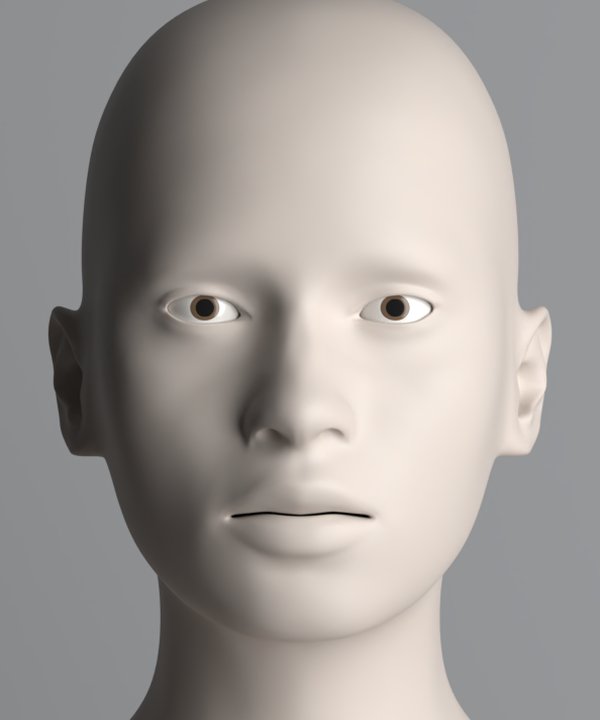
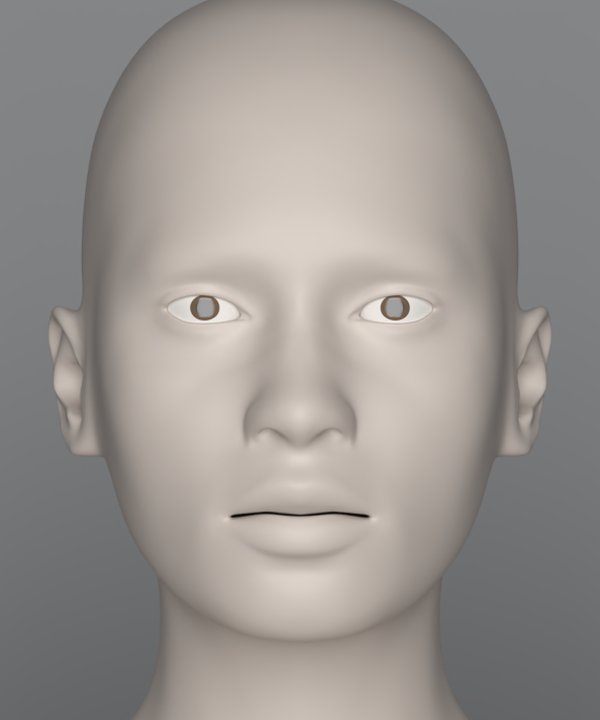
In our ceiling-light render, with nothing bouncing light back up, the eyes got about a sixteenth of the light on the forehead. Facing a window, they were as bright as the forehead. A window off to one side sits in between: bright eyes, plus a soft shadow on one cheek that gives your face some shape.
How to be more photogenic next time
Being photogenic is mostly where the camera and the light are. Before you press the shutter:
Step back and zoom
Stand about 1.5 m (5 ft) away and use the 2x or 3x lens, or prop your phone up and use the timer.
Find a window
Face it, or turn a little to one side. If a ceiling light is right above you, switch it off.
Take ten, not one
The same person can look very different from one shot to the next. In one study, attractiveness ratings varied more between photos of the same person than between different people. Pick the best.
Judge it the way others see it
The unflipped photo is the face your friends know. If it looks odd, that's mostly the mirror talking.
Need a photo for LinkedIn or a profile?
Our AI headshot tool turns a casual photo into a polished headshot with work clothes and a clean background. It keeps your face as it is, so start with a shot taken from a few feet away in window light. You can try it without an account; downloads without our watermark come with a paid plan.
Try the headshot toolMore on faces in photos: why AI headshots look fake and what you'd look like with bangs.
Try it on one of your own photos
Most of our photo tools have a free version. Upload a picture and see what it does before you decide anything.