Why AI Headshots Look Fake (And How to Fix It)
You've seen them—the plastic skin, the doll eyes, the uncanny valley smile. Learn the 5 telltale signs of bad AI headshots and how to get natural-looking results.
You've seen them. The plastic skin. The doll eyes. The uncanny valley smile. Someone on LinkedIn proudly posts their new "AI headshot" and something feels deeply wrong—like looking at a person without a soul behind their eyes. AI headshots have a reputation problem. And it's mostly deserved.
Quick Answer: Bad AI headshots happen because cheap tools over-smooth skin, create unnatural symmetry, and lose the subtle imperfections that make faces human. Good AI headshots preserve texture, maintain natural asymmetry, and match lighting properly. The difference is the tool and your input photos.
The 5 Telltale Signs of Bad AI Headshots
Our brains are wired to detect faces—and even tiny deviations from "normal" trigger discomfort. Here are the specific tells that scream "AI generated":
1. The Plastic Skin Effect
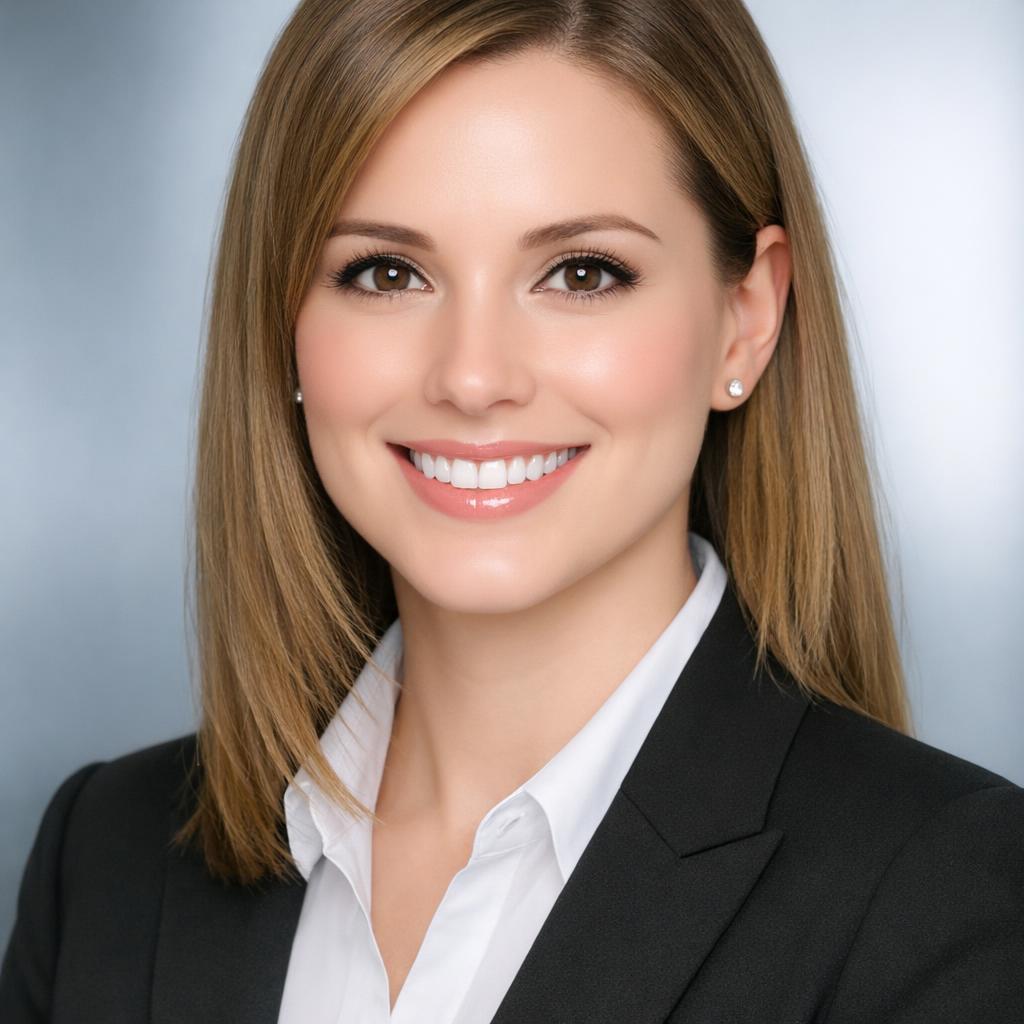
✗ Over-smoothed, no visible pores
Real human skin has texture—pores, fine lines, subtle variations in color, tiny imperfections. Bad AI tools obliterate all of this, leaving skin that looks like wax or porcelain.
Why it happens: AI models trained on millions of retouched photos learn to associate "professional" with "smoothed." They aggressively denoise, removing the very details that make skin look real.
2. The Empty Doll Eyes

✗ Glassy, lifeless, soul-less gaze
The eyes are the most important part of any portrait. Bad AI produces eyes that look "unnaturally drooping," eerily symmetrical, or hollow—"like you are looking at a person without a soul."
Why it happens: Catchlights (the reflections of light sources in eyes) don't match, pupils are misaligned, and the subtle moisture and depth of real eyes is flattened.
3. Same-Face Syndrome
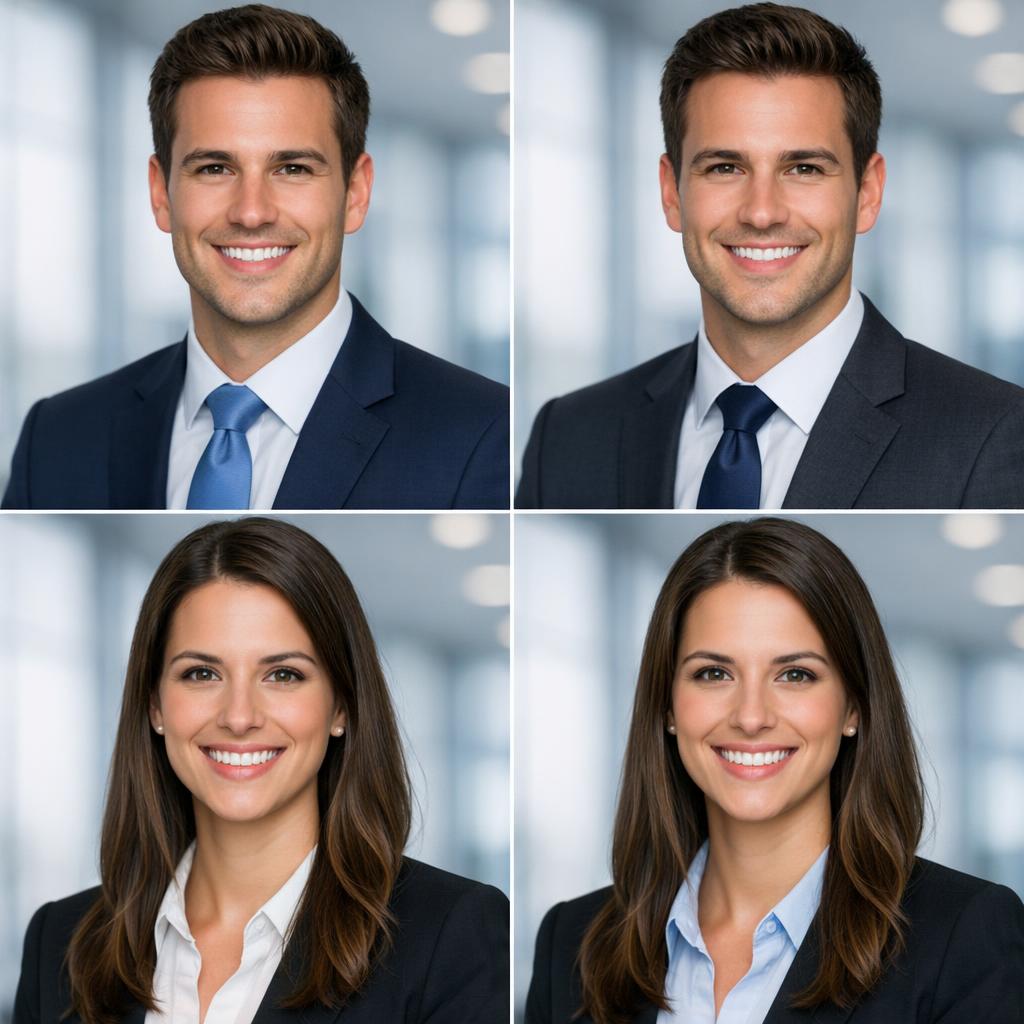
✗ Different people, eerily similar faces
Notice how many AI headshots look like variations of the same generic "attractive" face? Different hair, same bone structure, same smile, same expression.
Why it happens: AI models trained on limited datasets converge toward a statistical average. They learn what "attractive" means to their training data—which often skews young, light-skinned, and symmetrical.
4. Helmet Hair

✗ Hair looks like a solid mass, not strands
Real hair has individual strands, flyaways, natural variation in how light catches different parts. Bad AI produces hair that looks painted on—a solid mass with unnatural shine.
Why it happens: Hair is extremely complex to render. Cheap models take shortcuts, treating hair as a texture rather than thousands of individual elements.
5. Lighting That Doesn't Match

✗ Face and background lit from different directions
In real photos, the light source affects everything consistently. Shadows point the same direction, highlights match. Bad AI often generates faces that seem composited—the lighting doesn't make physical sense.
Why it happens: AI doesn't understand physics. It learns statistical patterns, not cause and effect. When combining learned face patterns with backgrounds, lighting coherence breaks.
Want Headshots That Don't Look Fake?
The difference is the tool and your input photos.
Why Cheap AI Tools Produce These Artifacts
Understanding the "why" helps you avoid the problems:
Training Data Bias
Models trained on retouched, airbrushed photos learn that "good" means "smoothed." They're not trained on diverse, unretouched close-ups, so they default to a narrow ideal.
Denoising Gone Wrong
AI learns to remove noise from images. But it can't tell the difference between unwanted grain and essential skin texture—so it removes both.
Statistical Averaging
Models learn "average" faces from data. Real faces are never mathematically average—they have character, asymmetry, quirks. AI smooths these out.
Cost Cutting
Cheap tools use smaller models with less training data. They prioritize quantity over quality. Result: obvious "AI weirdness."
What Natural-Looking AI Headshots Actually Look Like

✓ Natural Skin Texture
Visible pores, subtle imperfections, realistic lighting
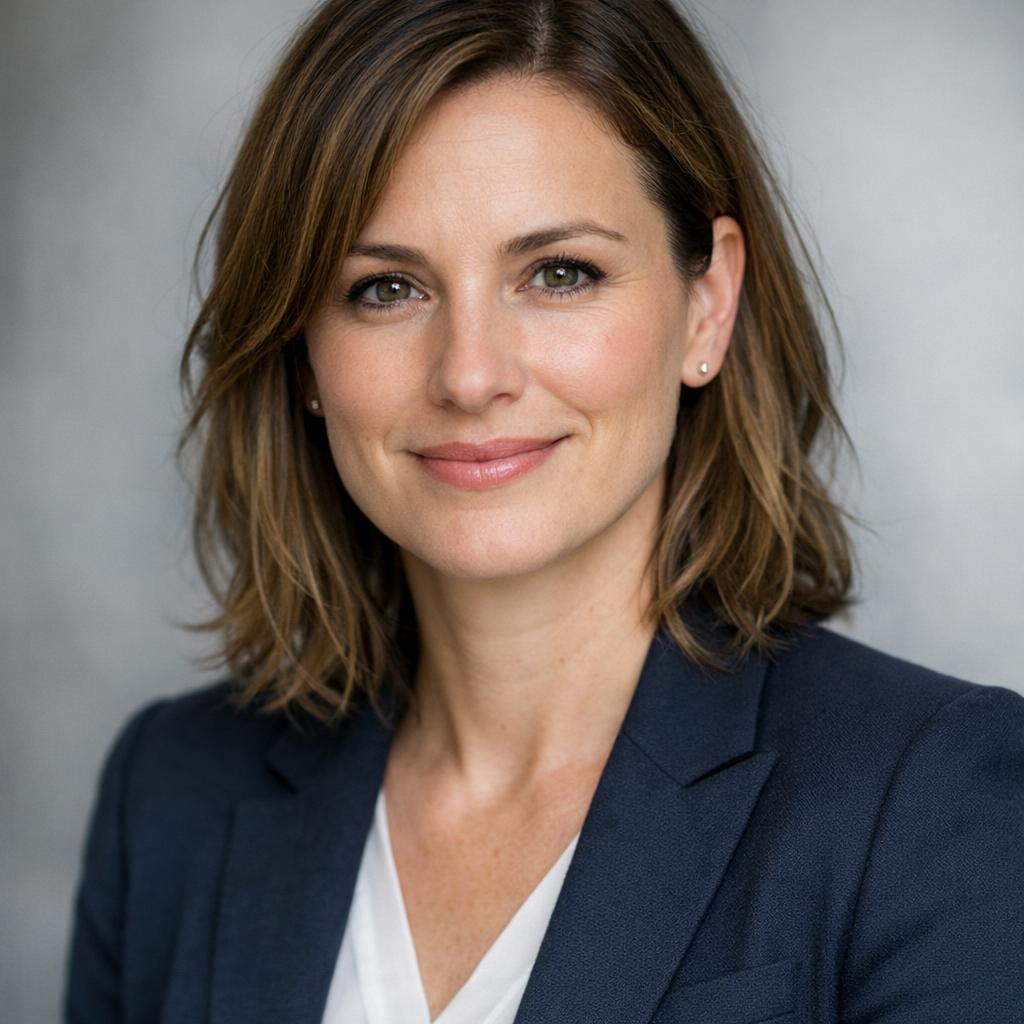
✓ Authentic Expression
Natural asymmetry, eyes with depth, genuine smile
Signs of a Good AI Headshot
- • Visible skin texture—pores, fine lines, natural variation
- • Slight facial asymmetry (real faces aren't symmetrical)
- • Eyes with depth, proper catchlights, natural moisture
- • Hair with individual strands and natural flyaways
- • Consistent lighting between face and background
- • Natural expression with authentic micro-movements
How to Get AI Headshots That Don't Look Fake
- 1. Use Recent, High-Quality Source Photos
AI works with what you give it. Use photos from the last 3-6 months, in natural light, with your face clearly visible. Avoid photos with heavy filters or beauty effects already applied.
- 2. Upload Multiple Angles and Expressions
Give the AI 10+ images showing your face from different angles, with different expressions. This helps it understand your actual features rather than guessing.
- 3. Choose Quality Over Speed
Free instant tools often use lower-quality models. Tools like BestPhoto's trained models actually learn your specific face, producing far more accurate results.
- 4. Request Subtle Enhancement Only
Don't ask for dramatic changes. Better lighting, cleaner background, professional framing—these are fine. "Make me look 10 years younger" will trigger the uncanny valley.
- 5. The Friend Test
Show the result to someone who knows you. Ask: "Does this look like me?" If there's any hesitation, the AI has changed too much.
Try a Better AI Headshot Tool
See the difference quality makes.
Side-by-Side: Bad vs. Good AI Headshots
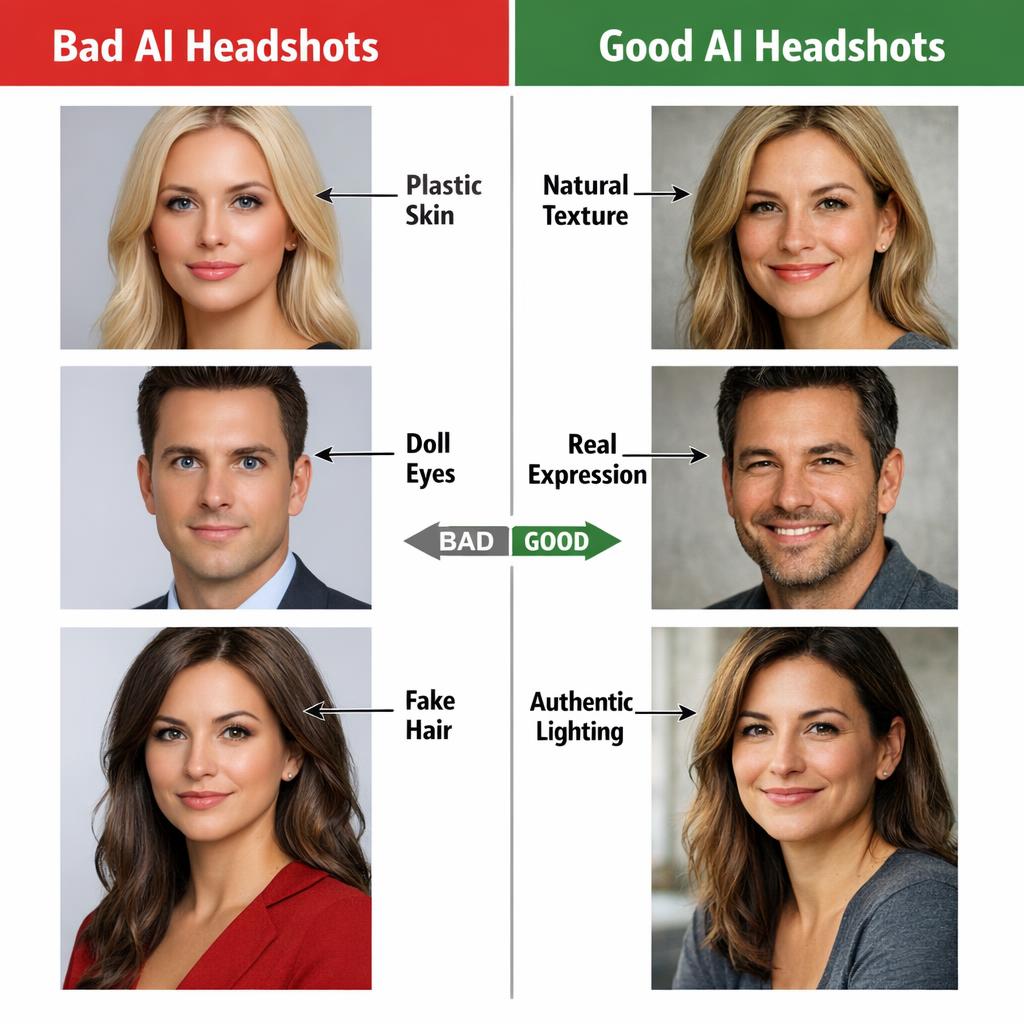
Left: Common AI headshot problems. Right: What natural-looking AI should produce. The difference is subtle but your brain notices immediately.
AI Headshots Don't Have to Look Fake
The plastic skin, the doll eyes, the uncanny valley—these are symptoms of bad tools, not inherent AI limitations. With the right tool and good input photos, AI headshots can be indistinguishable from professional photography.
No credit card required • Natural results • Your face, just better lit
Frequently Asked Questions
Why does AI over-smooth skin?
AI models learn from their training data. If they're trained mostly on retouched photos where skin is already smoothed, they learn that "good" equals "smooth." Better models are trained on diverse, unretouched images that preserve natural texture.
Can I fix a bad AI headshot?
Sometimes. You can use image editing tools to add back texture or adjust lighting. But it's usually easier to generate a new one with better source photos and a better tool. Garbage in, garbage out.
Are expensive AI tools always better?
Not always, but often. Premium tools typically use better models, more training data, and spend more compute time per image. Free instant tools cut costs somewhere—usually quality. That said, some free tools (like our basic headshot generator) produce solid results.
Will AI headshots improve over time?
Yes, dramatically. Each generation of models handles skin texture, eyes, and lighting better. What looks obviously fake today will be undetectable in a few years. The best current tools already produce results that fool most people.
Should I use AI headshots for LinkedIn?
Only if they look natural. A obviously-AI headshot can hurt your professional credibility. If the result looks like professional photography—natural skin, authentic expression, proper lighting—that's fine. If it looks like a video game character, get a real photographer.
Related Tools & Guides
Free AI Professional Headshot
Try our headshot generator - designed to look natural
AI Expression Changer
Get a natural-looking smile for your headshot
AI Headshots for Remote Teams
How companies create unified team headshots with AI
Top 5 AI Headshot Generators (2026)
Detailed comparison of the best options
Try it on one of your own photos
Most of our photo tools have a free version. Upload a picture and see what it does before you decide anything.