How to Restore Old Photos with AI: Complete Guide for 2026
Restore faded, scratched, and damaged family photos in seconds with AI. Learn how to bring old memories back to life without expensive restoration services.
That faded photo of grandma in the shoebox? AI can bring her back. The scratched wedding portrait your mom cries over? Fixed in 30 seconds. The water-damaged pictures from the flood that "destroyed everything"? There's hope.
Quick Answer: AI photo restoration can fix faded colors, remove scratches, repair tears, and even colorize black & white photos, all for free. Try BestPhoto's free restore tool to see your photo transformed in under a minute, no sign-up required.
Why Old Photos Deteriorate (And What You're Really Losing)
Photographs degrade fast. A family album stored in typical household conditions loses an estimated 20-30% of its image quality per decade. By that math, a photo from 1980 has already lost 60-90% of its original sharpness and color accuracy.
Common Damage Types
- 1.Fading — UV light and oxidation cause colors to wash out. Black & white photos turn yellow-brown.
- 2.Scratches & Tears — Physical handling, improper storage, accidents. Once the emulsion is damaged, the image data is gone.
- 3.Water Damage — Floods, humidity, spills. Water dissolves the emulsion layer and causes colors to bleed together.
- 4.Mold & Foxing — Brown spots that spread over time, eating away at the paper and image.
The Traditional Restoration Problem
Professional photo restoration costs $50-200 per image for basic work. Complex jobs (severe water damage, missing sections, full colorization) can run $300-500 each. Most local shops take 2-4 weeks.
Per photo restoration
Average turnaround time
Pay first, see results later
A box of 50 damaged family photos is common after a basement flood or when cleaning out a deceased relative's home. At those rates, you're looking at $2,500 to $10,000 and months of waiting.
See AI Restoration in Action
Upload a damaged photo and see the result in under a minute.
How AI Photo Restoration Actually Works
Modern restoration models are trained on millions of before/after pairs: damaged photos alongside their clean originals. From those examples, the AI learns to tell damage apart from image content and to reconstruct missing information from surrounding context.
Upload a scratched face and the AI doesn't just blur the scratch away. It reads the surrounding skin texture, the lighting direction, and the underlying facial structure, then rebuilds what should be there. In practice it's pattern completion, run pixel by pixel across the whole image.
What AI Can Fix
- • Faded and washed-out colors
- • Scratches across faces
- • Water stains and tide marks
- • Torn and missing sections
- • Mold spots and foxing
- • Creases and fold lines
- • Low resolution (upscaling)
- • Black & white to color
Step-by-Step: Restoring Your Photos
- Step 1: Scan Your Photo Properly
Use a flatbed scanner at 600 DPI minimum, and clean the glass first since dust particles show up in scans. No scanner? Use a phone scanning app in good lighting, not a regular camera photo.
- Step 2: Upload to BestPhoto
Go to the Photo Restoration tool. Drag and drop your scanned image. Supported formats: JPG, PNG, WebP up to 10MB.
- Step 3: Let AI Analyze and Restore
The AI automatically detects damage types and applies appropriate fixes. Processing takes 10-30 seconds depending on image size and damage severity.
- Step 4: Download Your Restored Photo
Preview the result and download in full resolution. If you want to add color to a black & white photo, use our Image Editor with a colorization prompt.
Pro Tips for Best Results
- • Scan at 600+ DPI — More data gives AI more to work with
- • Don't crop before uploading — AI uses edge context for reconstruction
- • Try multiple times — AI results can vary; run it 2-3 times and pick the best
- • For severe damage — Use the AI Image Editor to manually fix specific areas
- • Preserve originals — Always keep the original scan; you can always re-process later
Real Restoration Examples
These examples show actual damaged photos processed through AI restoration. Results vary based on damage type and original image quality.
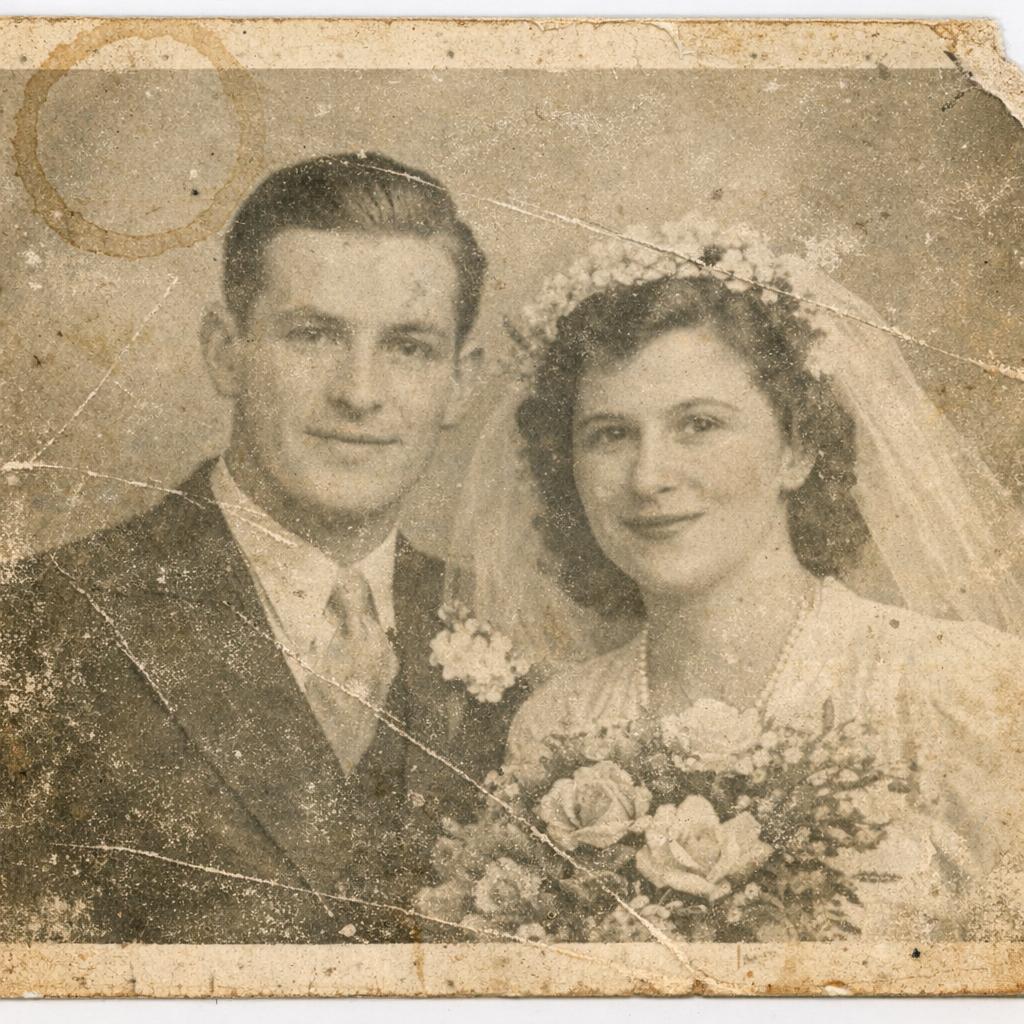 Before
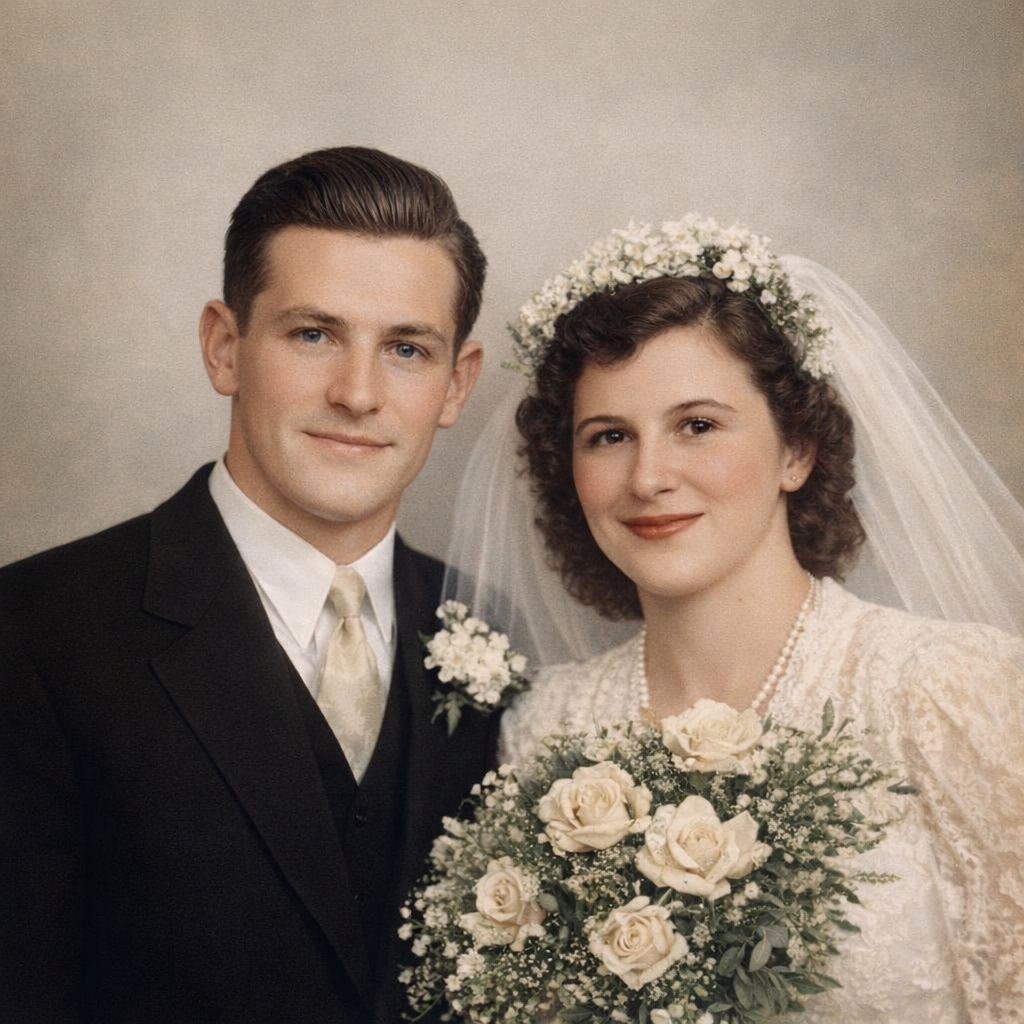 After
AfterFaded Black & White to Vibrant Color
1940s wedding photo restored and colorized. Scratches removed, contrast restored, faces sharpened.
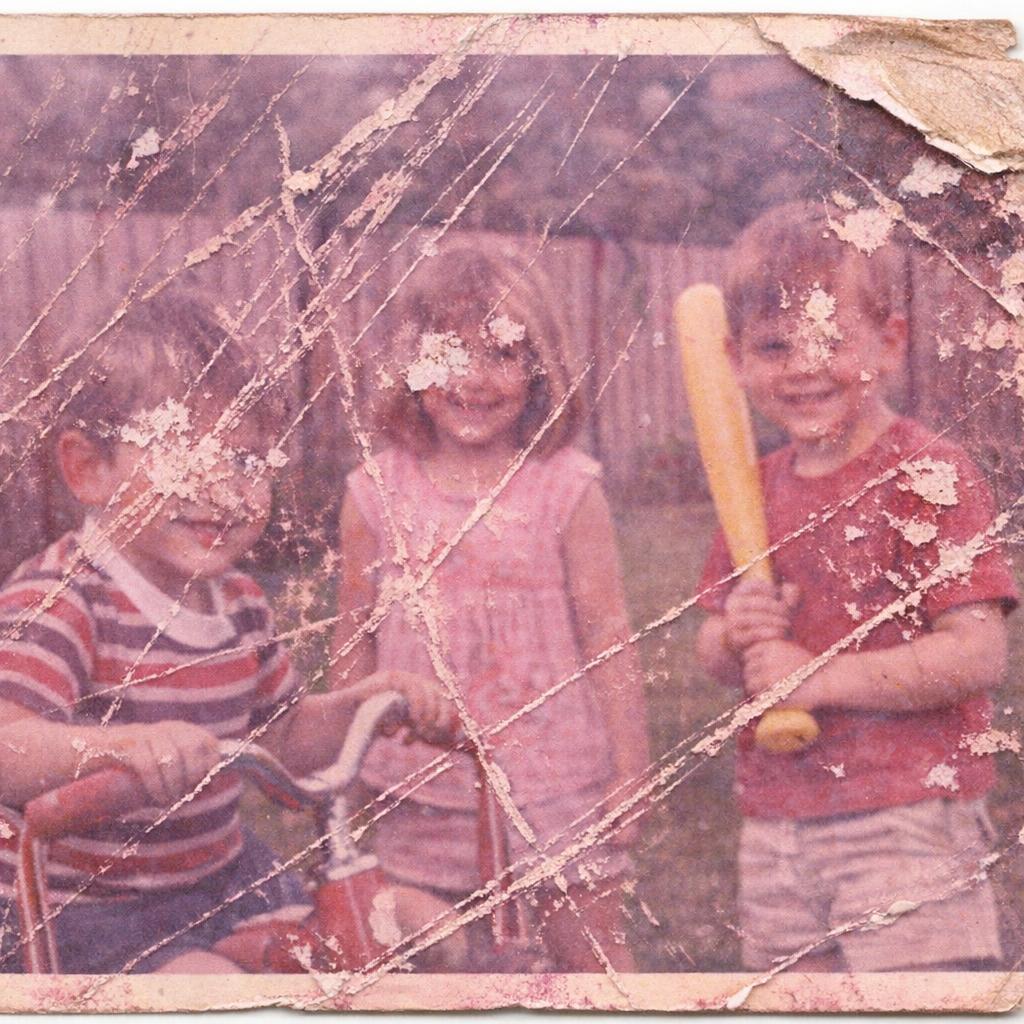 Before
 After
AfterSevere Scratch Damage Repaired
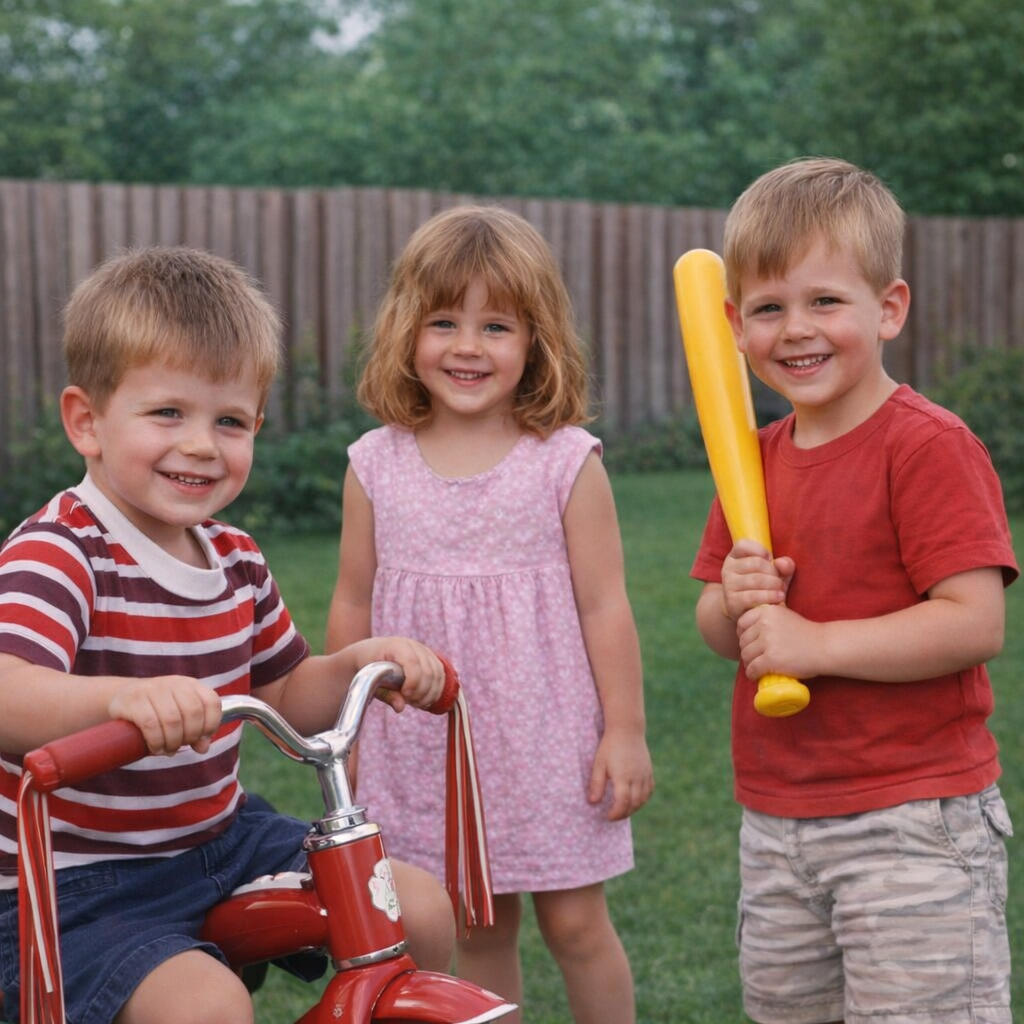
1970s family photo with diagonal scratches across faces. AI rebuilt the missing detail.
 Before
 After
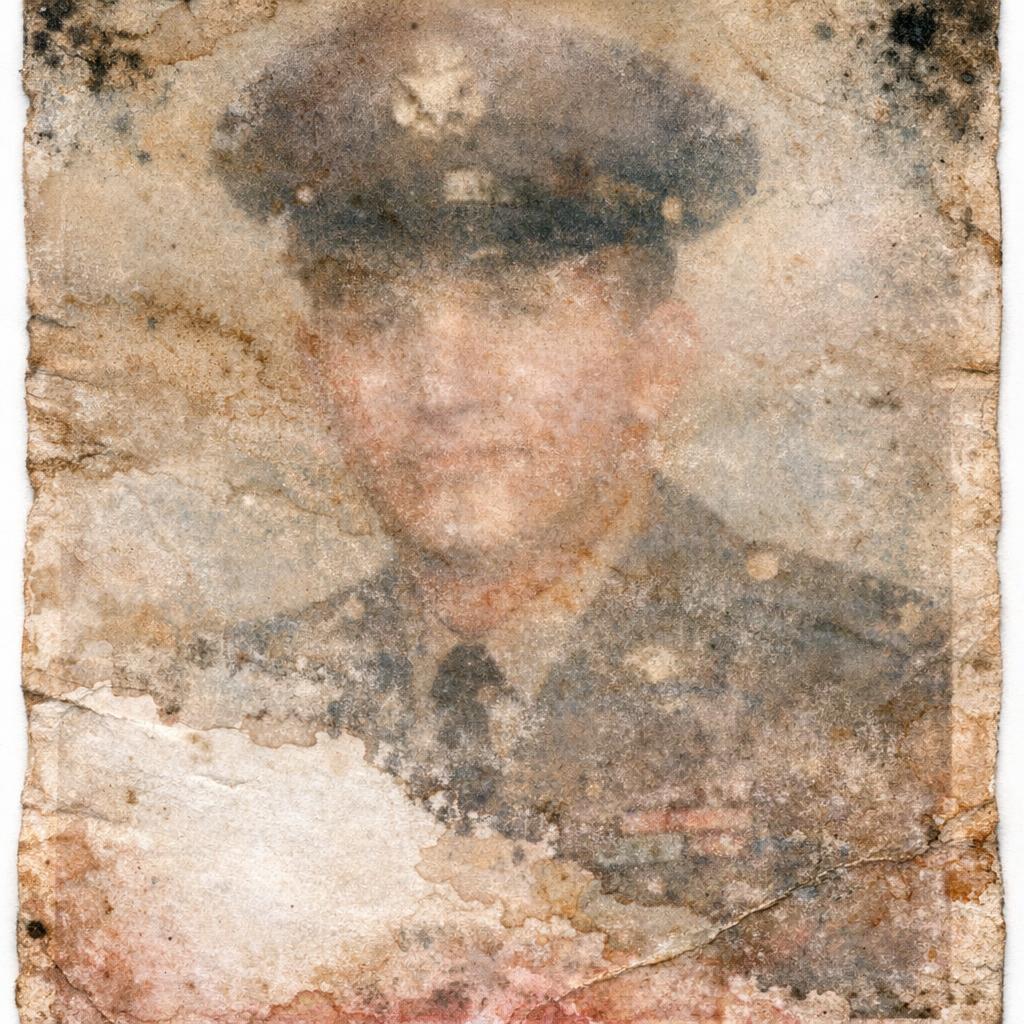
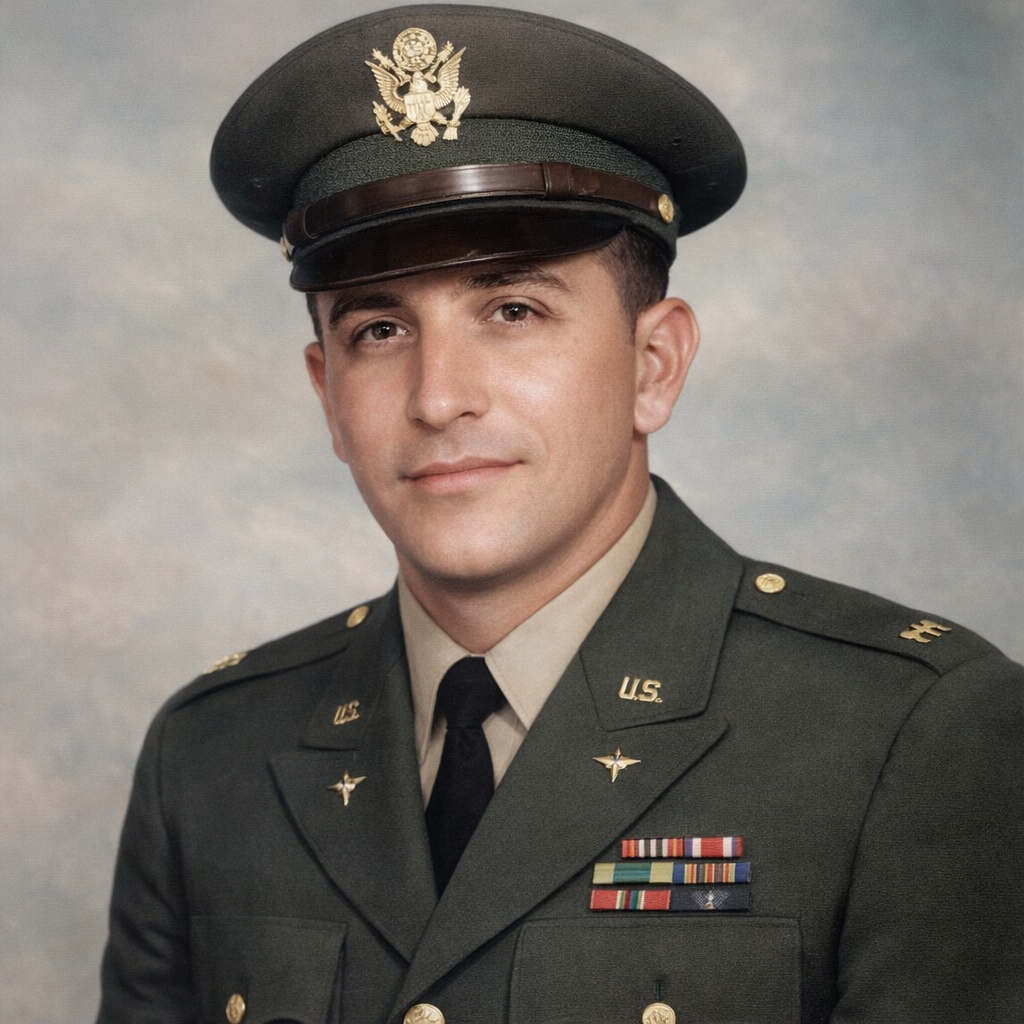
AfterWater Damage Restoration
Military portrait nearly destroyed by flooding. AI reconstructed washed-out areas and removed stains.
 Before
 After
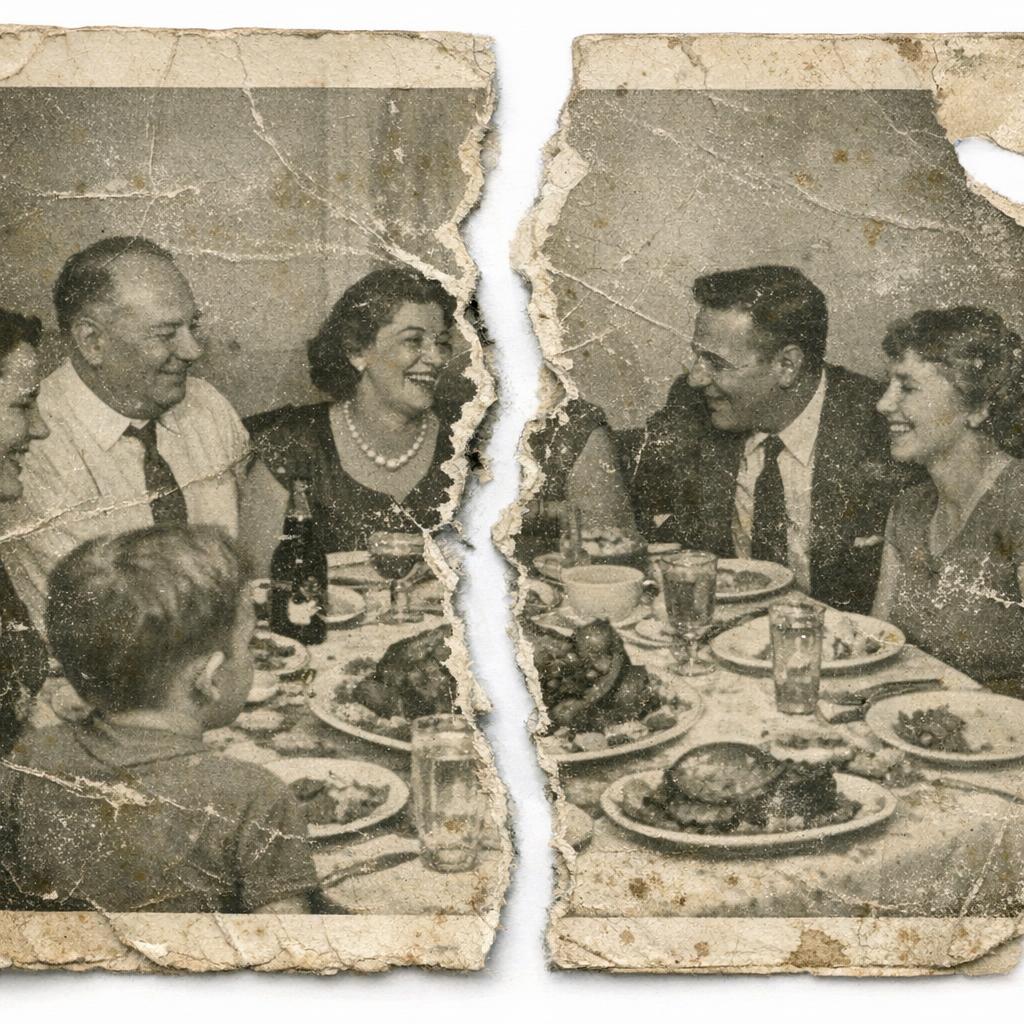
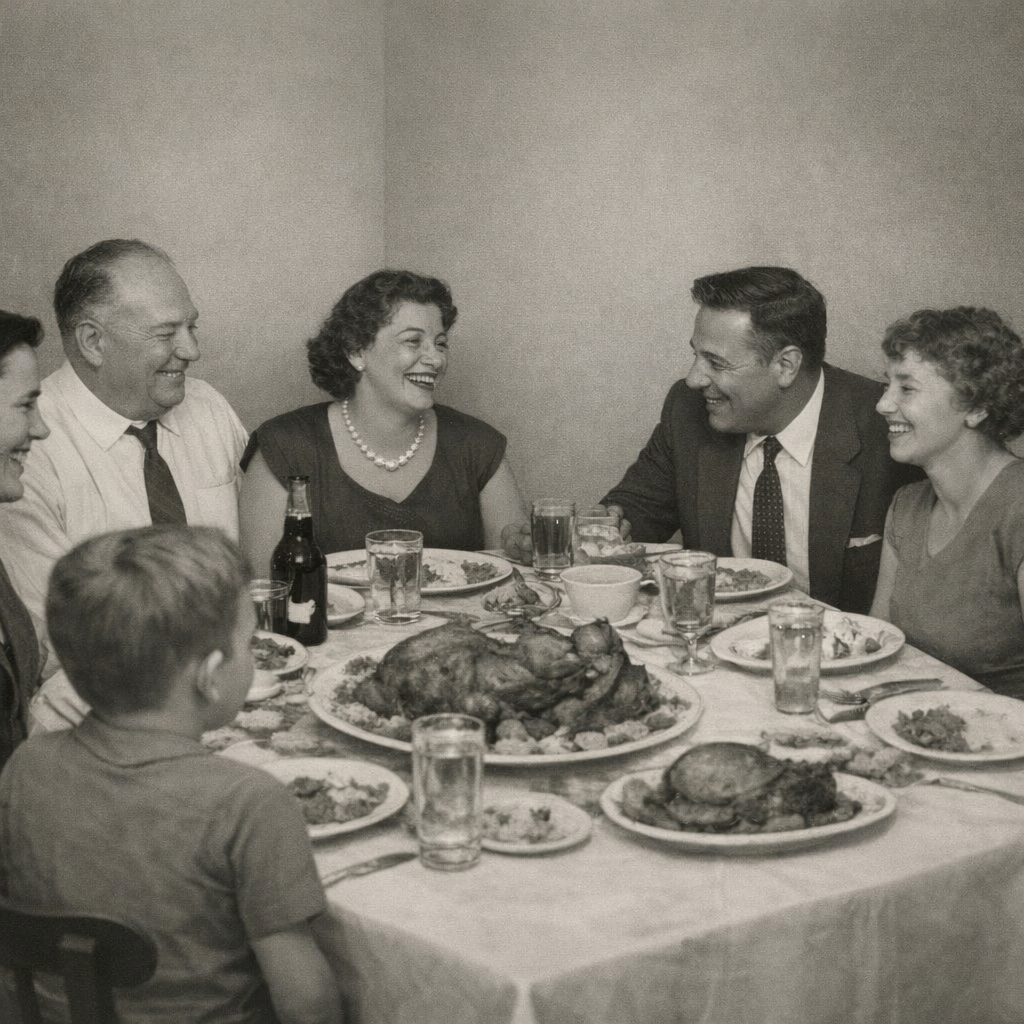
AfterTorn Photo Reconstruction
Family dinner photo torn in half. AI rejoined the two pieces and rebuilt the missing strip along the tear.
Your Turn
See what AI can do with your damaged photos.
Who Uses AI Photo Restoration
Families
- • Restoring grandparents' wedding photos
- • Fixing water-damaged albums after floods
- • Colorizing black & white family portraits
- • Creating memorial displays from old photos
- • Digitizing and preserving inherited collections
Professionals
- • Archivists digitizing historical collections
- • Genealogists researching family histories
- • Photographers rescuing old negatives
- • Museums preserving visual records
- • Historical societies restoring town photos
Special Occasions
- • Anniversary gifts (restored wedding photos)
- • Birthday tributes (childhood photo timelines)
- • Funeral displays (memorial collages)
- • Family reunion slideshows
- • Milestone birthdays (80th, 90th, 100th)
Creative Projects
- • Family history books and scrapbooks
- • Documentary filmmaking source material
- • Podcast/video show historical visuals
- • Social media "throwback" content
- • Art projects using vintage imagery
What AI Restoration Can't Fix (Yet)
AI is powerful, but it has limits. Be realistic about what to expect:
- • Completely destroyed sections — If 50%+ of a face is missing, AI will guess, and it may not look like the real person
- • Severe motion blur — Blur destroys information that can't be recovered, only sharpened slightly
- • Tiny source images — A 100x100 pixel image doesn't have enough data to restore meaningfully
- • Multiple overlapping damage types — Water damage + fire damage + mold can be too much for current AI
- • Perfect identity preservation — Severe face damage may result in a realistic face, but not necessarily your exact relative
For truly irreplaceable photos with severe damage, consider combining AI restoration with human touch-up from a professional editor who can reference other photos of the same person.
Those Memories Aren't Gone
The faded photo in the shoebox. The scratched portrait on the wall. The water-damaged album you thought was lost forever. AI can bring them back in seconds, for free.
No credit card required • No sign-up for basic restoration • Keep your photos forever
Frequently Asked Questions
Is AI photo restoration free?
Yes. BestPhoto's photo restoration tool is completely free with no sign-up required. You can restore unlimited photos at no cost. For advanced editing (manual touch-ups, colorization, face enhancement), you'll need free credits from creating an account.
How do I scan old photos for restoration?
Use a flatbed scanner at 600 DPI or higher. Clean the glass before scanning. If you don't have a scanner, phone apps like PhotoScan by Google work well. Just shoot in bright, even lighting without glare.
Can AI colorize black and white photos?
Yes, but it requires the AI Image Editor rather than the basic restoration tool. Upload your restored B&W photo and use a prompt like "Add natural, realistic colors to this vintage photo while preserving all details."
Will the restored photo look exactly like the original?
For minor damage (fading, light scratches), yes. The restoration is essentially recovering what was there. For major damage (missing sections, destroyed faces), the AI reconstructs based on context, which means it's making educated guesses. Results are realistic but may not be pixel-perfect to the original.
What's the best format to save restored photos?
Save as PNG for archival quality (lossless) or high-quality JPEG (90%+) for sharing. Keep your original scans too. The technology keeps improving, so you may want to re-process them later for even better results.
Related Tools & Guides
Ready to Transform Your Photos?
Join thousands of users creating amazing AI-generated photos with BestPhoto