Viral AI Photo Trends in 2026: Ghibli, Chibi, 3D Figurines & More
Studio Ghibli broke the internet. Here's how to create your own Ghibli portrait, chibi avatar, 3D action figure, and other viral AI photo styles trending right now.
Studio Ghibli broke the internet. One week in early 2026, everyone's profile picture transformed into a Miyazaki character. Then came the action figures. Then the 90s yearbook photos. AI portrait styles are the new filters—but with actual artistry. Here's how to create every viral look.
Quick Start: Want the Ghibli look right now? Use BestPhoto's free Ghibli tool—upload a photo, get your anime portrait in 30 seconds. For other styles, use the AI Image Editor with the prompts below.
Why Certain AI Styles Go Viral
Not all AI effects become cultural moments. The ones that break through share three traits:
Nostalgia
Ghibli, 90s yearbook, Polaroid—these styles tap into collective memory. They're not just filters, they're time machines.
Shareability
The transformation must be dramatic enough to make people say "wait, is that really you?" Identity preserved, context transformed.
Accessibility
Anyone can participate. You don't need art skills or expensive software—just a photo and an AI tool.
Create Your Viral Moment
Transform your photo into any trending style.
Studio Ghibli Style: The Phenomenon
It started with a few Twitter posts in January 2026. By February, Ghibli portraits had been generated over 50 million times. The style hits different because it's not just anime—it's a specific emotional register. Warmth, wonder, melancholy, hope.
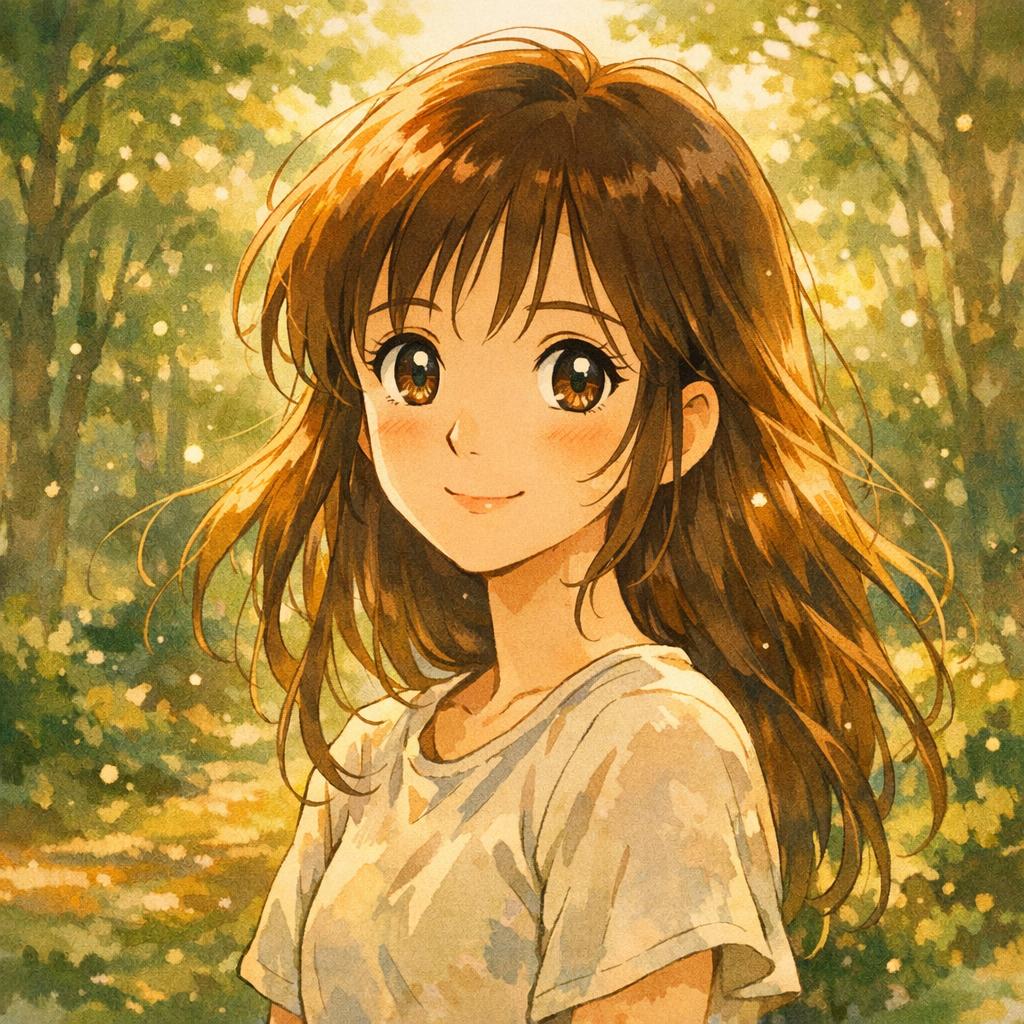
Studio Ghibli Portrait
Soft watercolors, expressive eyes, dreamy forest background. The aesthetic that broke Twitter.
View prompt
Transform this photo into Studio Ghibli animation style. Soft watercolor textures, large expressive eyes with light reflections, flowing hair, warm golden hour lighting, whimsical background with floating particles. Hayao Miyazaki aesthetic.

Ghibli Landscape Scene
Full scene transformation with dramatic sky and painterly backgrounds.
View prompt
Transform into Studio Ghibli style. Character on grassy cliff overlooking ocean at sunset. Dramatic orange and pink clouds, wind blowing through hair, painterly background. Howl's Moving Castle color palette.
What Makes a Good Ghibli Prompt
- • Mention lighting — "golden hour," "dappled sunlight," "soft afternoon glow"
- • Add atmosphere — "floating dust particles," "gentle breeze," "falling leaves"
- • Reference specific films — "Spirited Away color palette," "Howl's Moving Castle aesthetic"
- • Describe eyes — "large expressive eyes with detailed light reflections"
Chibi & Kawaii Avatars
Chibi (literally "short" in Japanese) takes the cute factor to 11. Giant heads, tiny bodies, eyes that sparkle with the light of a thousand stars. Perfect for profile pictures, Discord avatars, and making your serious professional self look adorable.

Kawaii Chibi Avatar
Oversized head, tiny body, sparkly eyes. Perfect for profile pictures and Discord avatars.
View prompt
Transform into adorable chibi anime avatar. Big sparkly eyes with star reflections, tiny body with oversized head, pastel background with floating hearts and stars. Kawaii Japanese style, clean rendering.

Chibi Character Design
Comedic proportions with personality intact. Great for memes.
View prompt
Create cute chibi anime character. Huge expressive eyes, tiny body, holding signature item. Background with pixel art elements and floating 8-bit hearts. Kawaii style with slight comedic exaggeration.
Pro tip: For chibi, ask the AI to include a "signature item" that represents you—your coffee cup, your guitar, your cat. It adds personality to the proportional absurdity.
3D Action Figure Packaging
This trend turns you into a collectible. You're not just in a photo—you're a product on a shelf, complete with blister packaging, cardboard backing, and tiny accessories. It hit TikTok hard in late 2025 and hasn't stopped.
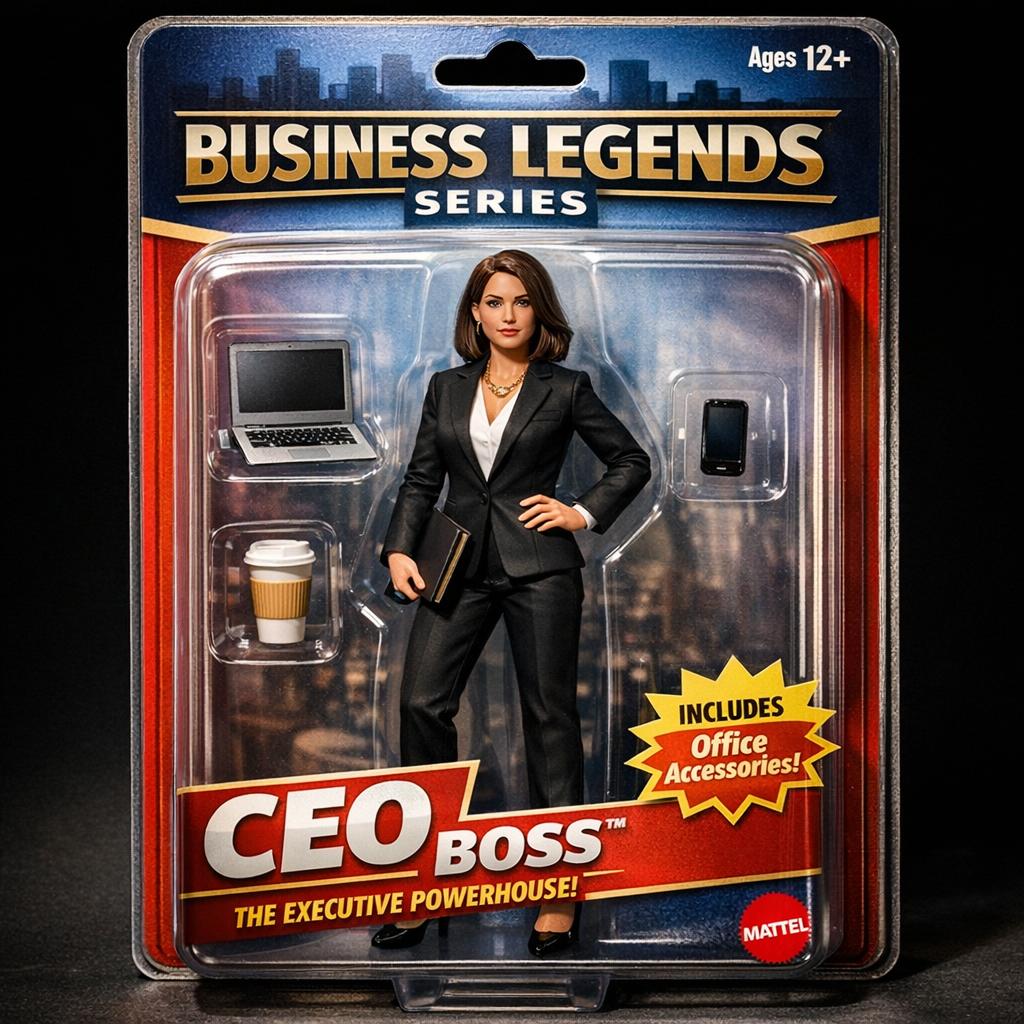
3D Action Figure
You as a collectible toy in retail packaging. The TikTok sensation.
View prompt
Create hyperrealistic 3D action figure in retail packaging. Displayed in clear plastic blister pack with cardboard backing. Include tiny accessories. Toy photography style, dramatic product lighting, authentic Mattel/Hasbro aesthetic.
Action Figure Prompt Tips
- • Name your character — Include a toy line name like "CAREER LEGENDS" or "REAL LIFE HEROES"
- • List accessories — "Comes with laptop, coffee cup, and tiny dog"
- • Add collectible details — "Limited edition," "Series 2," "Ages 30+"
- • Specify packaging — "Clear plastic blister pack," "cardboard backing," "hanging tab"
Make Yourself a Collectible
Turn your photo into retail-ready action figure packaging.
Retro Nostalgia: 90s, Polaroid, VHS
The retro aesthetic never dies, it just cycles. Right now we're deep in 90s nostalgia—laser backgrounds, scrunchies, and that specific blue-teal that only existed in school portraits. Pair it with Polaroid's warm fuzz and VHS's degraded charm.
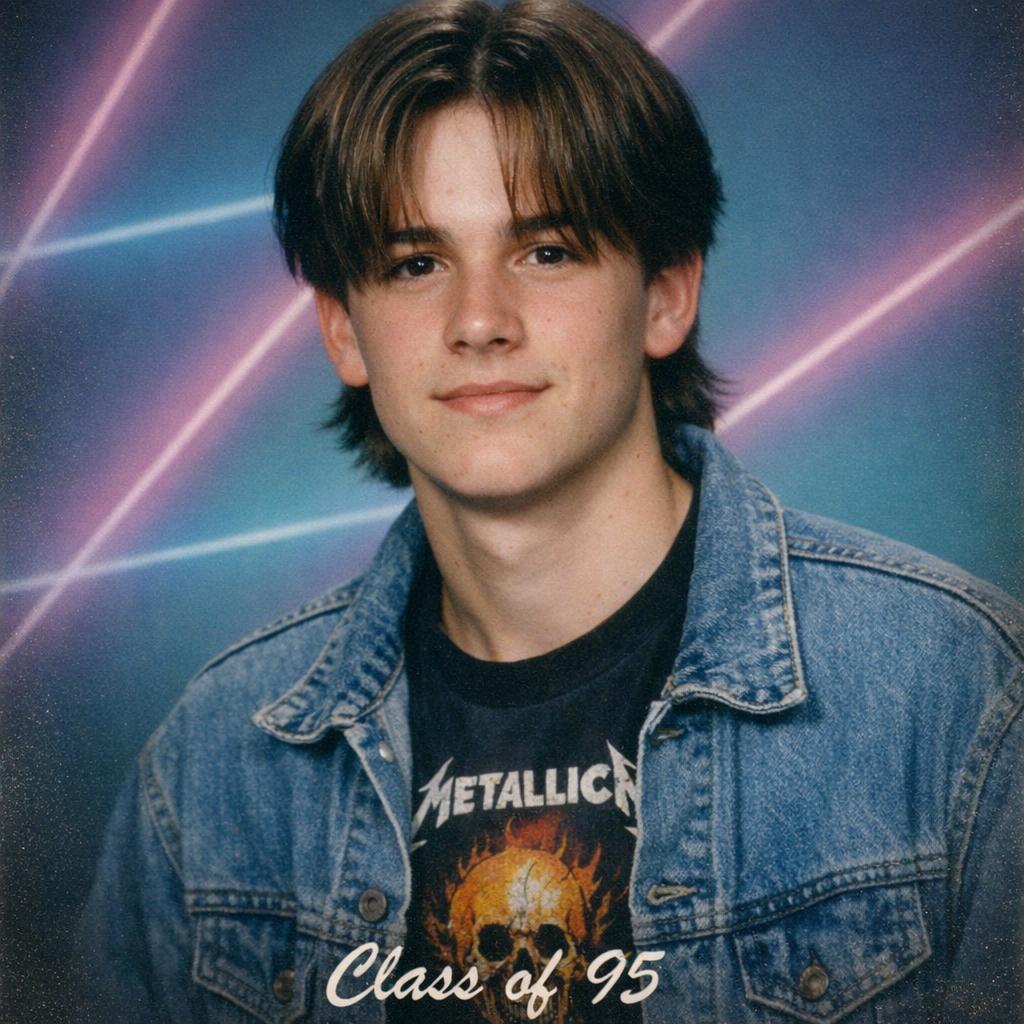
90s Yearbook Photo
Laser backgrounds, crimped hair, denim everything. Pure nostalgia.
View prompt
Transform into authentic 1995 high school yearbook photo. Classic 90s hairstyle, denim jacket, laser beam background in teal and purple gradient. Soft focus, slight vignette, specific 90s school portrait lighting.
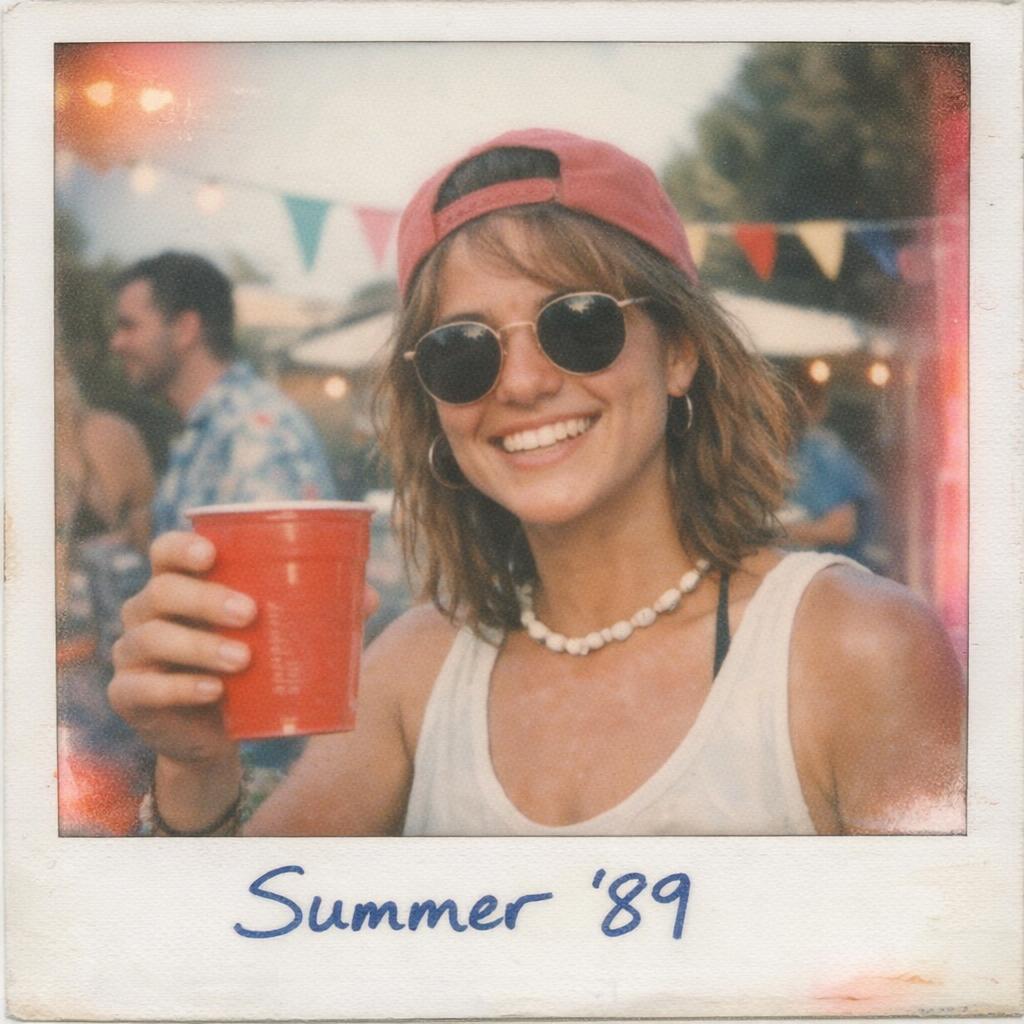
Vintage Polaroid
Instant film aesthetic with washed colors and that unmistakable white border.
View prompt
Create vintage instant Polaroid photograph aesthetic. Authentic Polaroid color rendition with slightly washed out colors, soft focus, light leaks. White Polaroid frame border, handwritten text at bottom.
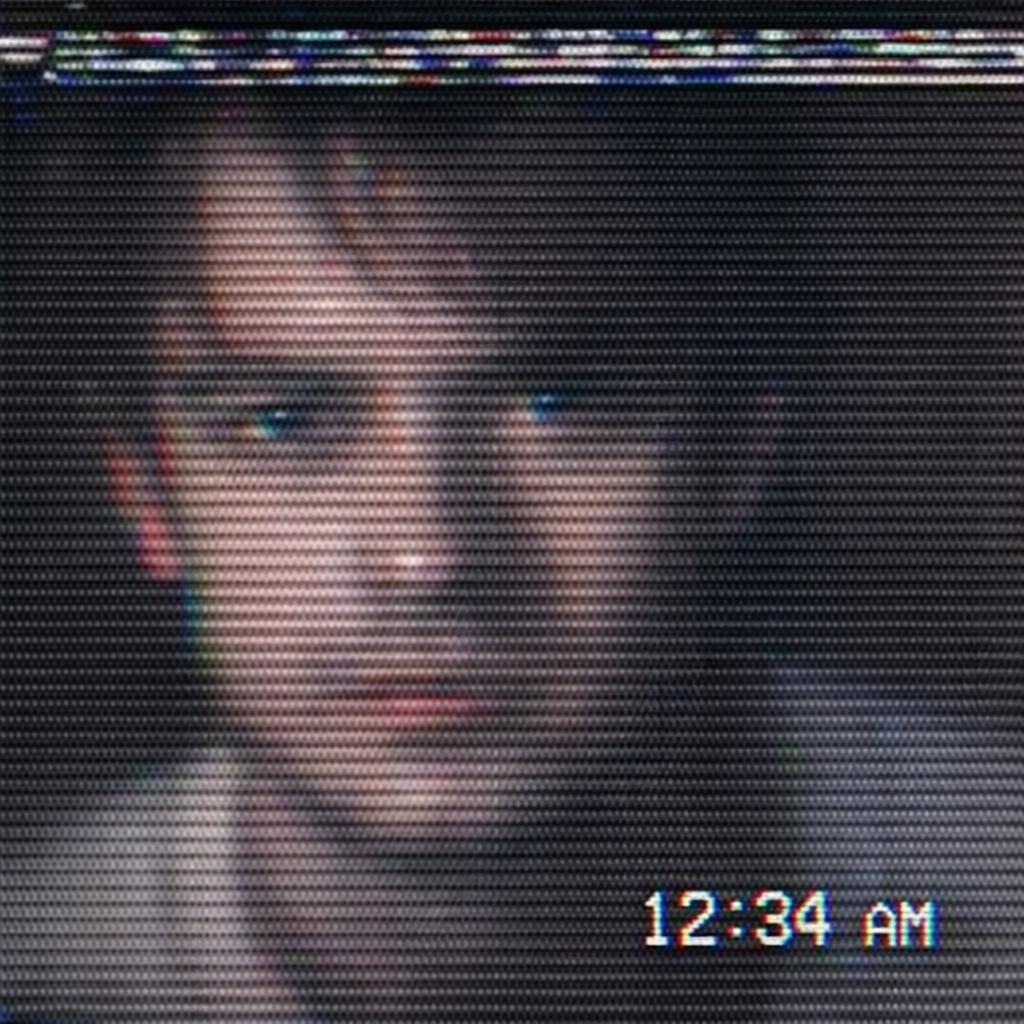
VHS Aesthetic
Scan lines, tracking errors, RGB separation. Found footage vibes.
View prompt
Create VHS video capture aesthetic. Heavy scan lines, RGB color separation/chromatic aberration, tracking errors, timestamp in corner. Grainy, degraded 1980s home video appearance.
Decade-Specific Prompts
- 70s: "Earth tones, shag carpet, wood paneling, oversaturated Kodachrome colors"
- 80s: "Neon grid, synth aesthetic, chrome text, Miami Vice color palette"
- 90s: "Laser background, denim everything, frosted tips, disposable camera flash"
- 2000s: "Low-rise jeans, butterfly clips, early digital camera quality, MySpace angles"
What's Coming Next: Emerging Trends to Watch
The AI art space moves fast. Based on what we're seeing in early 2026, here are the styles likely to blow up next:
AI Album Covers
Your portrait as a vinyl record cover in the style of classic albums. Blue Note jazz, Pink Floyd surrealism, Motown soul. Music-meets-visual-art aesthetic.
Video Game Character Select
You as a fighting game character with health bar, stats, and special moves listed. Street Fighter, Tekken, Smash Bros aesthetics.
Renaissance Painting
Classical oil painting style with dramatic lighting, rich fabrics, and that specific "hand on chest" noble pose. Vermeer lighting, Caravaggio drama.
Tarot Card
You as a major arcana card with symbolic imagery, ornate borders, and mystical aesthetic. "The Programmer," "The Dog Parent," "The Coffee Drinker."
How to Create Any Style
- 1. Choose Your Best Photo
Good lighting, clear face, minimal background clutter. The AI works with what you give it—garbage in, garbage out.
- 2. Pick Your Style Tool
For Ghibli, use the dedicated free tool. For everything else, use the AI Image Editor with a custom prompt.
- 3. Write a Detailed Prompt
Don't just say "make this anime." Describe the style, lighting, background, specific details. Reference existing works. The examples above show what good prompts look like.
- 4. Iterate and Experiment
First result not perfect? Adjust the prompt and try again. Add more detail, change the lighting description, specify what you want different.
Your Viral Moment is One Upload Away
Ghibli, chibi, action figure, 90s yearbook—pick your aesthetic and make it happen. The next viral trend might be your face.
Free tools available • No credit card required • Create unlimited styles
Frequently Asked Questions
Is the Ghibli tool really free?
Yes. BestPhoto's Ghibli transformation tool is completely free with no sign-up required. For other styles using the AI Image Editor, you'll need free credits (which you get by creating an account).
Will my face still be recognizable?
Yes—that's what makes these styles work. The AI preserves your core features (face shape, expression, basic appearance) while transforming the artistic style. You'll still look like you, just in a different aesthetic universe.
Can I use these for commercial purposes?
AI-generated images you create with BestPhoto are yours to use. However, be careful with style names that reference trademarked properties (like "Studio Ghibli")—for commercial use, describe the style generically ("Japanese animation watercolor style") rather than by brand name.
What photo works best for these styles?
Clear, well-lit portraits with your face visible and minimal background clutter. Headshots and upper-body shots work better than full-body images. Good lighting is more important than camera quality.
Why do some transformations look better than others?
AI results vary based on: (1) your source photo quality, (2) how well your prompt describes the style, and (3) some randomness in the generation. If the first result isn't great, try again—the same prompt can produce different results.
Ready to Transform Your Photos?
Join thousands of users creating amazing AI-generated photos with BestPhoto