How to Remove a Watermark From a Photo (Without the Smudge)
Crop marks in a corner, brush away thin lines, and let AI fill big ones. Then keep only the patch, because AI quietly repaints the rest of your photo.
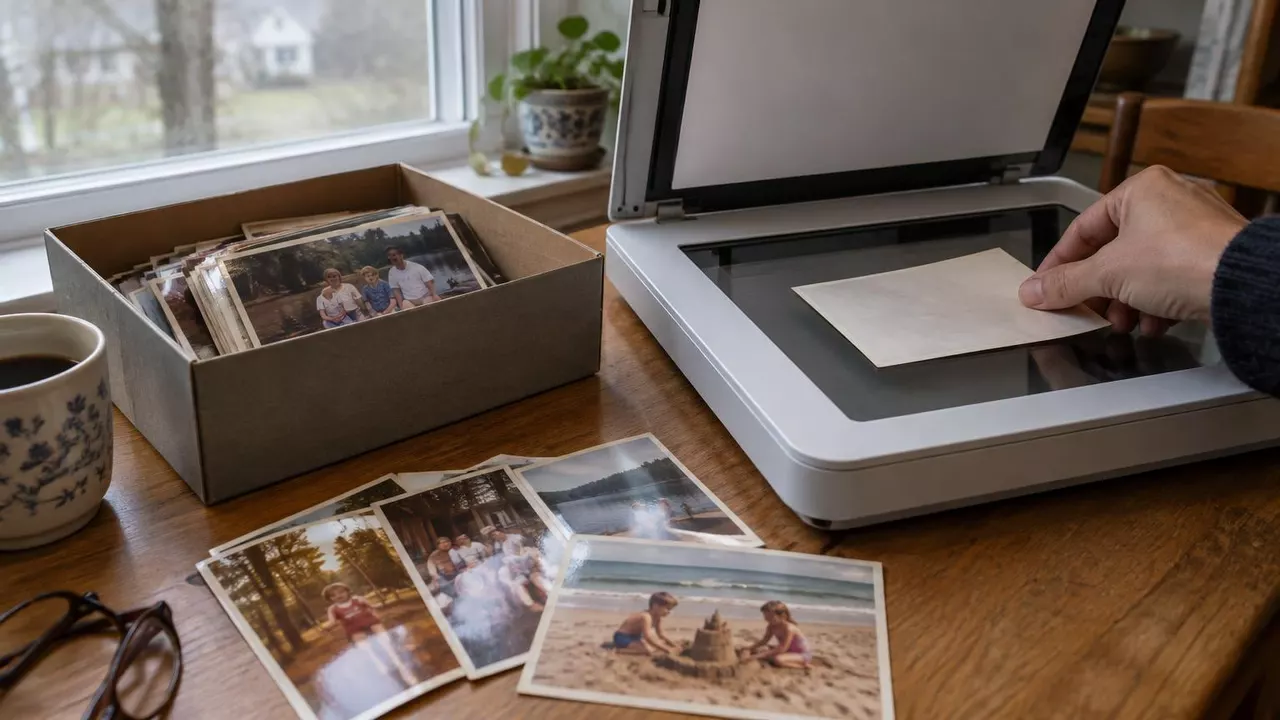
You found the shoebox. The prints are better than you remembered, except for the orange '98 7 14 glowing in the corner of every one. Or it's your own logo on an old export, and the clean file is long gone.
So you tried an eraser and got a blurry thumbprint where the mark used to be. Then an AI tool made the mark vanish, and somehow the whole photo looked a little off.
Here's how to remove a watermark from a photo without either problem: match the fix to the mark.
Match the fix to the mark
In a corner or along an edge
Crop it off. Nothing gets invented.
A thin line: a signature, small text
A small heal or eraser brush, painted tight.
Big, or sitting on grass, fur or a face
An AI fill, then keep only the patch where the mark was.
One note, said once: this is for marks on your own photos. On stock images and a photographer's proofs, the watermark is how someone gets paid, and removing it can break copyright law. If you want one of those, license it or ask for the final files.
In a corner? Crop it off
Cropping is the only fix that invents nothing. Every pixel left is your real photo, and it takes a few seconds in any phone's photo app.

Camera date stamps almost always sit in the bottom-right corner, so this works more often than you'd think. Before you crop, put the date in the file name. It may be the only record of when the picture was taken.
Rescanning the negative won't help, by the way. Those cameras shone a tiny light through the digits onto the film itself (here's Canon's manual), so the date is in the negative too.
A thin line? A small brush does it
Signatures, a line of small text, a slim logo on a plain background: these come off with the simplest tool there is. A heal brush or object eraser fills the mark from what's around it, and it only touches what you paint.
You probably have one already. There's Clean Up in Photos on newer iPhones, Magic Eraser in Google Photos, Generative edit on Samsung Galaxy phones (it adds a small AI watermark of its own) and Erase in the Windows Photos app. On a computer, GIMP's free Heal tool does the same job.
The trick is a tight brush. Zoom in, pick the smallest size that covers the line, and paint in short strokes. When we painted a little wider than the mark, the same fill that erased a signature cleanly left a soft smear instead. The more you paint, the more it has to make up.
Big or busy? Let AI fill it, then keep only the patch
A simple fill can only stretch what's at the edge of the hole. That's fine for a hairline. Over grass, fur, hair or machinery, it gives you the smudge you've probably already met.
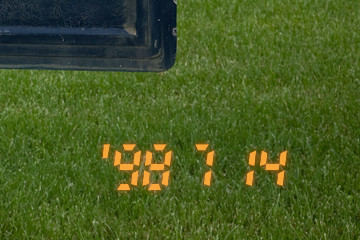
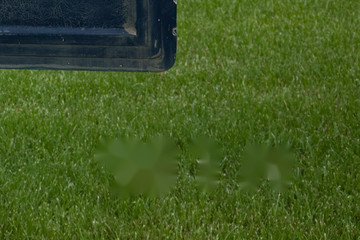
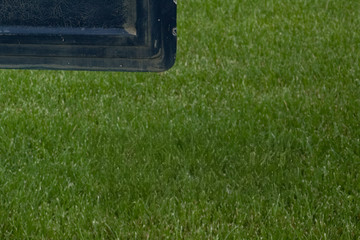
AI is much better at this, because it draws new detail: fresh grass blades, fur, the edge of a sleeve. In our tests every AI fill hid the mark completely, even big text right across a face.
The catch is easy to miss. The AI tools we tried redrew the whole photo to hide one mark. Colors drift, skin warms up, dark corners get brighter, and you only notice when you flick between the two versions. Our own one-click remover nudged the color of about two thirds of the pixels the mark never touched. A short, plain request in an AI editor ("Remove the orange date stamp") did better, but still changed about a quarter.
 Shadows became peopleWarmer skin
How to keep only the patch
Put the AI version on top of your original and let it show through only where the mark was. Any editor with layers can do it. In GIMP, which is free:
- Open your original photo.
- Choose File → Open as Layers and pick the AI result. If it's smaller, use Layer → Scale Layer to match your photo's size.
- Choose Layer → Mask → Add Layer Mask and pick Black. The AI layer disappears.
- Paint over the mark with a soft white brush. The AI fill shows through only there.
- Zoom in on the edge. A faint outline of the mark means the AI shifted the colors, so run it again and try the new result.
There's a bonus. AI tools often send back a smaller image (ours return about one megapixel), so keeping only the patch leaves the rest of your photo at full resolution. If the whole picture needs to be bigger, here's what upscaling can and can't bring back.
Try it on your own mark
Curious what an AI fill does with your date stamp or logo? You can try our watermark remover free, no account needed. Free results are previews with our own watermark on them; the clean, full-size file you'd need for the patch trick comes with a paid plan.
If the one-click remover changes too much of your photo, our AI editor with a short request changed less in our tests. It needs a free account.
See what happens to your date stamp
Upload a photo you own and preview the fill. Your first two results are free, no account needed.
Quick questions
Can I remove the watermark from photos my photographer sent me?
Ask for the final files instead. The photographer keeps the copyright unless it's signed over in writing, and a print release usually doesn't cover editing. Most photographers will happily resend finals if you've lost them.
Does removing a watermark lower the photo's quality?
A crop or a brush leaves the rest of the photo exactly as it was. AI tools often send back a smaller image, so keep only the patch from the AI version and the rest of your photo stays full size.
Is the BestPhoto watermark remover free?
You can try it without an account. You get two free results, shared with our other photo-edit tools. Free results are previews with our watermark on them; downloads without it come with a paid plan.
Try it on one of your own photos
Most of our photo tools have a free version. Upload a picture and see what it does before you decide anything.