GPT Image 2 Now Available: State-of-the-Art Text, Reasoning, and Multilingual Rendering
OpenAI's GPT Image 2 is live on BestPhoto. 99%+ text accuracy, a new Thinking mode that plans before rendering, and #1 on every image arena leaderboard with a 1,512 Elo lead.
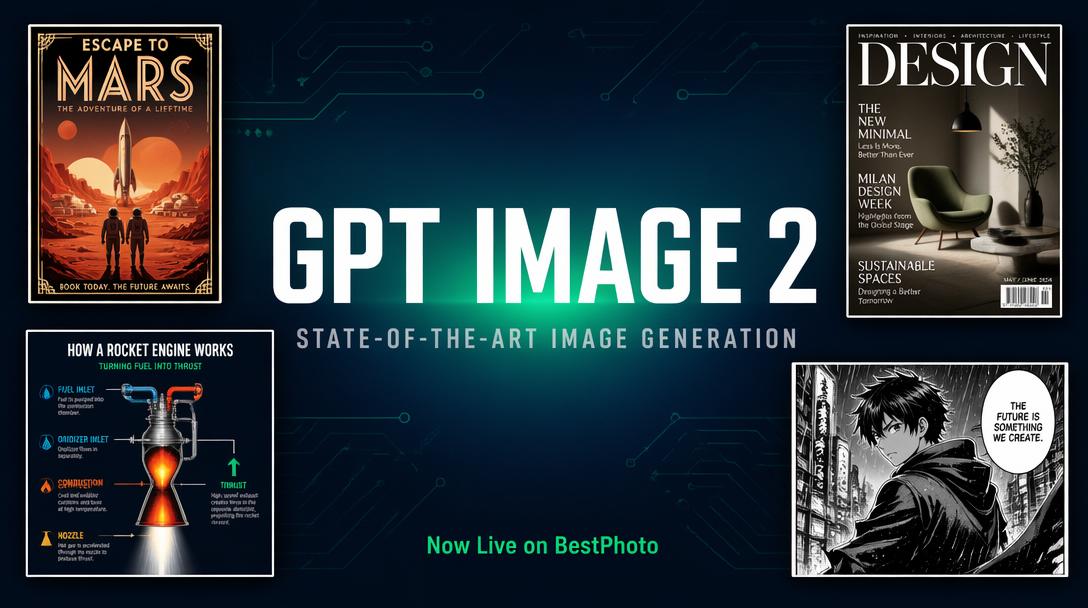
OpenAI's GPT Image 2 is now live on BestPhoto. It's a clean sweep of the image arena leaderboards — #1 text-to-image at 1,512 Elo (a 242-point lead over the next model), #1 single-image editing at 1,513, and #1 multi-image editing at 1,464. More importantly, it does things open-source models simply can't: render dense text correctly, reason about layout before drawing, and handle Japanese, Hindi, and Arabic scripts in the same image.
Try GPT Image 2
Generate and edit with OpenAI's new #1 image model.
What's Actually New
GPT Image 2 isn't a refinement — it's a rebuild. OpenAI redesigned the architecture from scratch. The model generates pixels sequentially within a native multimodal LLM, which is why it can plan layout and reason about constraints before producing a single pixel.
Thinking Mode: Reasoning Before Rendering
- ✓Plans composition, hierarchy, and constraints before generating
- ✓Optionally searches the web for factual accuracy (stats, maps, diagrams)
- ✓DSLR-quality output without the telltale "AI look"
Text Rendering at 99%+ Accuracy
- ✓Dense paragraphs, labels, product fine print — all readable
- ✓Japanese, Korean, Chinese, Hindi, Arabic, Cyrillic all handled natively
- ✓Text on curved, reflective, and textured surfaces
Why Open-Source Models Can't Match This
If you've used FLUX.2 Klein, SDXL, or Qwen-Image, you already know where they fall short. They can produce beautiful photorealistic portraits and landscapes — but ask them to render a magazine cover with five headlines, or a four-panel infographic with labeled arrows, and they fall apart. Text goes garbled. Labels drop. Layout collapses.
GPT Image 2 is the first widely-available model that reliably handles those dense, information-rich compositions. It's also the first to use a reasoning step — the model plans the image like an LLM plans an essay outline, then draws.
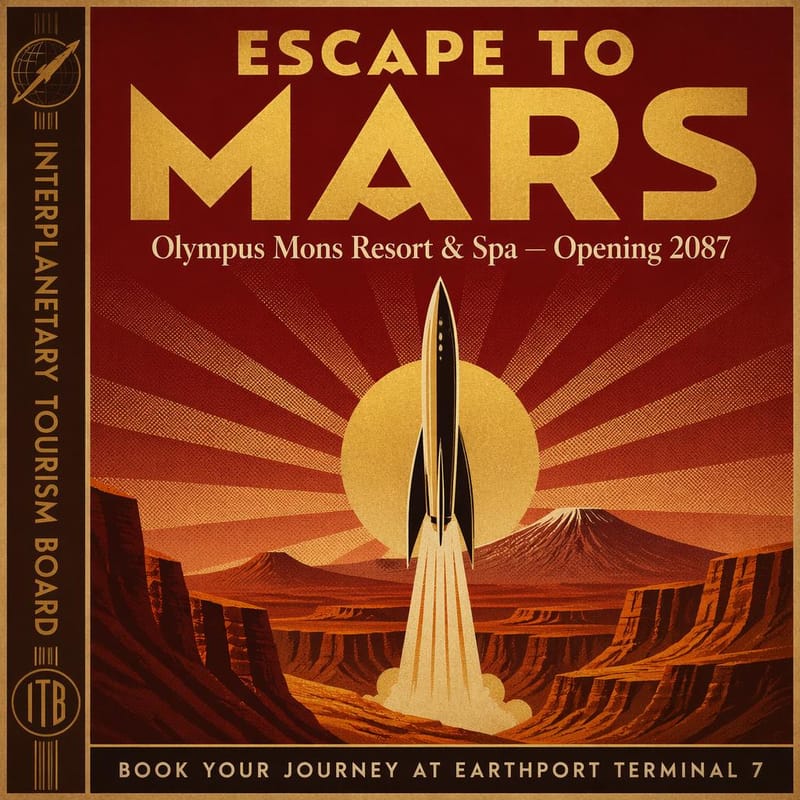
Art Deco Typography
Headline, subheadline, vertical strip, and footer all rendered correctly with period-appropriate styling
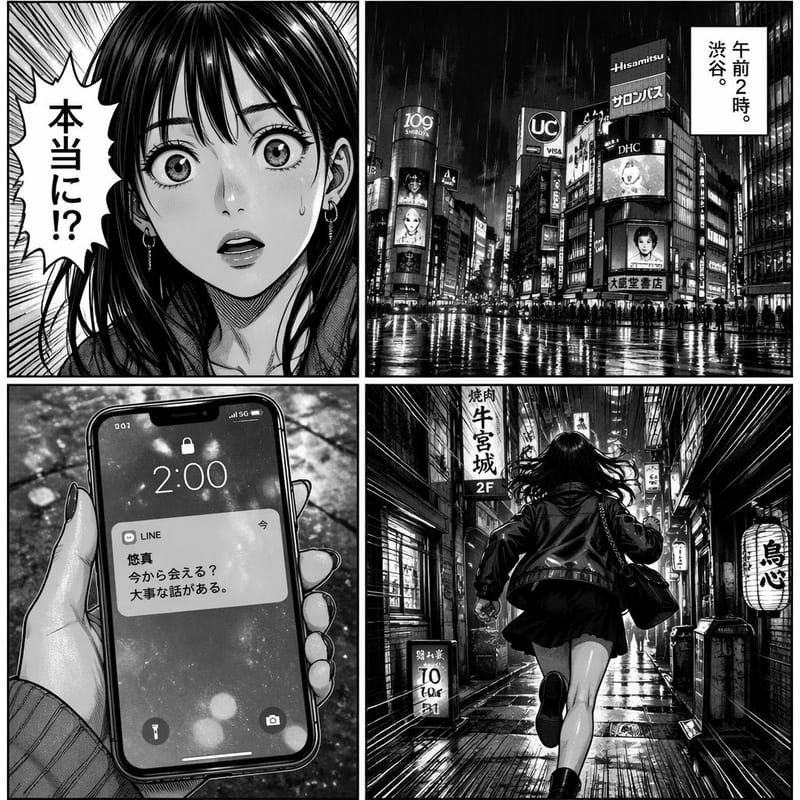
Multilingual Composition
CJK speech bubbles and caption boxes rendered in authentic manga style — a failure mode for every open-source model
See the #1 Model in Action
Edit any image with GPT Image 2 on BestPhoto.
How GPT Image 2 Compares
We already run GPT Image 1.5, Nano Banana Pro, and FLUX.2 Klein on BestPhoto. Here's how GPT Image 2 stacks up against each.
vs. GPT Image 1.5
- • Text accuracy: 99%+ vs. ~90-95% on dense or small text
- • Reasoning: New Thinking mode plans layout before rendering — 1.5 has nothing comparable
- • Multi-image consistency: Up to 8 images with maintained character identity in one call
- • Non-Latin scripts: Major improvement on CJK, Indic, Arabic — 1.5 was unreliable here
vs. Nano Banana Pro
- • Text in image: GPT Image 2 wins decisively on infographics, magazine covers, UI mockups
- • Photorealistic portraits: Nano Banana Pro still produces more natural human faces and lighting
- • Instruction density: GPT Image 2 handles 10+ constraints in one prompt; Nano Banana starts dropping elements
vs. FLUX.2 Klein (Open-Source)
- • Cost: Klein is dramatically cheaper and runs locally — use it for bulk, style-focused work
- • Text rendering: Klein produces average text; GPT Image 2 handles dense labels cleanly
- • Reasoning / planning: Klein has none; GPT Image 2's Thinking mode is unmatched
- • Spatial layouts: Four-panel diagrams, maps with labels, UI mockups — GPT Image 2 wins
Quick guide: Use GPT Image 2 when your image needs text, layout precision, or multilingual content. Use Nano Banana Pro for natural-looking portraits. Use FLUX.2 Klein for cost-sensitive bulk generation where text doesn't matter.
Showcase Gallery
Every image below was generated by GPT Image 2 from a single prompt — no retouching, no manual text overlays. Each one deliberately targets a weak spot of open-source models: dense typography, multilingual text, multi-panel layouts, labeled diagrams, or instruction-heavy scenes.
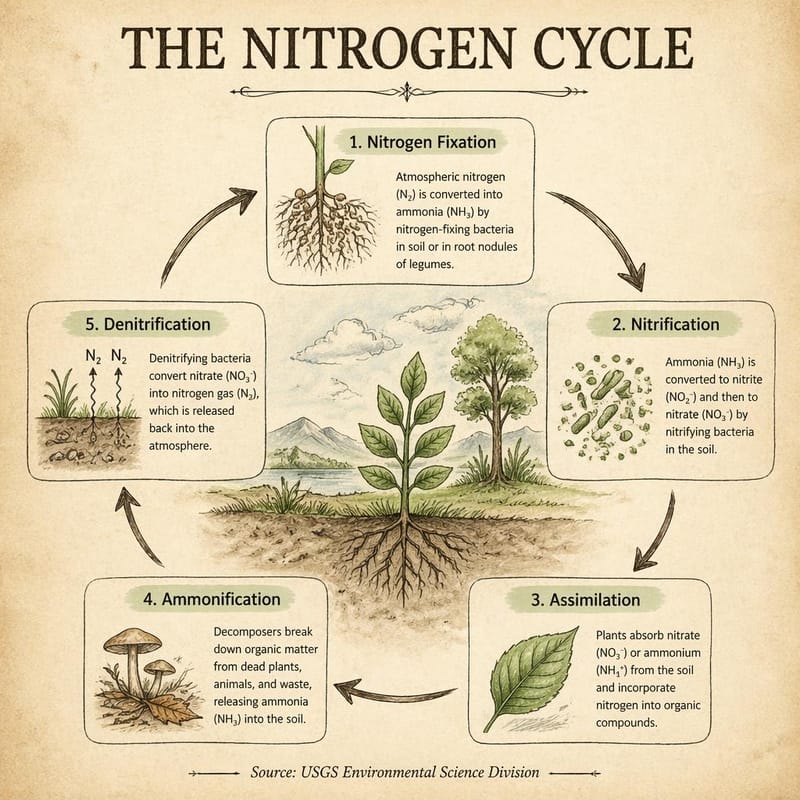
Scientific Infographic
"A hand-drawn-style educational poster on aged cream paper explaining the nitrogen cycle. Title: 'THE NITROGEN CYCLE' in bold serif calligraphy. Five labeled stages in a circular flow connected by curved arrows: Nitrogen Fixation, Nitrification, Assimilation, Ammonification, Denitrification. Footnote: 'Source: USGS Environmental Science Division'."
Art Deco Typography
"A 1960s Art Deco travel poster for Mars. Gold foil headline 'ESCAPE TO MARS' on deep crimson. Subheadline: 'Olympus Mons Resort & Spa — Opening 2087'. Vertical text strip: 'INTERPLANETARY TOURISM BOARD'. Bottom: 'BOOK YOUR JOURNEY AT EARTHPORT TERMINAL 7'."
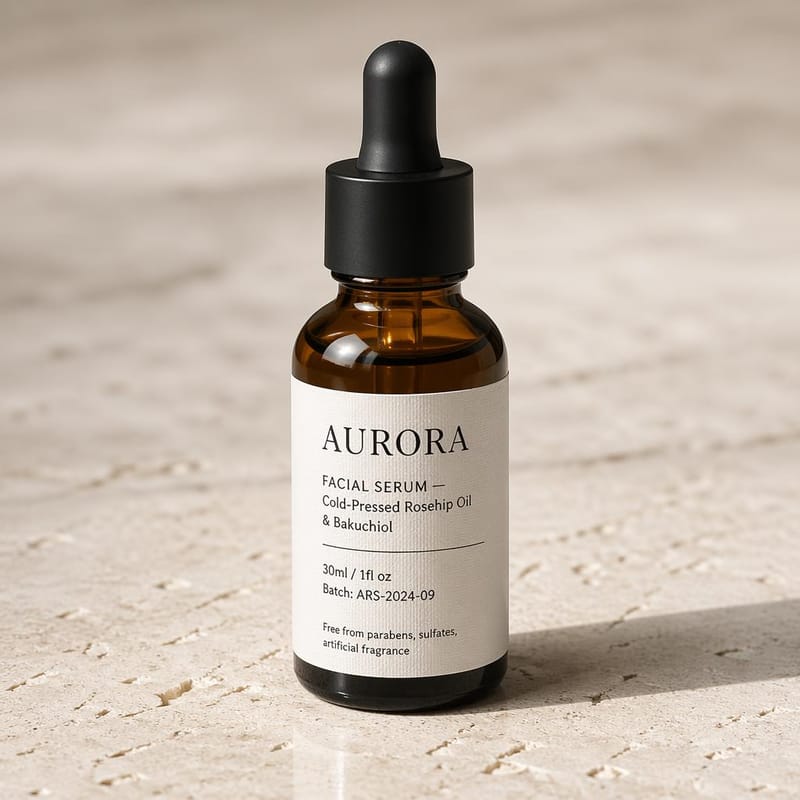
Product Label with Fine Print
"Photorealistic amber glass apothecary bottle with a cream linen label. Label reads: 'AURORA — FACIAL SERUM — Cold-Pressed Rosehip Oil & Bakuchiol — 30ml / 1fl oz — Batch: ARS-2024-09'. Small print: 'Free from parabens, sulfates, artificial fragrance'."
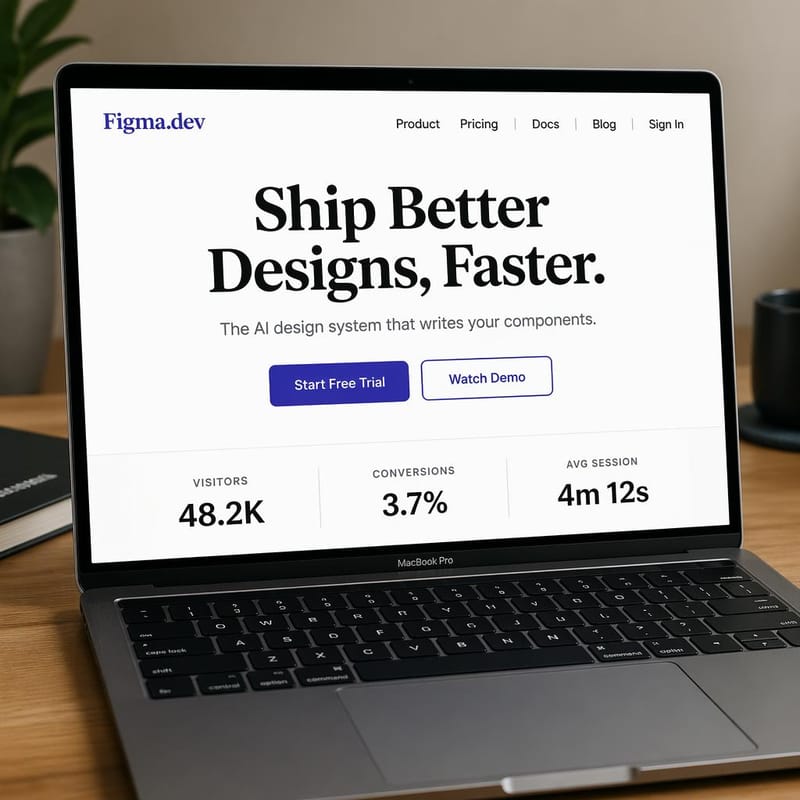
SaaS UI Mockup
"SaaS landing page on a MacBook. Nav: 'Product | Pricing | Docs | Blog | Sign In'. Hero: 'Ship Better Designs, Faster.' Subheadline: 'The AI design system that writes your components.' Buttons: 'Start Free Trial' and 'Watch Demo'. Metrics row: 'Visitors 48.2K | Conversions 3.7% | Avg Session 4m 12s'."
Multilingual Manga Page
"Four-panel black-and-white manga page with authentic hatching and screentones. Panel 1: close-up of a surprised woman, speech bubble '本当に!?'. Panel 2: Tokyo street at night, caption box '午前2時。渋谷。'. Panel 3: phone screen notification. Panel 4: running down a neon alley."
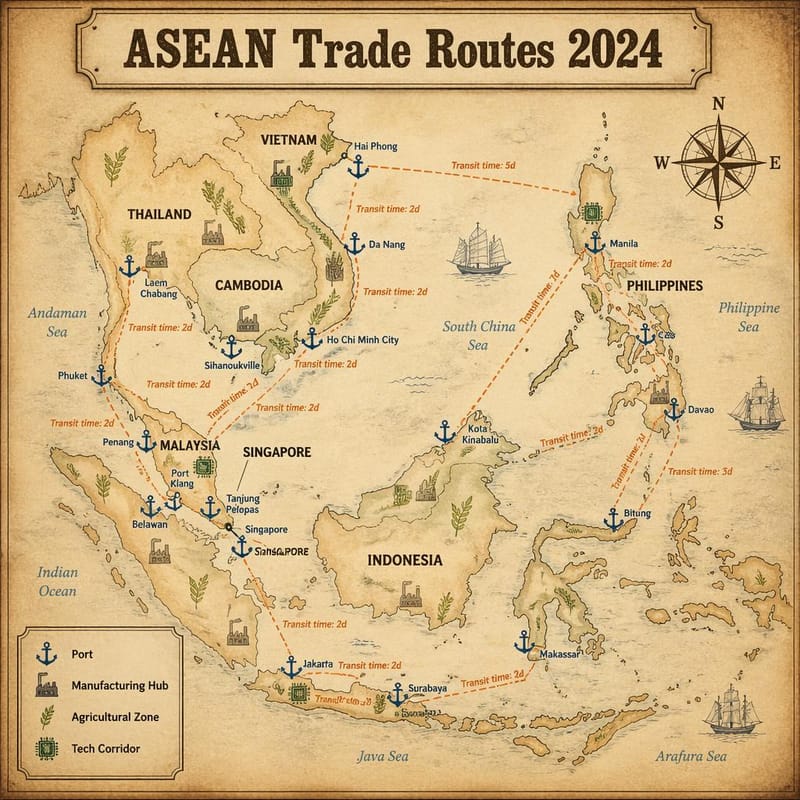
Annotated Map
"Hand-illustrated cartographic infographic of Southeast Asia on parchment. Dashed orange shipping routes labeled 'Transit time: 2d / 5d / 7d'. Legend box with anchor, factory, wheat, and circuit icons. Title: 'ASEAN Trade Routes 2024'."
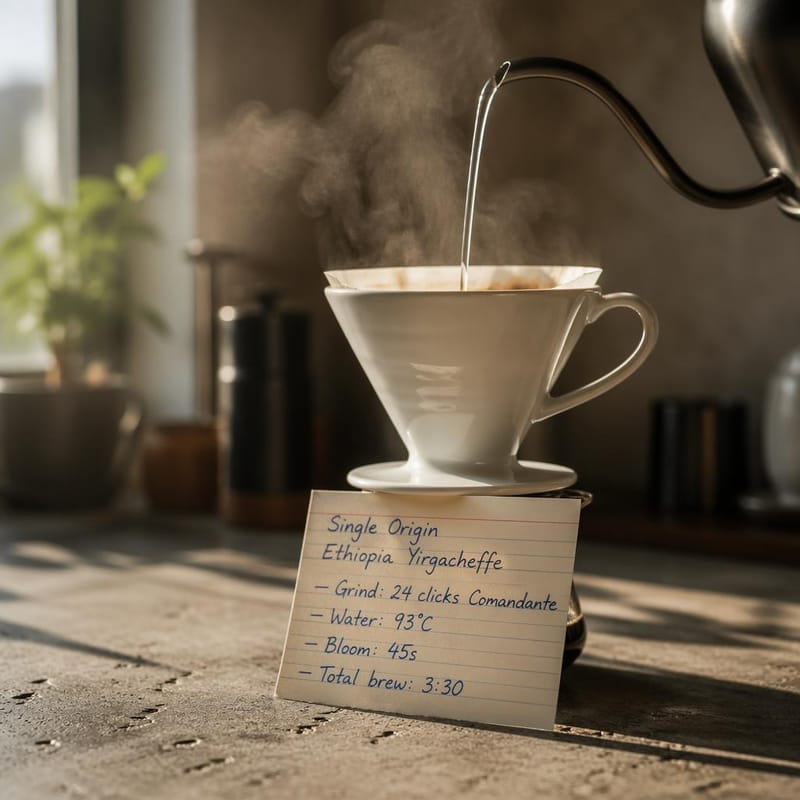
Photoreal + Handwriting
"DSLR macro of a ceramic pour-over coffee dripper on concrete. A cream index card with handwritten blue ballpoint notes: 'Single Origin Ethiopia Yirgacheffe — Grind: 24 clicks Comandante — Water: 93°C — Bloom: 45s — Total brew: 3:30'."
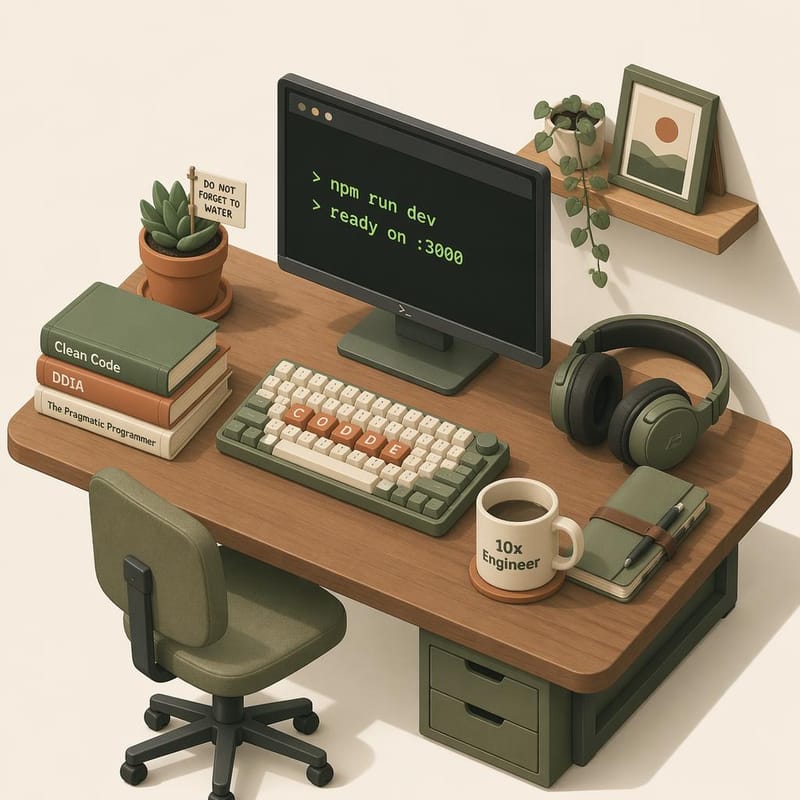
Isometric 3D with Labels
"Soft-pastel isometric 3D illustration of a home office. Mechanical keyboard with keycaps spelling 'CODE'. Monitor showing '> npm run dev'. Succulent tag: 'DO NOT FORGET TO WATER'. Mug: '10x Engineer'. Book spines: 'Clean Code', 'DDIA', 'The Pragmatic Programmer'."
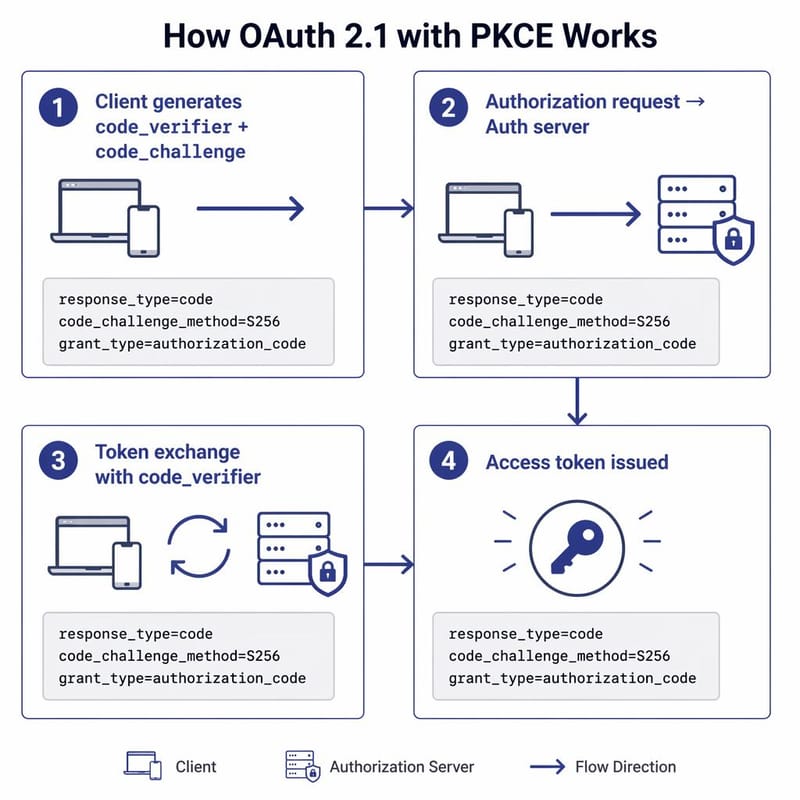
Technical Diagram
"Four-panel OAuth 2.1 PKCE flow diagram. Title: 'How OAuth 2.1 with PKCE Works'. Each panel has a code-font snippet: 'response_type=code', 'code_challenge_method=S256', 'grant_type=authorization_code'. Indigo-and-gray engineering-doc aesthetic."
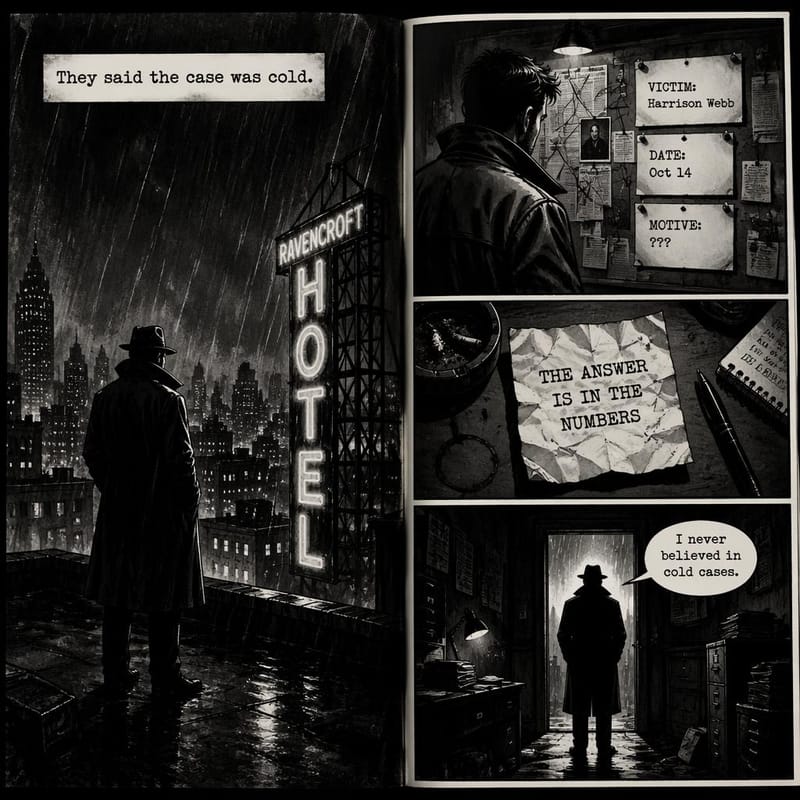
Comic with Dialogue
"Noir graphic-novel double-page spread in high-contrast ink wash. Caption: 'They said the case was cold.' Evidence board pins: 'VICTIM: Harrison Webb', 'DATE: Oct 14', 'MOTIVE: ???'. Typewritten note: 'THE ANSWER IS IN THE NUMBERS'. Speech bubble: 'I never believed in cold cases.'"
Known Limitations
No model is perfect. Here's where GPT Image 2 still struggles — worth knowing before you pick it for a project:
- Brand logos: Specific trademarked logos (Nike, ZDNET, Coca-Cola) are reproduced unreliably
- Named individuals: Photorealistic faces of specific real people are inconsistent
- Geographic hallucination: Without Thinking mode it can invent country names or misplace cities; Thinking + web search mitigates this
- Very long text blocks: Works well up to a few hundred characters; degrades past that
- Cost per image: Significantly more expensive than open-source models — not ideal for high-volume bulk work
When to Use GPT Image 2
Best Use Cases
- • Infographics and labeled diagrams
- • Magazine covers and editorial layouts
- • Product packaging with fine print
- • UI and SaaS landing-page mockups
- • Multi-panel comics and manga
- • Multilingual marketing assets
- • Maps and annotated cartography
- • Technical documentation visuals
Try the #1 Model on BestPhoto
99%+ text accuracy, reasoning-powered Thinking mode, and native support for Japanese, Hindi, and Arabic. GPT Image 2 is live now.
Frequently Asked Questions
What makes GPT Image 2 different from GPT Image 1.5?
It's a ground-up rebuild, not an incremental update. Text accuracy jumped from ~90-95% to 99%+. A new Thinking mode plans composition and reasons about constraints before generating. Non-Latin scripts (CJK, Indic, Arabic) became reliable. And it supports multi-image batches with maintained character identity, which 1.5 did not.
How do I use GPT Image 2 on BestPhoto?
Head to the image editor. Upload an image and describe the transformation you want — the editor routes high-quality requests through GPT Image 2 automatically. Complex edits like magazine covers, era shifts, storefront rebrands, and multi-element transformations all benefit from the new reasoning step.
Is it better than Nano Banana Pro?
Depends on the task. For text, layout, multilingual content, and instruction-heavy prompts — yes, clearly. For natural-looking human portraits and everyday photorealism — Nano Banana Pro still produces a more photographic look. Pick the right tool for the job.
What about benchmarks?
GPT Image 2 holds #1 on all three image arena leaderboards at launch: 1,512 Elo on text-to-image (242 points ahead of second place), 1,513 Elo on single-image editing, and 1,464 Elo on multi-image editing. These are the highest scores ever recorded for an image model.
Try it on one of your own photos
Most of our photo tools have a free version. Upload a picture and see what it does before you decide anything.