GPT Image 1.5 Now Available: OpenAI's Fastest Image Model Yet
GPT Image 1.5 from OpenAI is now live on BestPhoto. 4x faster generation, improved text rendering, and precise editing capabilities. The new benchmark leader for text-to-image generation.
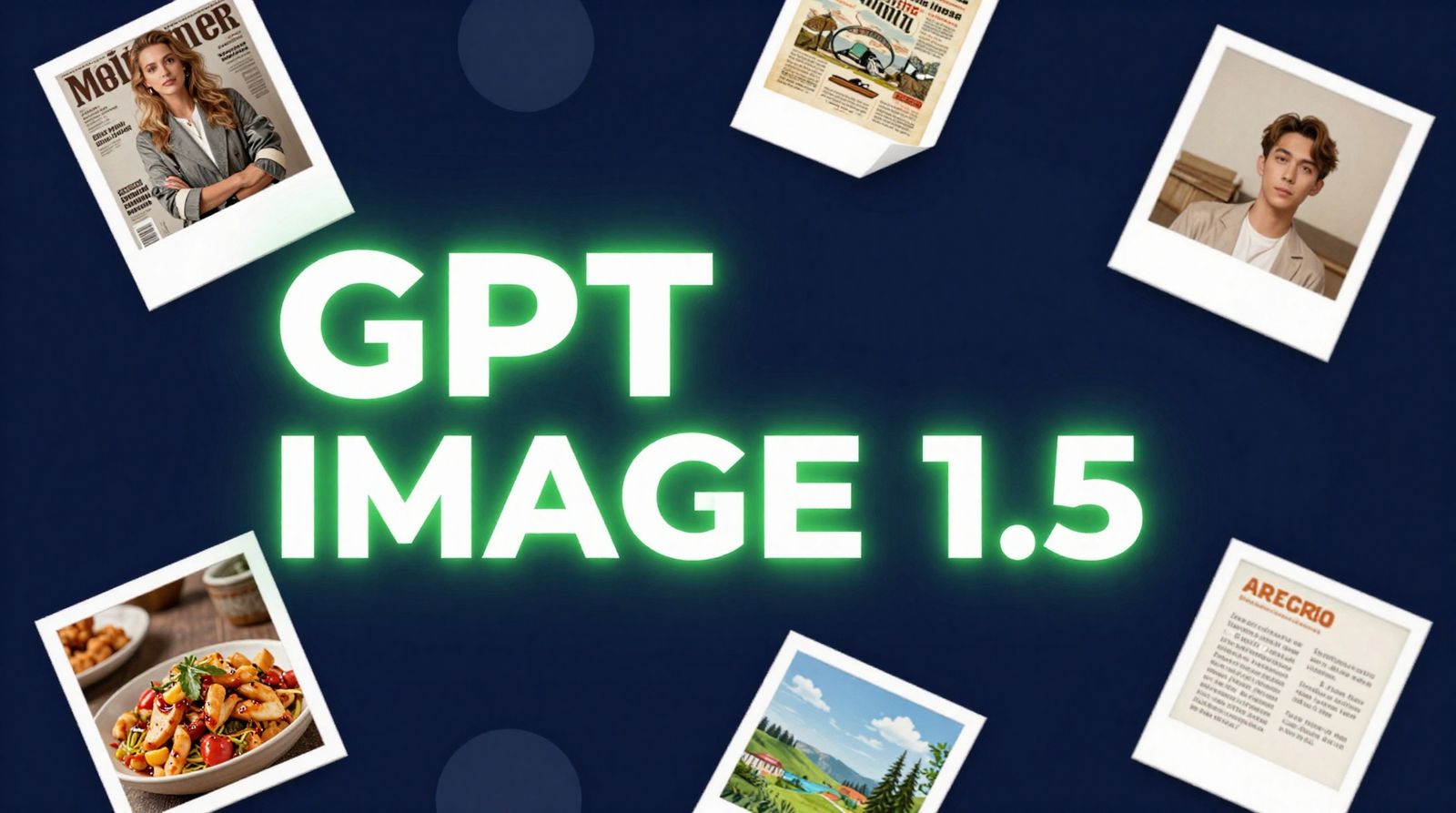
GPT Image 1.5 is now live on BestPhoto. OpenAI just released their fastest image model yet - up to 4x faster generation, significantly improved text rendering, and precise editing capabilities that maintain consistency across multiple edits. It's currently leading the Artificial Analysis text-to-image benchmark.
Try GPT Image 1.5
Experience OpenAI's fastest and most capable image model.
What's New in GPT Image 1.5
This isn't just an incremental update. OpenAI accelerated this release in response to competitive pressure from Google's Nano Banana Pro, and it shows. GPT Image 1.5 brings meaningful improvements across the board:
Speed & Performance
- ✓Up to 4x faster image generation
- ✓Queue multiple images while others process
- ✓20% cheaper API pricing than GPT Image 1
Quality Improvements
- ✓Better dense and small text rendering
- ✓Stronger instruction following
- ✓Maintains facial likeness across edits
Benchmark Performance
GPT Image 1.5 is currently leading both the Artificial Analysis text-to-image and image editing leaderboards. It holds the #1 spot with 1,260 ELO for text-to-image and 1,270 ELO for image editing.
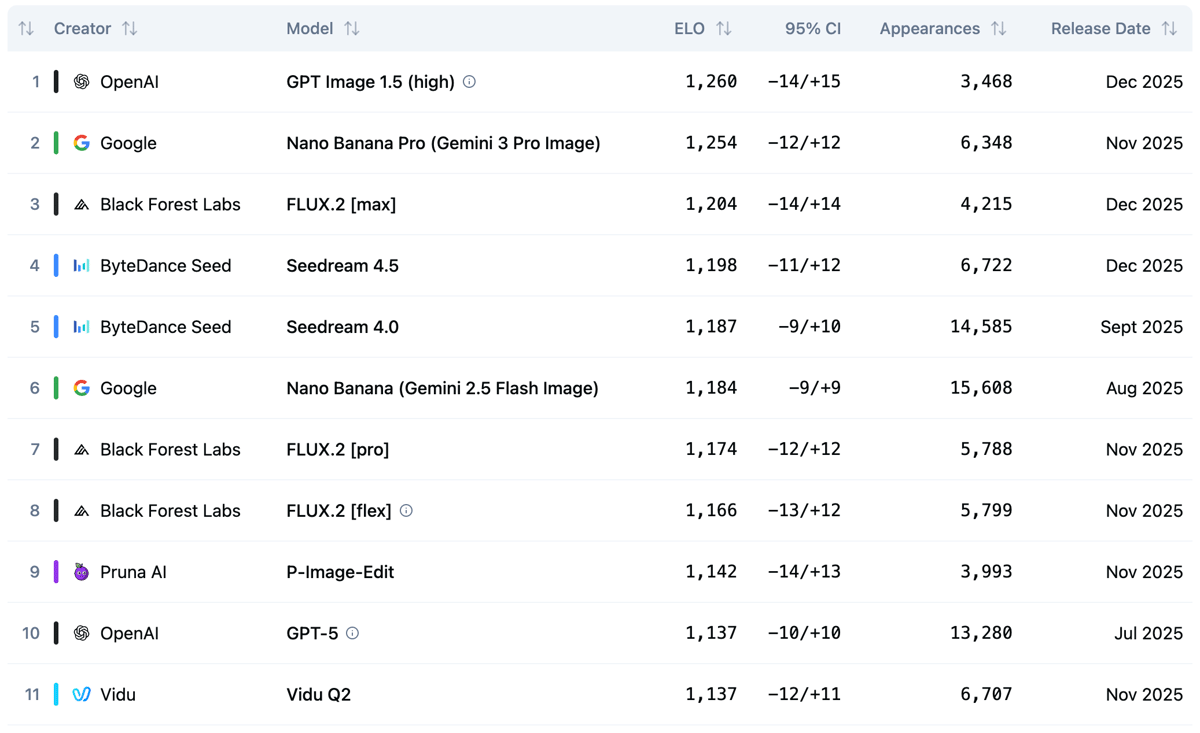
Text-to-Image Leaderboard - GPT Image 1.5 leads with 1,260 ELO (Source: Artificial Analysis)
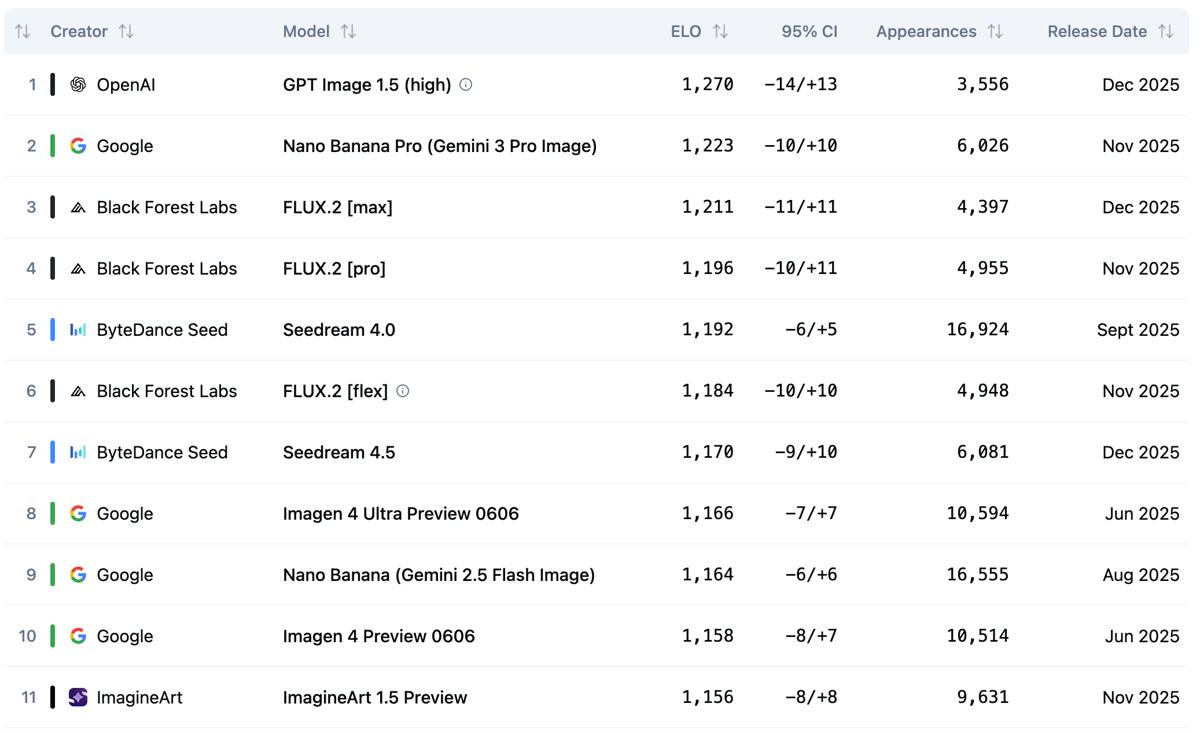
Image Editing Leaderboard - GPT Image 1.5 leads with 1,270 ELO (Source: Artificial Analysis)
See the Benchmark Leader in Action
Generate images with the top-ranked model on Artificial Analysis.
Text Rendering That Actually Works
One of GPT Image 1.5's standout improvements is text rendering. It handles denser, smaller text that stumped previous models. Magazine covers, product labels, infographics, signage - text comes out readable and properly formatted.
Magazine Typography
Logo, headline, subheadlines - all rendered correctly with proper hierarchy
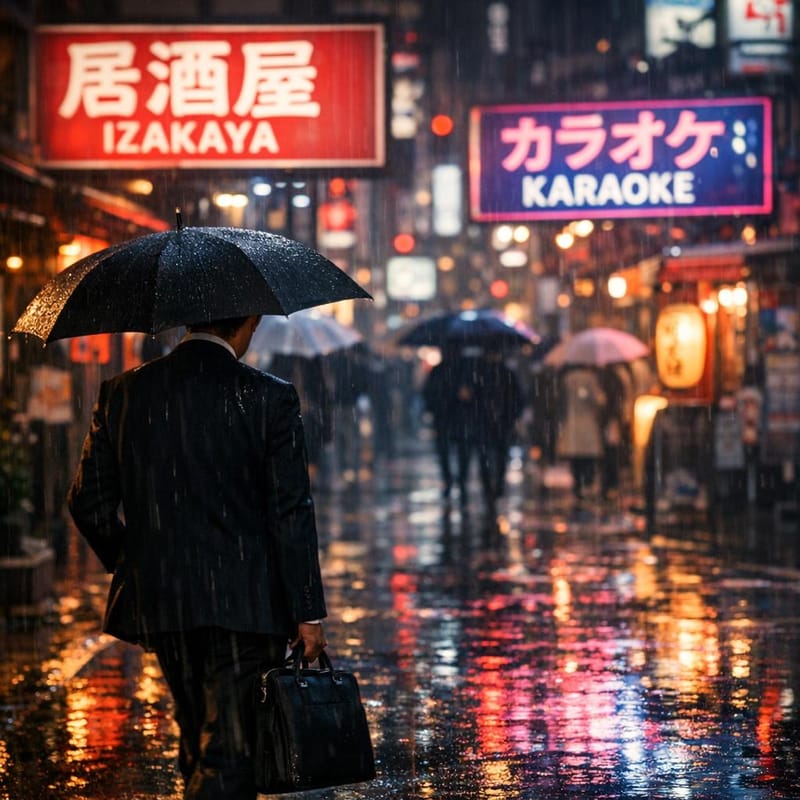
Multilingual Text
Japanese kanji and English text rendered correctly on neon signage
GPT Image 1.5 vs. Nano Banana Pro
Let's be honest about how these models compare. In independent tests, Nano Banana Pro still produces more photorealistic results with more natural-looking human portraits. GPT Image 1.5 images tend to have that "polished photoshoot" quality while Nano Banana Pro achieves a more casual, genuinely photographic look.
Where GPT Image 1.5 Wins
- • Text accuracy: Better handling of dense, small, and multilingual text
- • Character consistency: Maintains identity across multiple edits
- • Speed: 4x faster generation, great for iteration
- • Complex instructions: Better at following detailed, multi-part prompts
Where Nano Banana Pro Wins
- • Photorealism: More natural, less "AI perfect" results
- • Lighting: Better understanding of natural light and shadow
- • Portrait quality: Superior human face rendering
- • Color accuracy: More true-to-life color reproduction
Quick Guide: Use GPT Image 1.5 when you need text in images, fast iteration, or complex multi-element edits. Use Nano Banana Pro when photorealism and natural lighting are your top priorities.
Advanced Editing Capabilities
GPT Image 1.5 excels at complex edits that require understanding context. It can add, subtract, combine, blend, and transpose elements while maintaining consistency. Here are some examples that would challenge lower-ranked models:
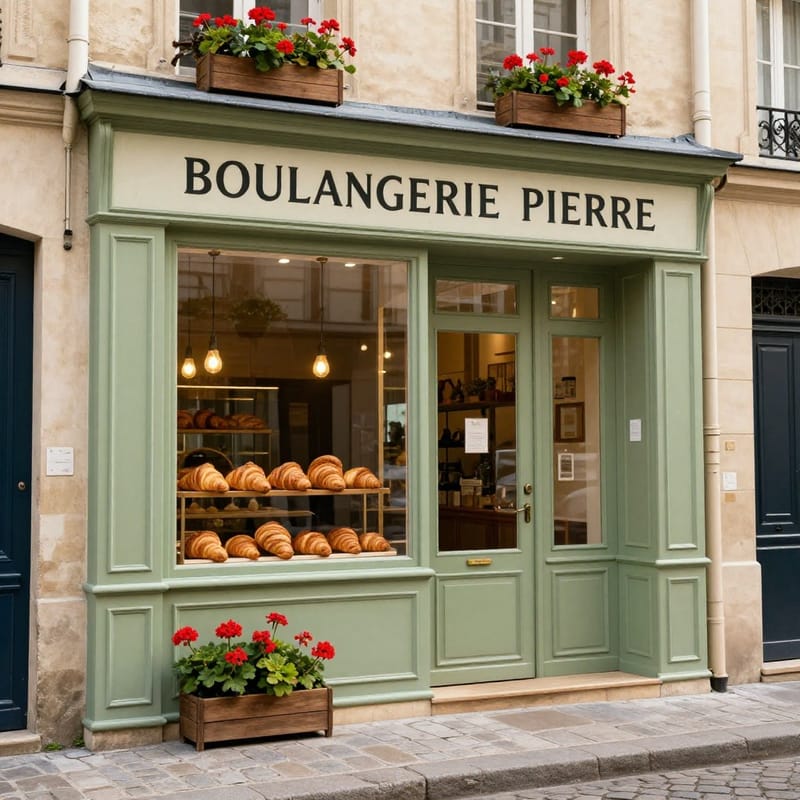 Before
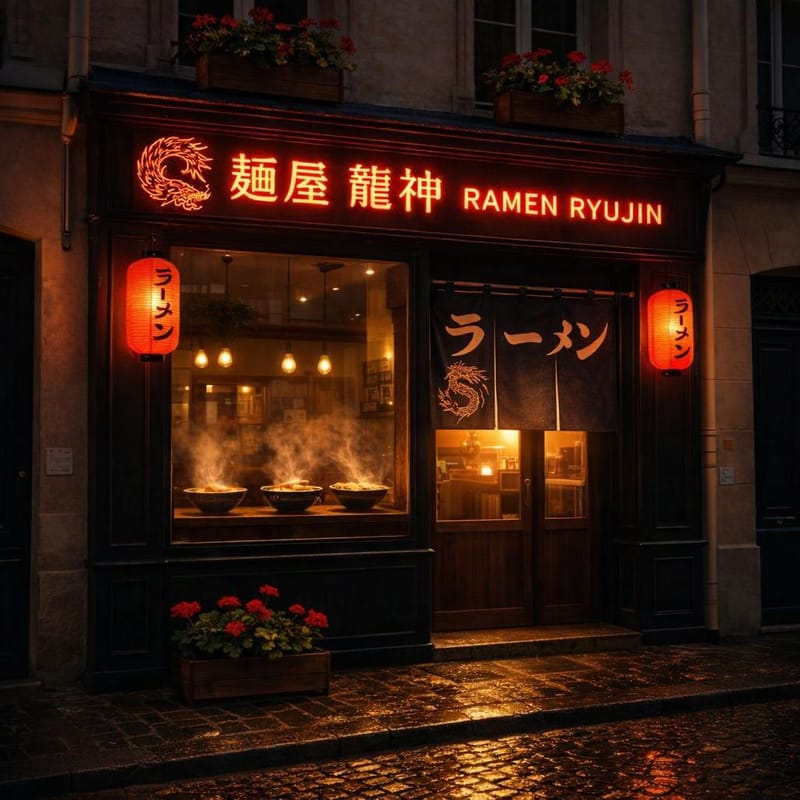 After
AfterComplete Storefront Transformation
French bakery to Japanese ramen shop - new signage, neon lights, noren curtains, all while preserving the building structure
"Transform into Japanese ramen shop at night. Change sign to '麺屋 龍神 RAMEN RYUJIN' in glowing red neon with dragon logo. Add red paper lanterns, noren curtains, steaming ramen in window."
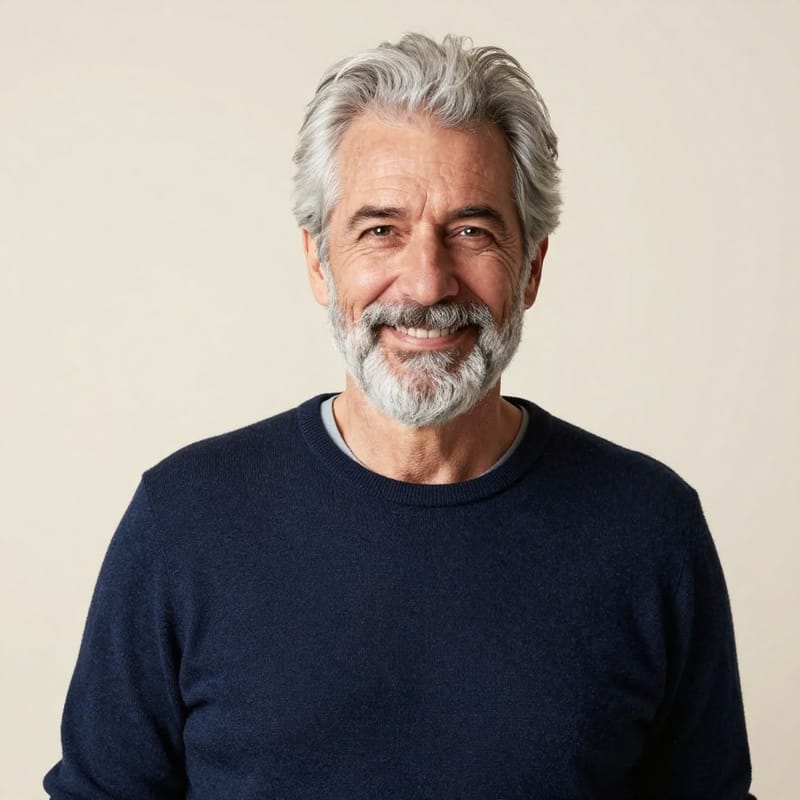 Before
 After
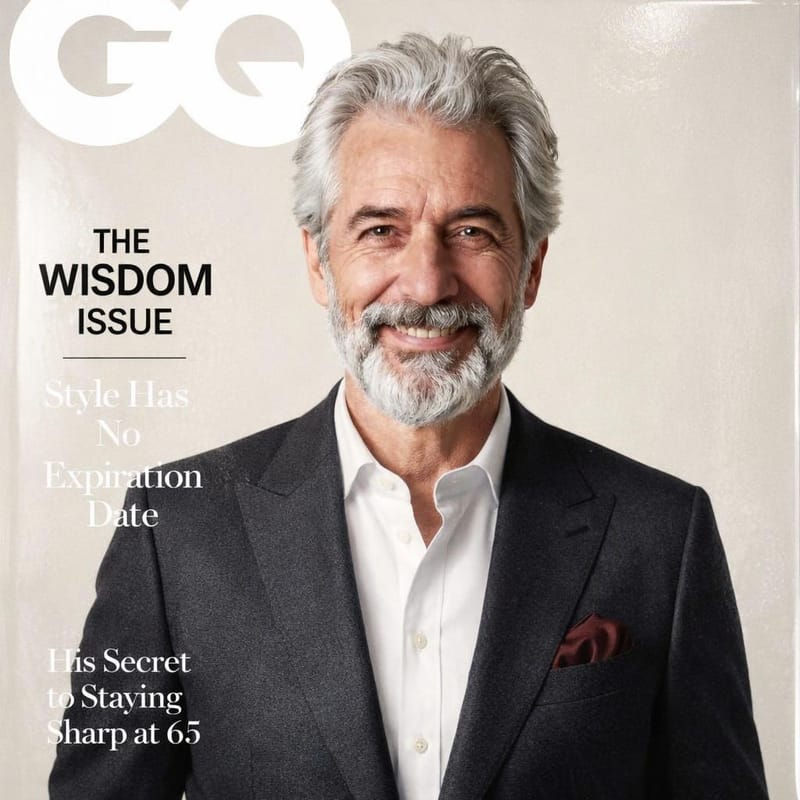
AfterPortrait to Magazine Cover
Transform a simple portrait into a complete GQ Magazine cover with logo, headlines, and outfit change while preserving the face
"Transform into GQ Magazine cover. Add GQ logo, cover lines: 'THE WISDOM ISSUE', 'Style Has No Expiration Date'. Change outfit to tailored charcoal suit. Keep face identical."
 Before
 After
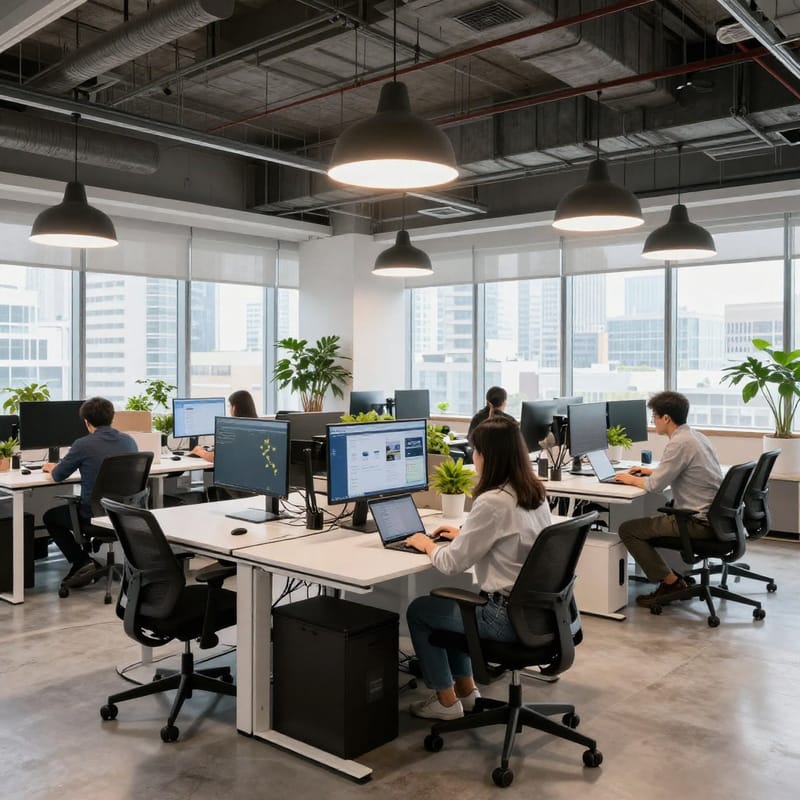
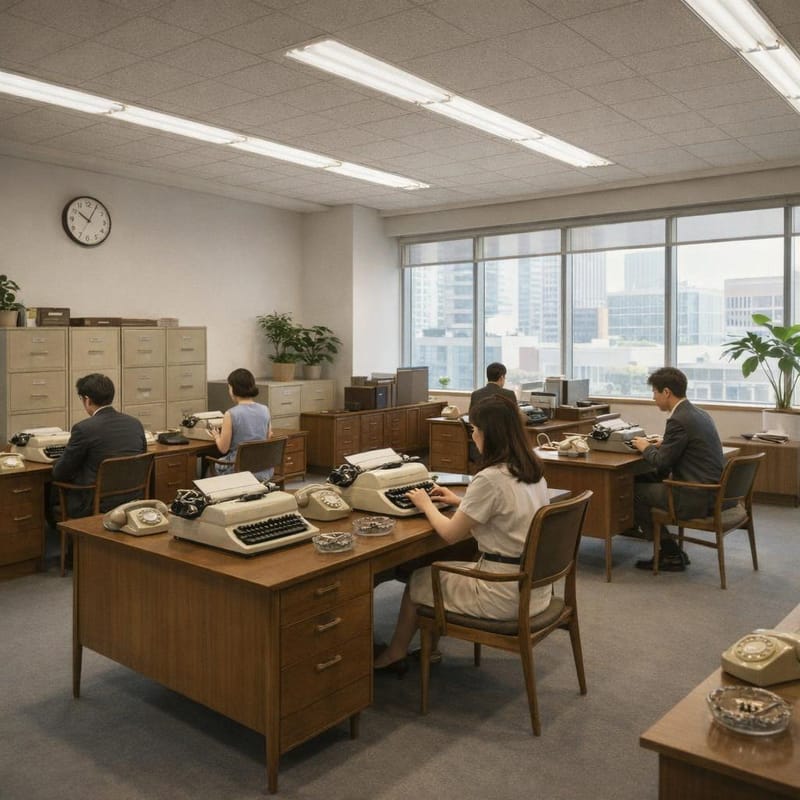
AfterModern Office to 1960s
Transport a modern tech startup to 1965 - typewriters, rotary phones, period clothing, while keeping the same people
"Transport to 1965. Replace computers with typewriters and rotary phones. Change clothing to period-appropriate suits and dresses. Add filing cabinets, ashtrays, fluorescent lighting."
 Before
 After
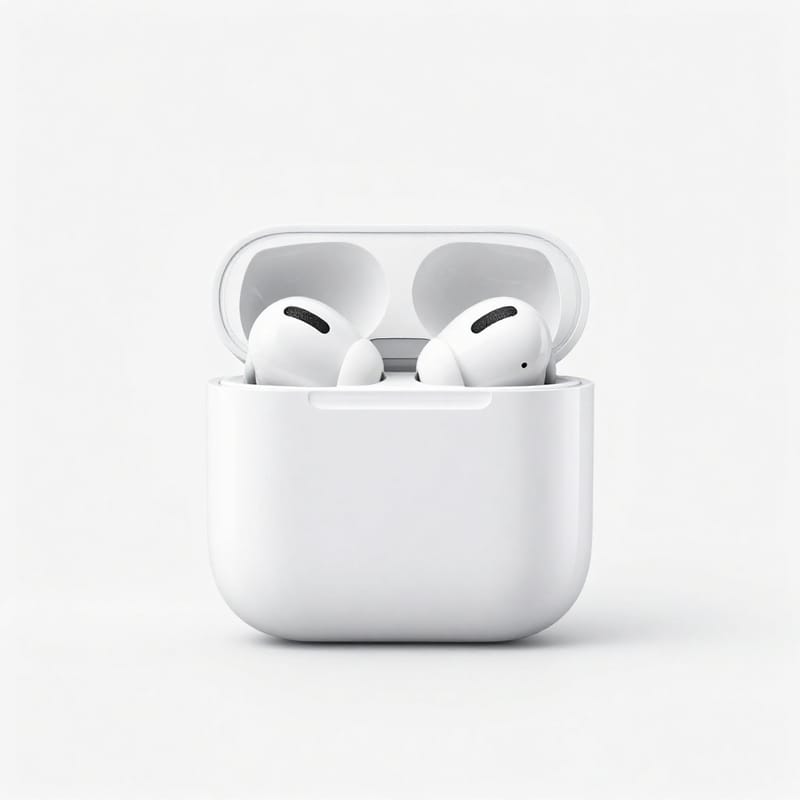
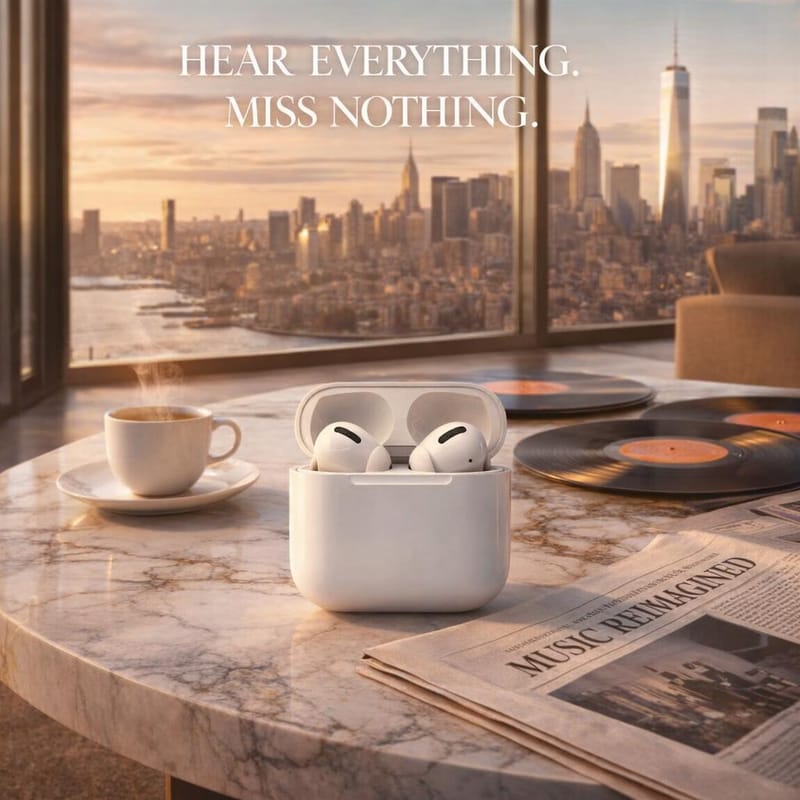
AfterProduct Shot to Lifestyle Ad
Transform a plain product shot into an elaborate lifestyle advertisement with text overlay and premium setting
"Create lifestyle ad. Place on marble table in luxury penthouse. Add espresso, vinyl records, newspaper with 'MUSIC REIMAGINED' headline. Add text 'HEAR EVERYTHING. MISS NOTHING.'"
 Before
 After
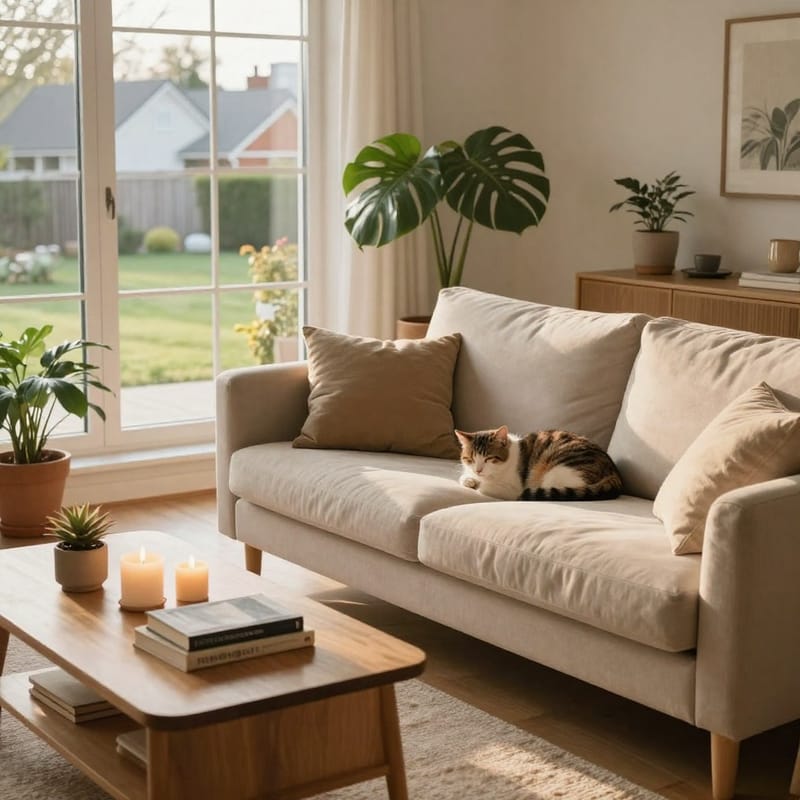
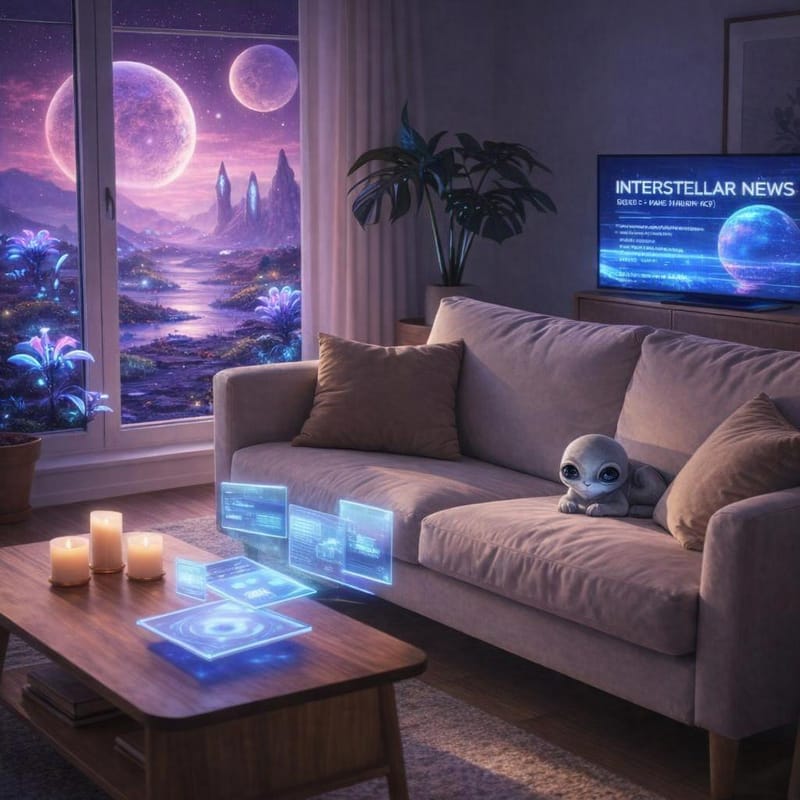
AfterReality to Sci-Fi Blend
Blend a cozy living room with an alien planet view - holographic displays, alien creatures, while maintaining the interior warmth
"Transform window view to alien planet - purple sky, two moons, bioluminescent plants. Add holographic TV showing 'INTERSTELLAR NEWS'. Change cat to friendly alien creature. Keep cozy interior."
Try These Complex Edits
Upload your images and see how GPT Image 1.5 handles your prompts.
Text-to-Image Gallery
These examples showcase GPT Image 1.5's strengths: complex layouts, accurate text rendering, multilingual support, and professional design aesthetics. Each image was generated from a single prompt.
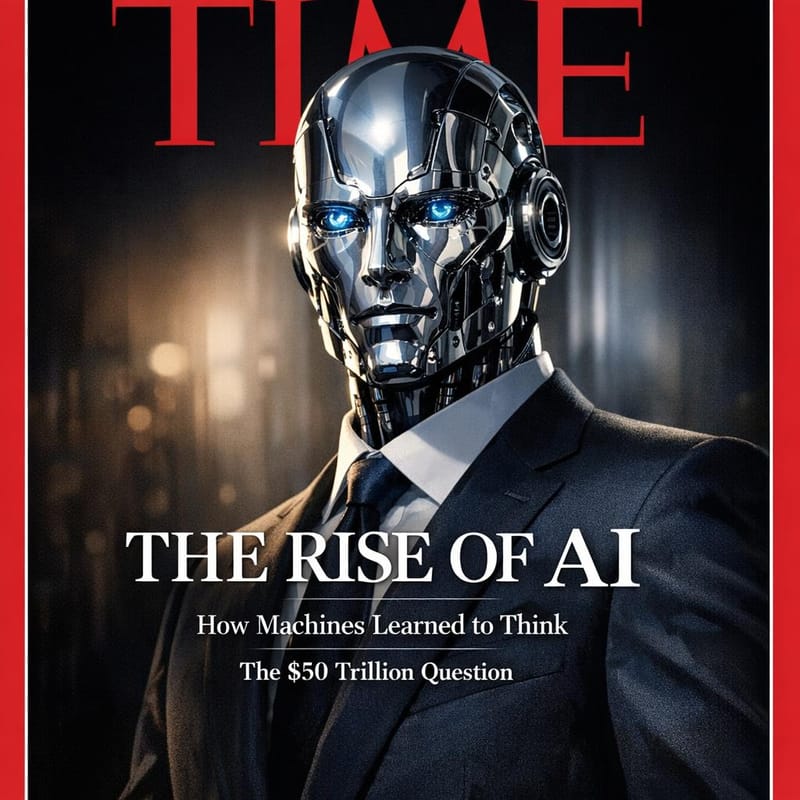
Magazine Cover
"TIME Magazine cover featuring a humanoid robot in a business suit as 'Person of the Year 2025'. Large red TIME logo at top. Headline reads 'THE RISE OF AI' in bold serif font. Subheadlines: 'How Machines Learned to Think', 'The $50 Trillion Question'."
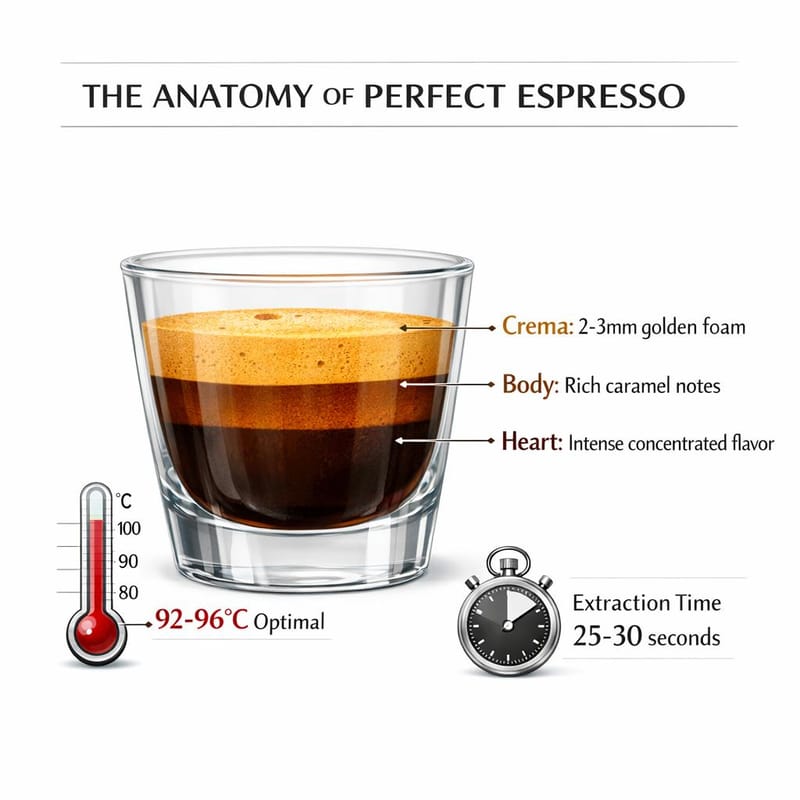
Technical Infographic
"Detailed infographic titled 'THE ANATOMY OF PERFECT ESPRESSO' showing a cross-section of an espresso shot in a clear glass. Labels pointing to layers: 'Crema: 2-3mm golden foam', 'Body: Rich caramel notes', 'Heart: Intense concentrated flavor'. Temperature gauge showing '92-96°C optimal'."
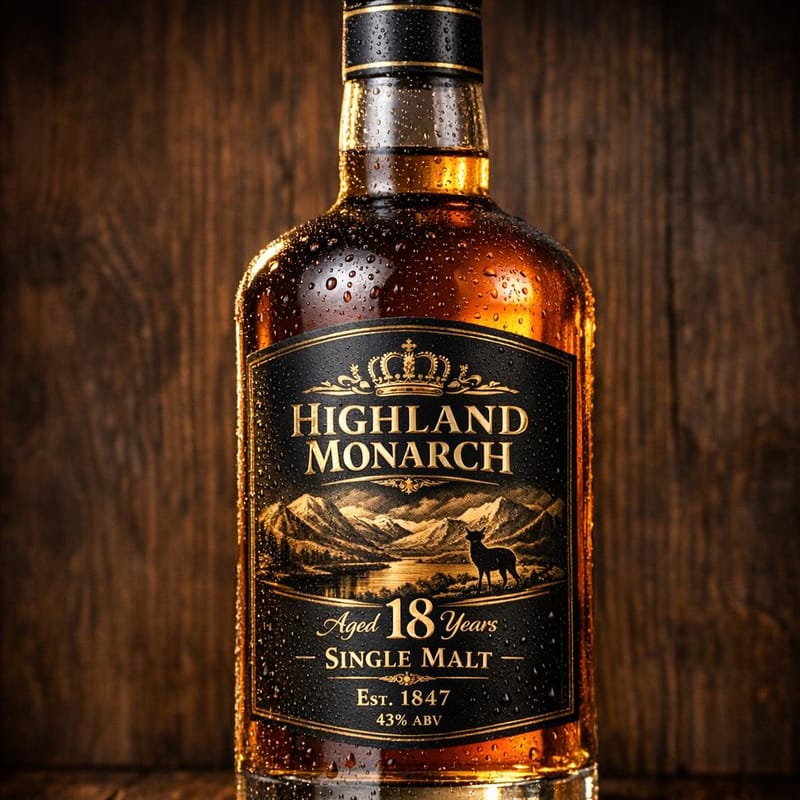
Product Photography
"Premium whiskey bottle product shot for 'HIGHLAND MONARCH' 18 Year Single Malt Scotch. Elegant gold embossed label with Scottish highlands illustration. Text reads 'Aged 18 Years', 'Single Malt', 'Est. 1847', '43% ABV'. Dark oak background with dramatic rim lighting."
Multilingual Signage
"Rainy night in Tokyo's Shibuya district. Neon signs in Japanese and English: '居酒屋 IZAKAYA', 'OPEN 24H', 'カラオケ KARAOKE'. Wet pavement reflecting pink and blue neon glow. Cinematic photography, shallow depth of field."
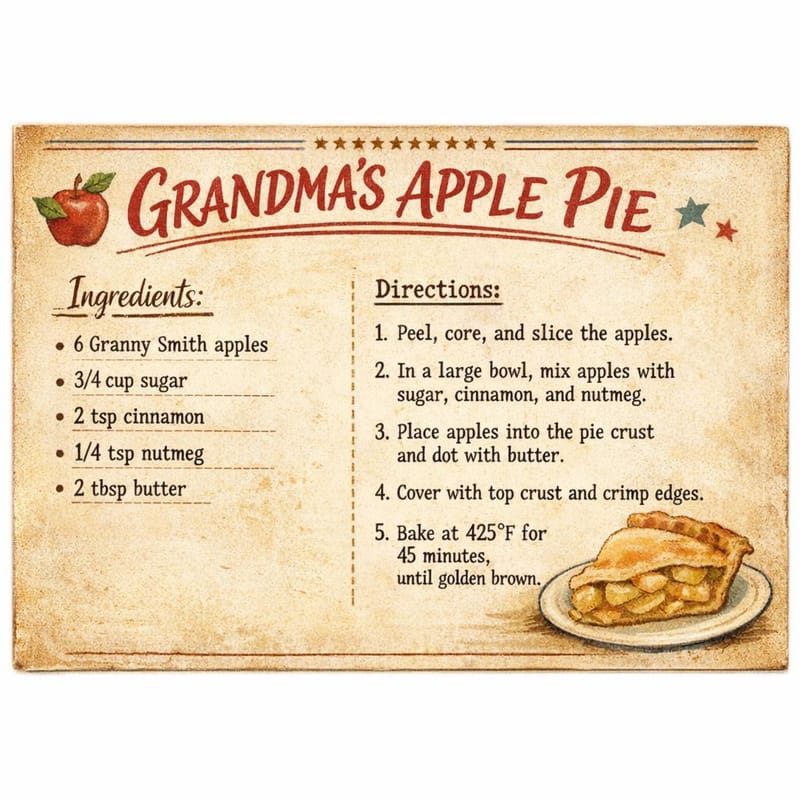
Recipe Card Design
"Vintage recipe card design for 'GRANDMA'S APPLE PIE'. Handwritten-style title. Ingredients list: '6 Granny Smith apples, 3/4 cup sugar, 2 tsp cinnamon, 1/4 tsp nutmeg, 2 tbsp butter'. Instructions numbered 1-5 in typewriter font. Aged paper texture."
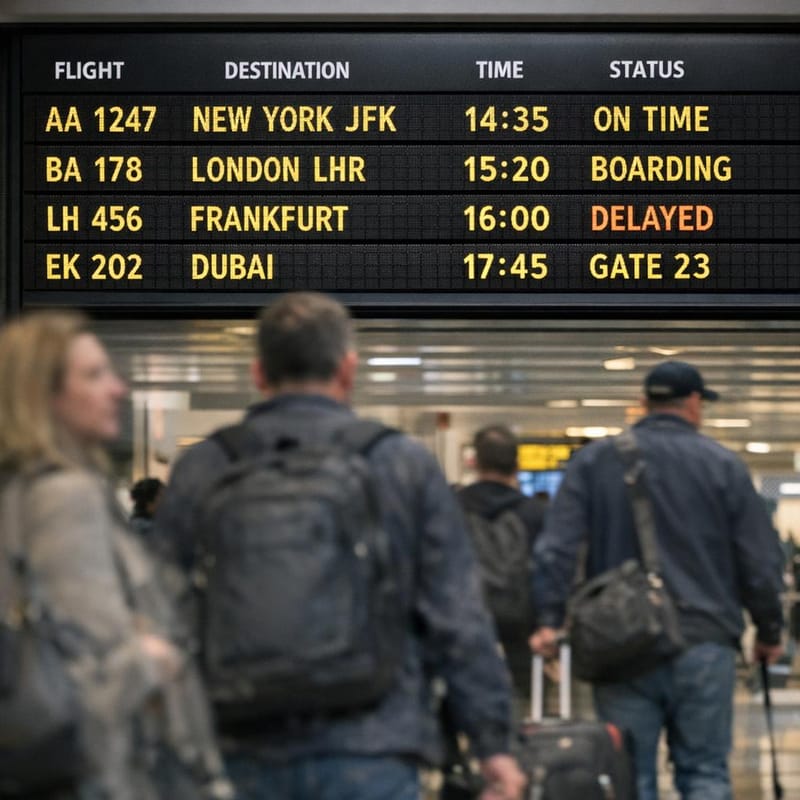
Information Display
"Airport departure board showing flight information: 'AA 1247 NEW YORK JFK 14:35 ON TIME', 'BA 178 LONDON LHR 15:20 BOARDING', 'LH 456 FRANKFURT 16:00 DELAYED', 'EK 202 DUBAI 17:45 GATE 23'. Yellow text on black LED display."
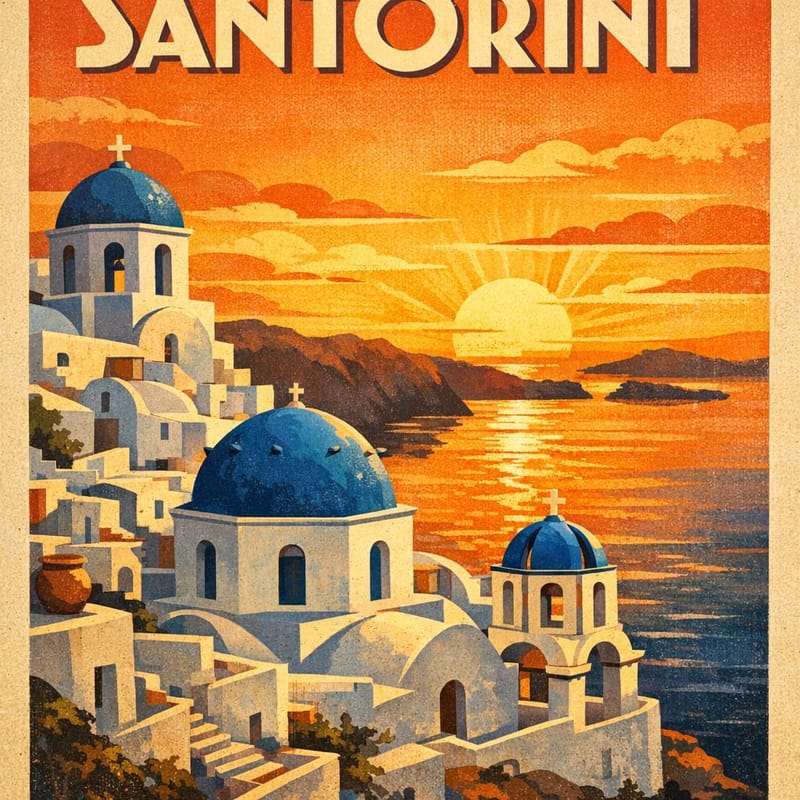
Vintage Travel Poster
"Art deco travel poster 'VISIT SANTORINI' in the style of 1930s European tourism posters. White-washed buildings with blue domes overlooking the caldera. Sun setting in orange and gold. Bold geometric typography. 'GREECE' in smaller text below."
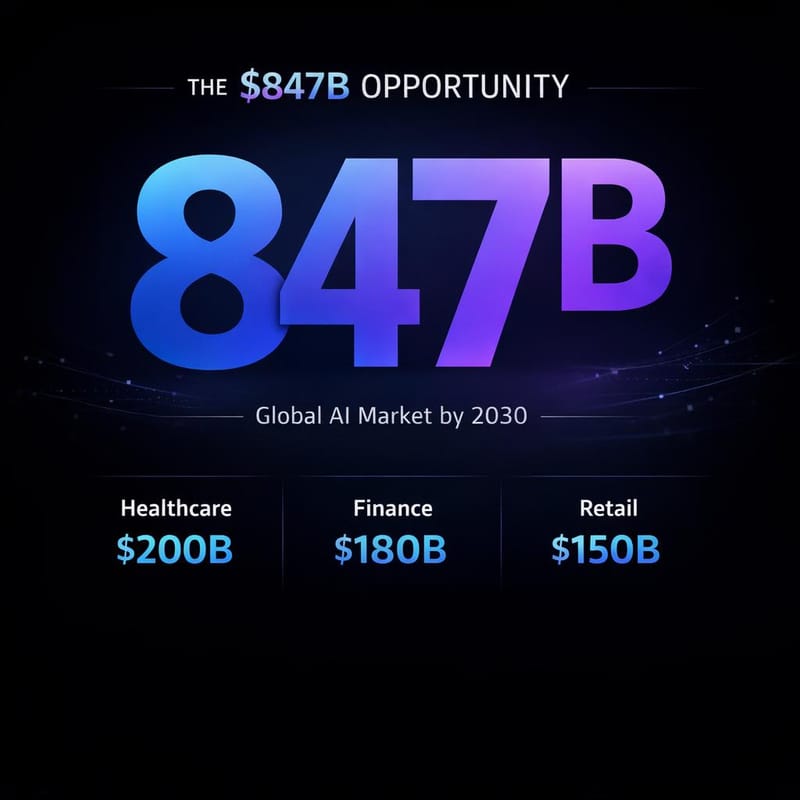
Business Presentation
"Startup pitch deck slide showing market opportunity. Title: 'THE $847B OPPORTUNITY'. Large number '847' in gradient blue-purple. Subtitle: 'Global AI Market by 2030'. Three columns below: 'Healthcare $200B', 'Finance $180B', 'Retail $150B'."
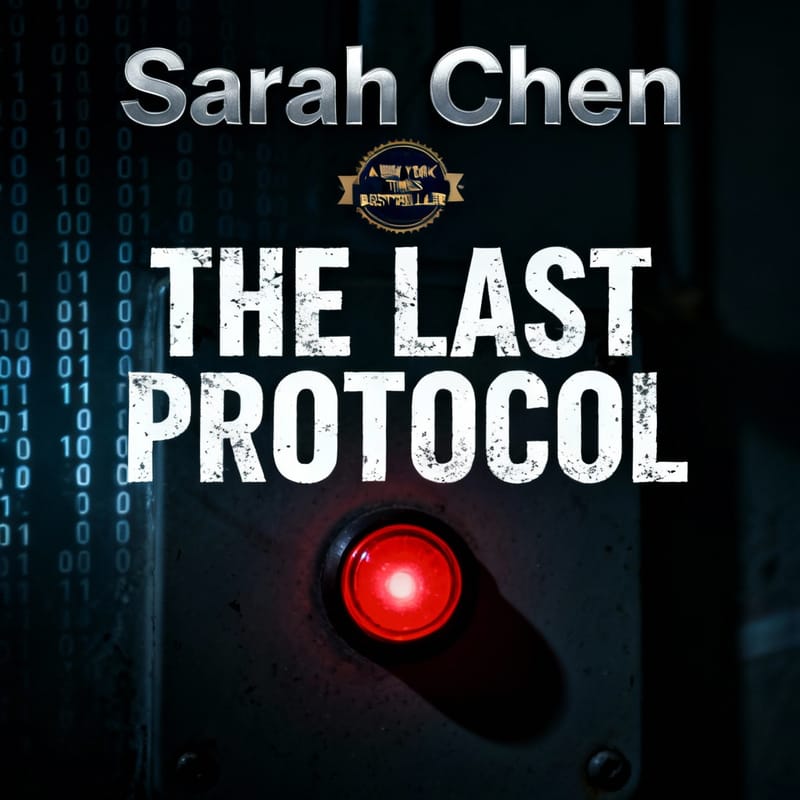
Book Cover Design
"Thriller novel book cover for 'THE LAST PROTOCOL' by Sarah Chen. Dark atmospheric cover with a single red emergency button glowing in shadows. Binary code faintly visible in background. 'A NEW YORK TIMES BESTSELLER' badge. Professional book cover design."
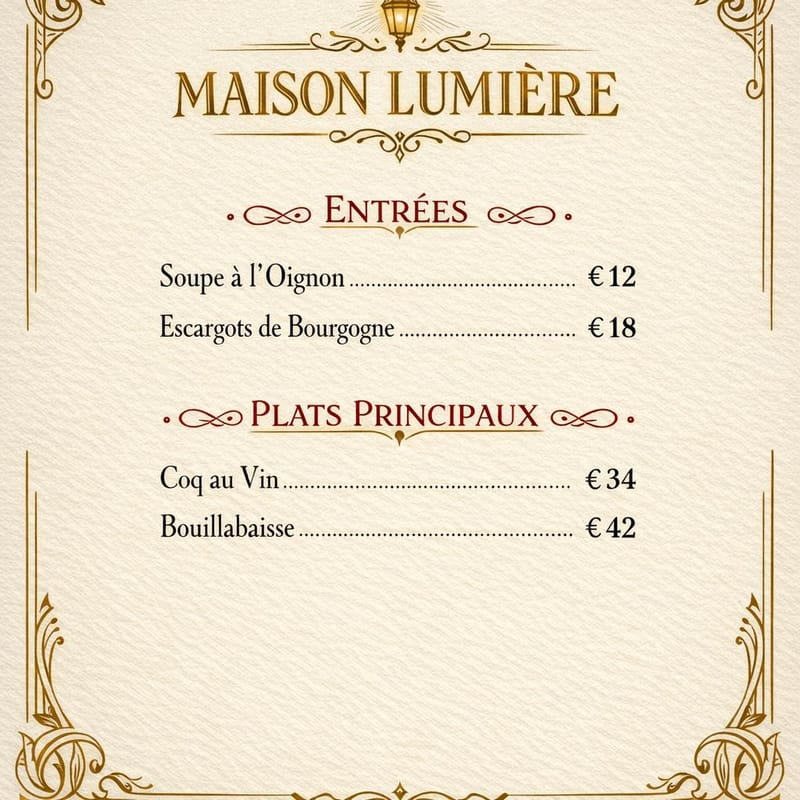
Restaurant Menu
"Elegant restaurant menu page for 'MAISON LUMIÈRE'. French bistro style. Sections: 'ENTRÉES' with 'Soupe à l'Oignon €12', 'Escargots de Bourgogne €18'. 'PLATS PRINCIPAUX' with 'Coq au Vin €34', 'Bouillabaisse €42'. Art nouveau borders."
How to Use GPT Image 1.5 on BestPhoto
Getting started is straightforward:
- For text-to-image: Go to our image generator and select GPT Image 1.5 from the model dropdown
- For image editing: Upload your image to the image-to-image tool and select GPT Image 1.5
- Write your prompt: Be specific about what you want - the model handles complex instructions well
- Generate: Results typically appear in 10-15 seconds
Known Limitations
OpenAI acknowledges GPT Image 1.5 still has some limitations:
- Longer text passages can still have issues
- Unusual or decorative fonts may not render correctly
- Multiple faces in complex scenes can be challenging
- Non-English text (especially non-Latin scripts) is less reliable
When Should You Use GPT Image 1.5?
GPT Image 1.5 is your go-to choice when:
Best Use Cases
- • Marketing materials with text
- • Magazine and book cover designs
- • Product packaging mockups
- • Infographics and data visualization
- • Social media graphics with copy
- • Rapid iteration on concepts
- • Complex multi-element edits
- • Maintaining character consistency
Try It Today
GPT Image 1.5 is available now on BestPhoto. It's the fastest release in OpenAI's image generation history - pushed forward to compete with Google's momentum. The 4x speed improvement alone makes it worth trying for anyone doing iterative creative work.
For pure photorealism, Nano Banana Pro still has the edge. But for text rendering, complex edits, and fast iteration, GPT Image 1.5 is now the benchmark leader.
Experience the Benchmark Leader
4x faster generation, improved text rendering, and precise editing capabilities. Try GPT Image 1.5 on BestPhoto today.
Frequently Asked Questions
How does GPT Image 1.5 compare to DALL-E 3?
GPT Image 1.5 is a completely different technology from DALL-E 3. It's natively multimodal, meaning it can understand and generate images as part of its core architecture rather than as a separate system. The result is better instruction following, faster generation, and more consistent editing.
Is GPT Image 1.5 better than Nano Banana Pro?
It depends on your use case. GPT Image 1.5 leads benchmarks and excels at text rendering and complex edits. Nano Banana Pro produces more photorealistic results with better natural lighting. Choose based on whether you prioritize text/editing or photorealism.
What resolution does GPT Image 1.5 support?
GPT Image 1.5 supports 1024x1024, 1536x1024, and 1024x1536 resolutions. The "auto" setting automatically chooses the best aspect ratio based on your input image for editing tasks.
Why is it called GPT Image 1.5 and not GPT Image 2?
OpenAI positions this as a refinement of GPT Image 1 rather than a major version jump. The "1.5" indicates significant improvements in speed, text rendering, and editing precision while maintaining the same underlying architecture.
Try it on one of your own photos
Most of our photo tools have a free version. Upload a picture and see what it does before you decide anything.