Do AI-Restored Photos Change Too Much? An Honest Look
AI restoration can hallucinate teeth, invent faces, and plastic-smooth skin. Here's when it goes too far — and a checklist to make sure your photo still looks like grandma.
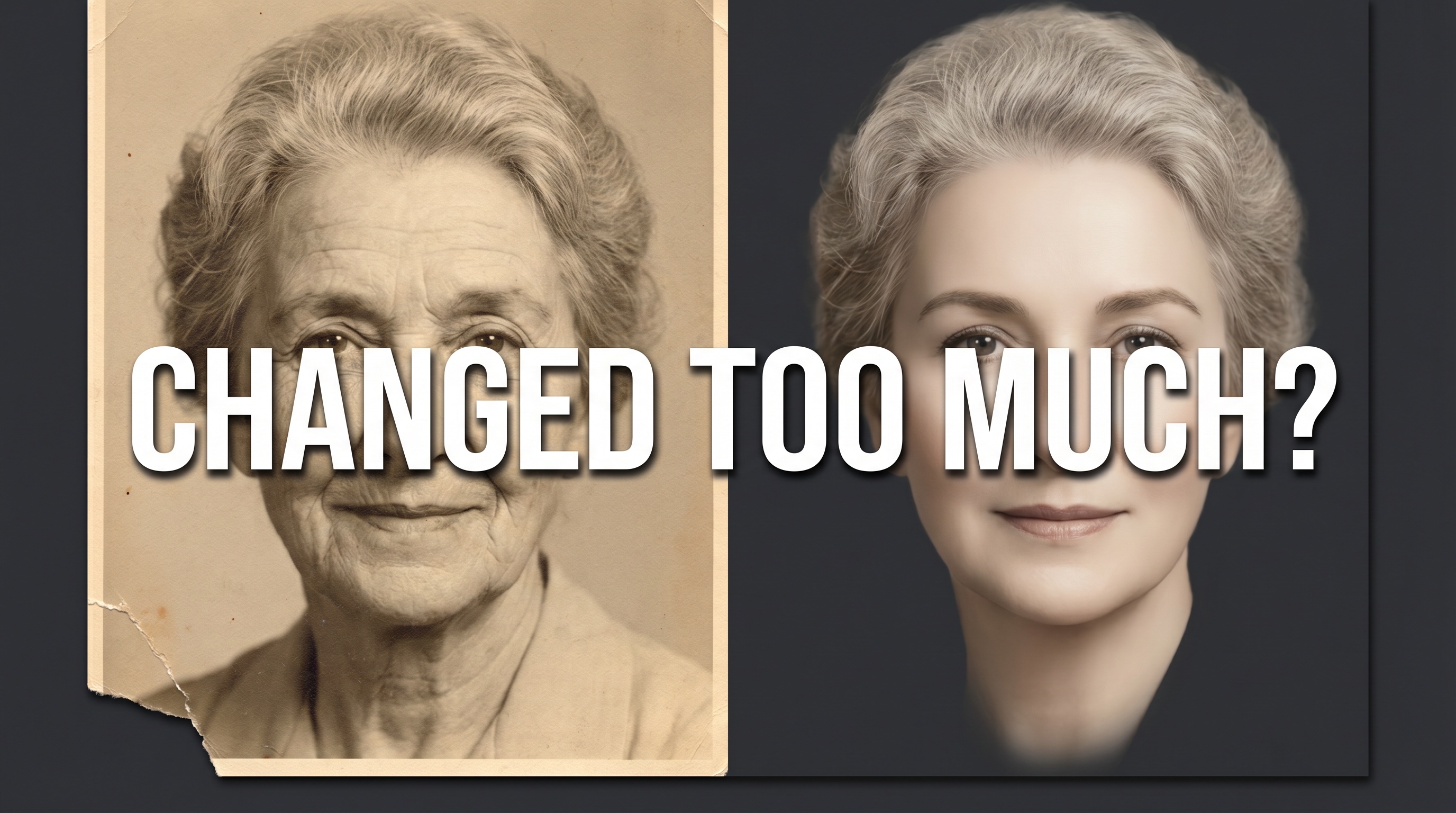
"Remini made my grandma look like a stranger." It's the canonical complaint on r/photorestoration, posted every week with a side-by-side of a real, wonderful face and a smoothed-out approximation that shares almost no actual features with the person. The AI isn't broken. It is doing exactly what it was trained to do.
Most AI restoration apps (Remini, MyHeritage, VanceAI, and dozens of GFPGAN-based indie tools) are built on open-source face-restoration models that learned from millions of modern high-resolution faces. Hand them a blurry 1960s portrait and they pull features toward "average young adult." That is why your great-grandfather emerges looking 40 years younger, with symmetric features he never had, and skin like polished ceramic.
Newer frontier image models reduce that drift a lot in our testing, but they do not eliminate it. Any AI restoration can change a face too much. What follows is how to tell when that has happened and what to do about it.
Quick answer: Yes, AI can change photos too much, especially the older open-source models that power most restoration apps. Run a restoration, keep the original scan, and do a quick "would my family recognize them?" check before sharing. Try our free restorer and compare the result against any other photo of the same person.
Why Some Tools Are Worse Than Others
The difference between a faithful restoration and a stranger-in-grandma's-dress is mostly a generational one. Older open-source stacks, the ones powering most restoration apps you have heard of, chain several narrow models together: a denoiser, a face enhancer, a colorizer, an upscaler. Each step was trained on a comparatively small slice of data, and each adds its own drift. By the time the photo comes out the other end, the errors have compounded.
Newer frontier image models were trained on enormous, varied datasets and do the restoration in fewer, smarter passes. They hold identity noticeably better. Our tool uses this newer generation: Seedream for most passes and Nano Banana 2 Ultra for the highest-fidelity work. That is why side-by-side comparisons with older apps usually favor ours. It does not mean no drift ever. It means less drift, and the QA checklist below still applies.
The Three Ways AI Restoration Goes Wrong
Over-restoration breaks down into three distinct failure modes, each with a different cause. Learn to spot them and you can usually catch them before sharing.
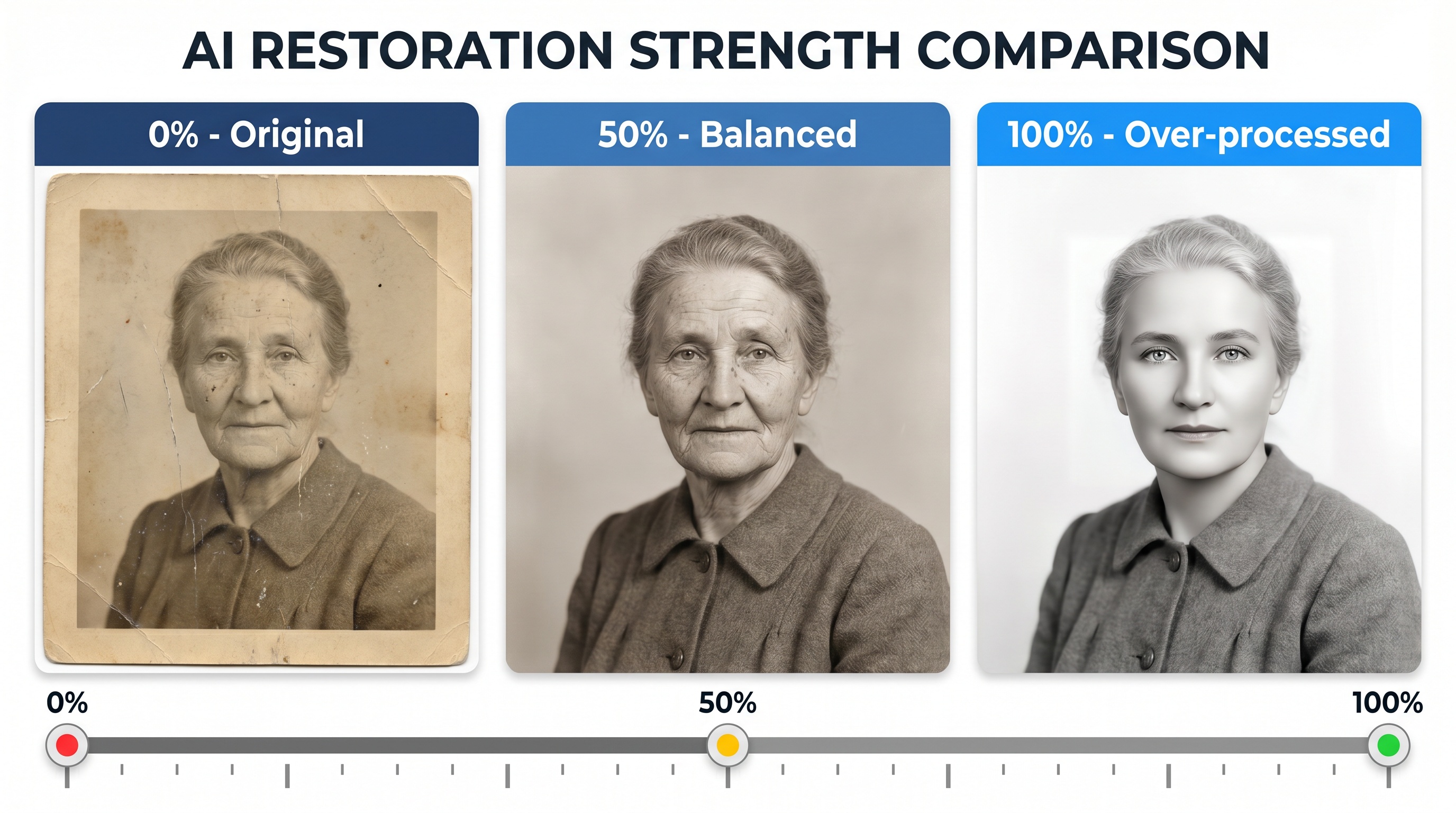
Failure 1: Hallucinated features
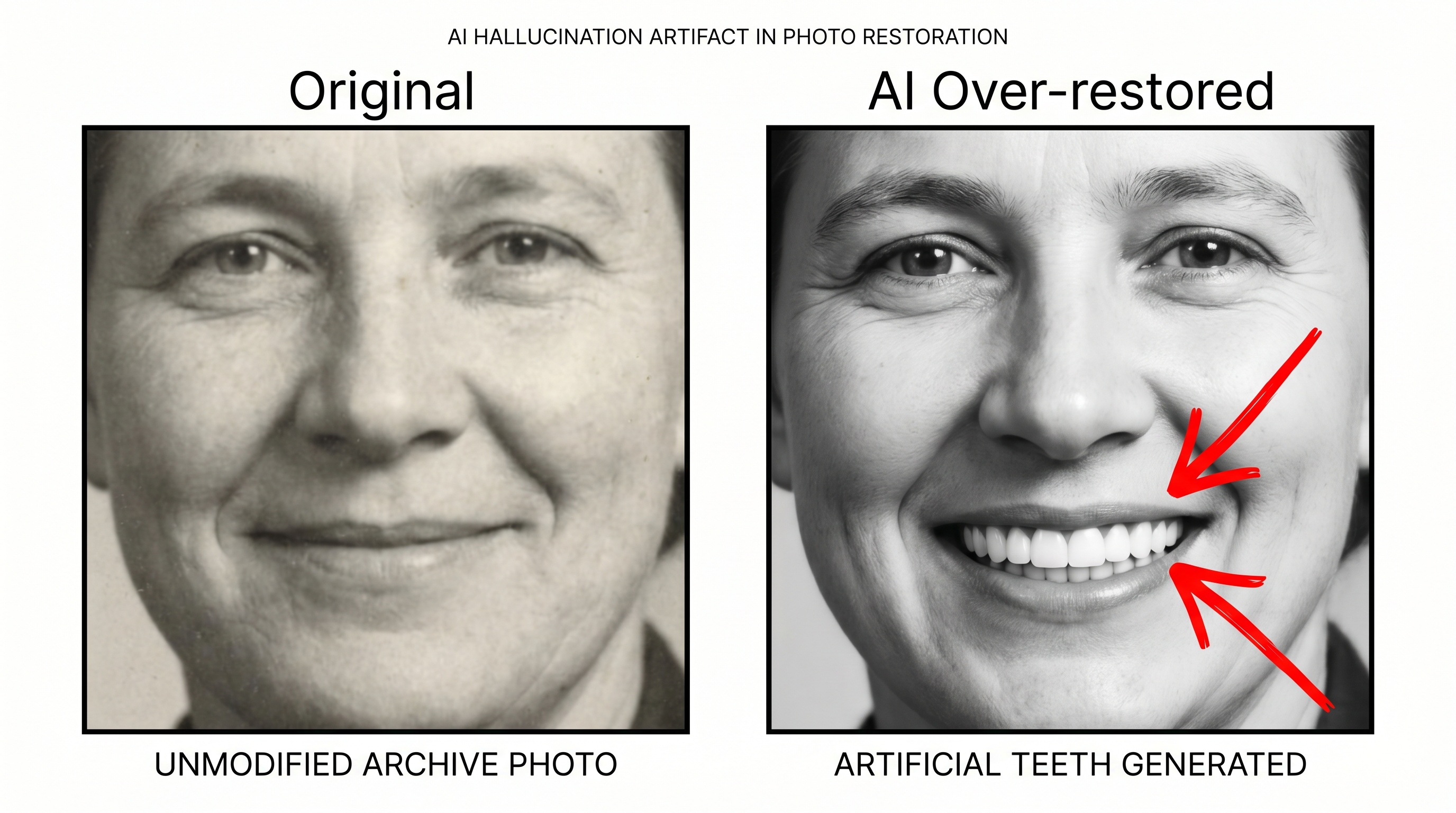
Generative restoration fills in what it thinks should be there based on surrounding context. If the mouth is low-resolution, the AI might invent teeth in a closed-mouth smile. If one eye is partially shadowed, the model may paint in an eye color the person never had. This is the mode most likely to make grandma unrecognizable, and it is the signature failure of older pipeline tools that stack a face enhancer on top of a coarse upscaler.
What to do: run the restoration a second time. Most tools are non-deterministic, so you will get a noticeably different result. Compare both against other photos of the same person and keep the one that holds identity best. If the tool offers a lower-intensity or "faithful" mode, start there before pushing harder.
Failure 2: Plastic skin
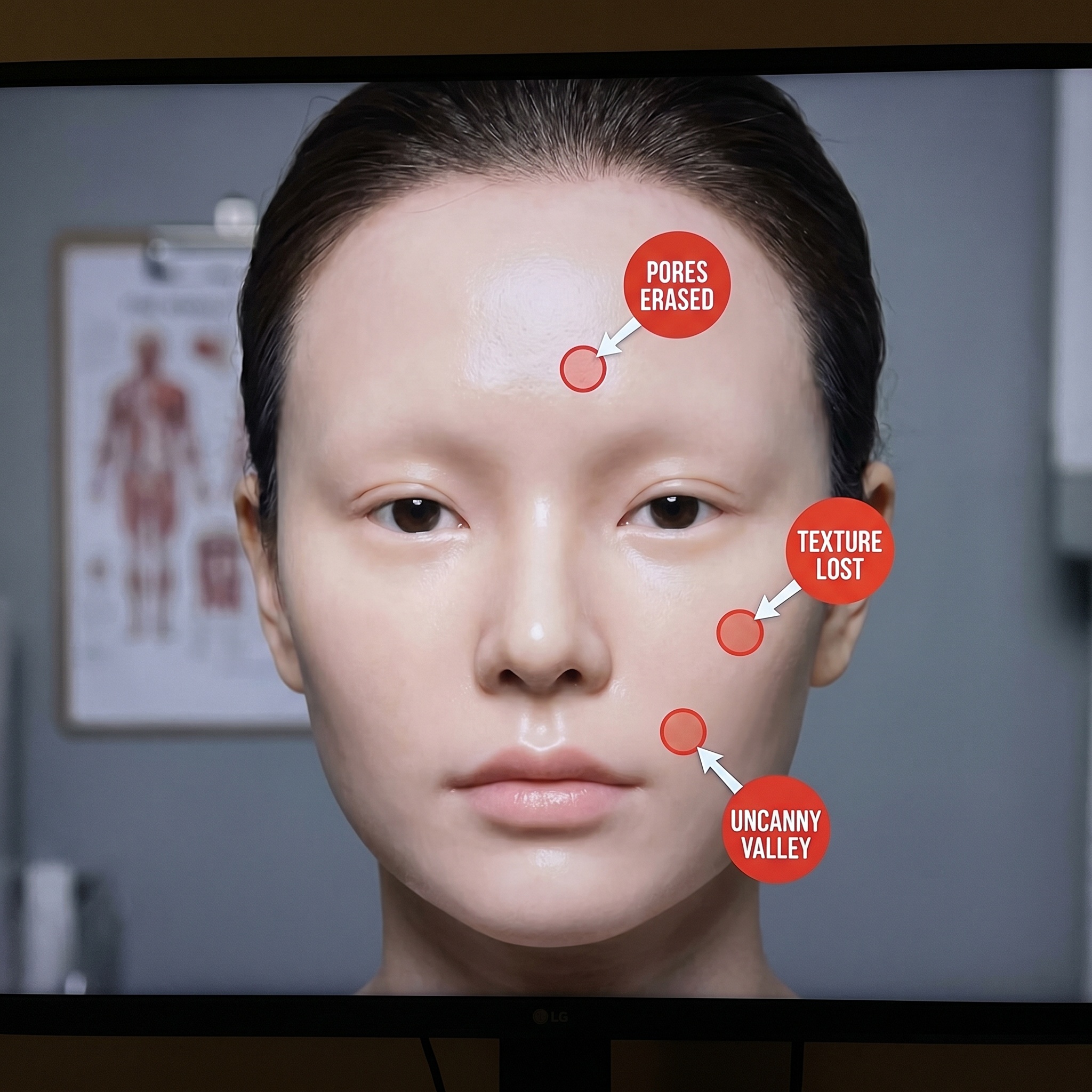
Real human skin has pores, fine lines, asymmetry, and micro-texture. Over-aggressive face restoration erases all of it. The result looks like a wax figure or a CGI character, uncanny and oddly sterile. It is especially jarring on elderly subjects whose wrinkles are part of who they are.
What to do: plastic skin is usually the denoiser running too hot, a problem baked into many older restoration pipelines. Look for a tool that separates damage repair from face enhancement so you can use the former without the latter. On our restorer, a lower-intensity pass usually keeps the texture intact.
Failure 3: Inaccurate colorization
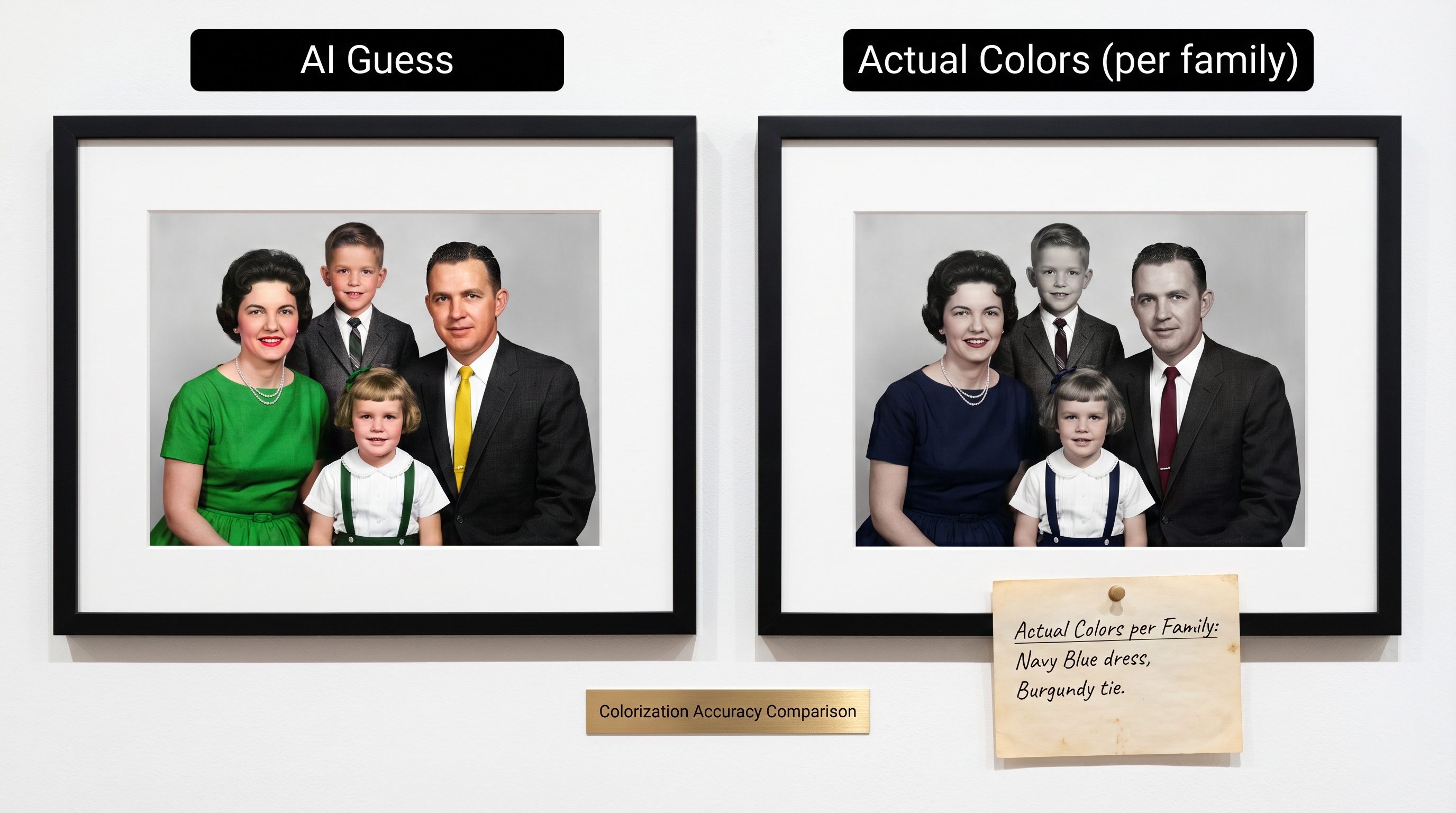
Colorization is a plausibility guess, not a historical record. Green is a common guess for unknown fabrics. Military uniforms get generically colorized without awareness of service branch or era. Wedding dresses come out white even when the bride wore mauve, because white dresses dominate the training data. Every AI colorizer does this, and no frontier model has solved it because the information simply is not in the photograph.
What to do: if accurate colors matter, ask an elderly relative before you colorize. A restored black-and-white is more honest than a confidently wrong colorization. When family memory is gone, consider leaving the image monochrome.
Test It On a Photo Right Now
See how much a frontier-model restorer keeps the face you remember. Free, no credit card.
What Conservators Actually Do
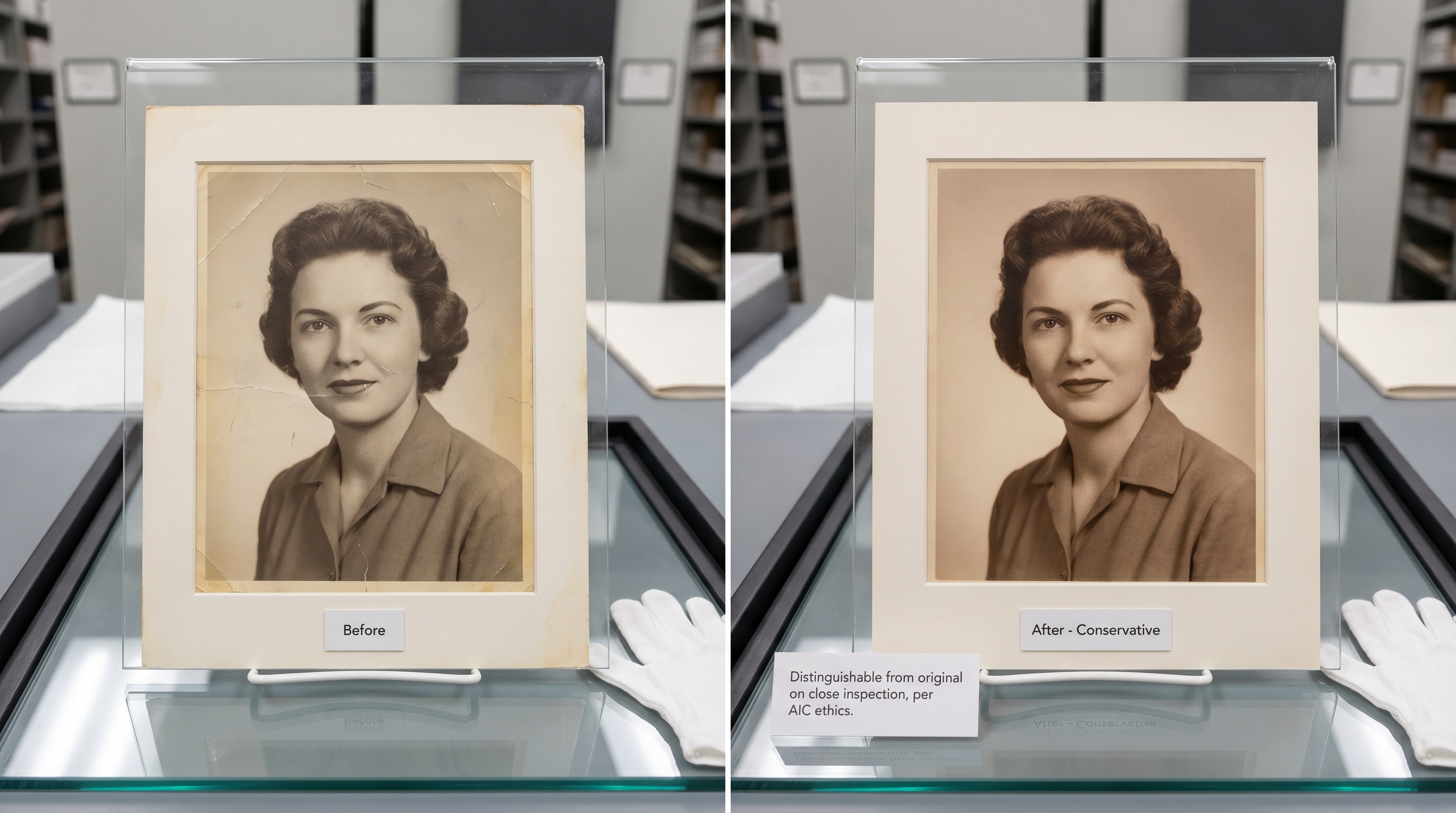
The American Institute for Conservation has an ethics code with a core principle called minimal intervention. A good restoration should be distinguishable from the original on close inspection. The intent is to stabilize the artifact and recover lost detail, not invent a new one.
Applied to AI: that means removing the clearly-damaged parts, the scratches and color shifts and fading, while keeping facial features, skin texture, pose, and expression exactly as they were. That is the target a good restorer aims at, and the bar by which you should judge any tool's output.
The "Would Your Family Recognize Them" Checklist
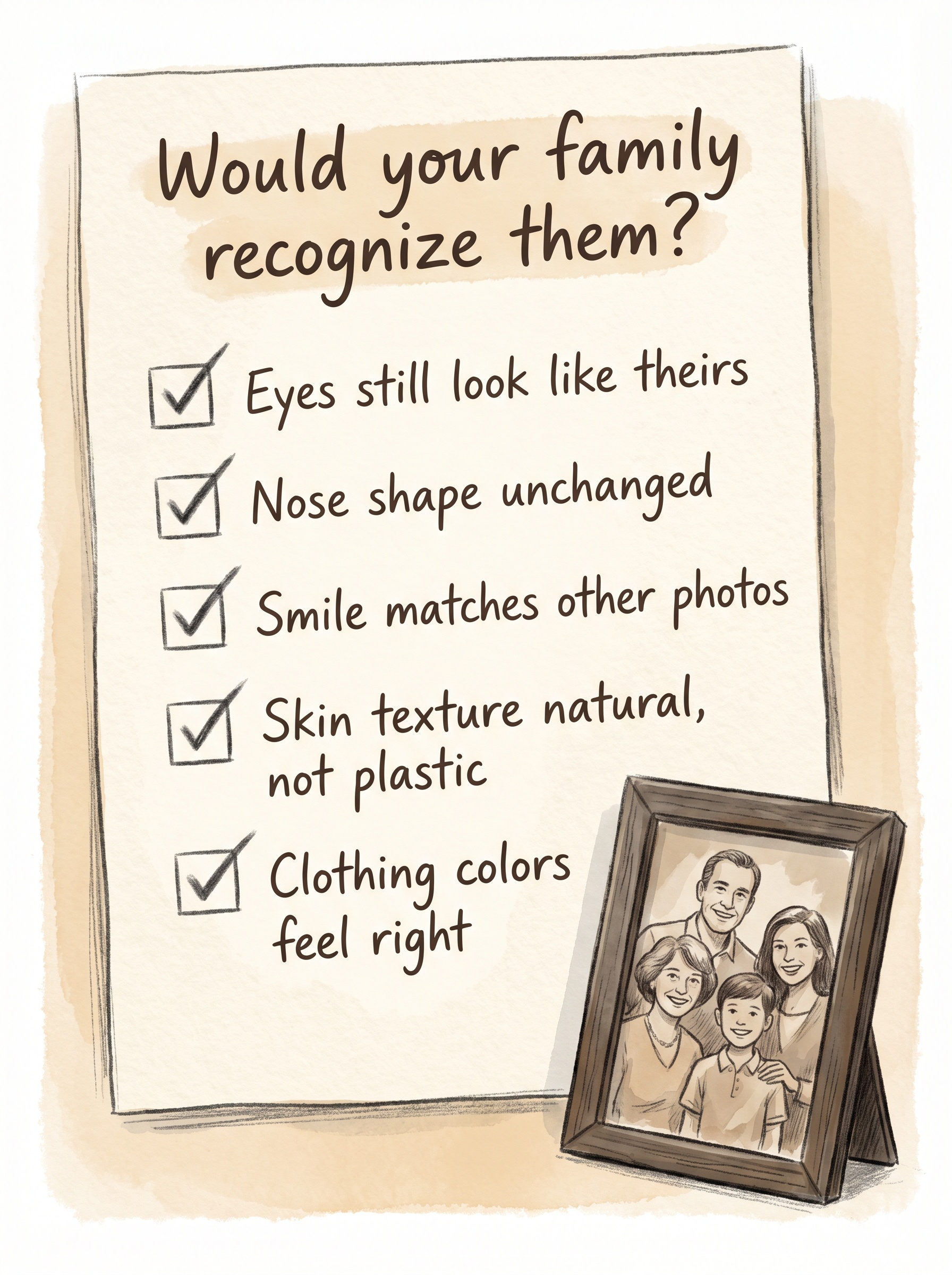
Before you share a restored photo at a funeral, family reunion, or print it large, run this mental check against any other photos of the same person you have:
- 1. Do the eyes still look like theirs? Eye shape and set are the strongest identity signal. If those changed, the restoration went too far.
- 2. Is the nose shape unchanged? AI likes to symmetrize and smooth the nose bridge. Compare against profile photos if you have them.
- 3. Does the smile match other photos? Dimples, asymmetry, crooked teeth, gaps: these are identity. Erased asymmetry means over-restoration.
- 4. Is the skin texture believable? Pores visible up close, some fine lines, slightly uneven tone. Porcelain skin means the denoiser ran too hot.
- 5. Do the clothing colors feel right? Ask an elderly relative. If nobody's alive who remembers, leave it black and white.
When to Stay Conservative vs. Go Further
Stay conservative for
- • Photos of people still alive
- • Memorial slideshows, where viewers know the face
- • Genealogy identification, where you need accuracy
- • Elderly subjects, whose wrinkles are identity
- • Photos where the face is already relatively clear
Go further for
- • Badly damaged backgrounds, not faces
- • Large-format prints where soft detail shows
- • Heritage photos for decorative display, not identification
- • Photos of unknown subjects (reference / historical use)
- • Group shots where no single face matters most
Pro tips
- • Always keep the original scan. You cannot undo an AI restoration. The original file is your only safety net.
- • Run multiple passes and compare. Tools are non-deterministic. Submit the same photo twice. The second attempt is often noticeably better or worse. Pick the one that looks most like the person.
- • Get a second opinion from a relative. Show them before and after with no caption. If they say "this doesn't look like him," believe them.
- • Try a different tool if the face drifts. Older apps built on open-source pipelines often change faces more than the photo needs. A frontier-model restorer is usually kinder to identity.
- • Don't over-upscale. 4× is usually enough for prints up to 8×10. Beyond that, hallucinations get severe regardless of which tool you use.
Restore faithfully, not loudly
The best AI restoration doesn't look like AI at all. It looks like the photo you remember seeing when it was new. Pick a tool built on newer frontier models, compare the result against other photos of the same person, and keep the original scan either way.
Frequently asked questions
Why does AI make my grandma look like a stranger?
Most restoration apps were trained on modern high-resolution faces. Given a blurry vintage input they pull features toward their training distribution, often younger, more symmetric, more "average-attractive." Newer frontier models hold identity better, but no model is perfect. Compare against other photos of the person and run a second pass if the first looks off.
Why do some AI tools change faces more than others?
It is largely a generational difference. Many popular apps still rely on open-source pipelines from 2021 and 2022 that chain several narrow models together, with each step adding drift. Newer frontier image models were trained on much larger datasets and restore in fewer, smarter passes, so they hold identity noticeably better.
Why does AI add teeth to a closed-mouth photo?
Generative restoration fills in what it thinks should be there based on context. If the mouth area is low-resolution, the model may invent features that weren't in the original: teeth, eye color, facial hair. Re-run the restoration for a fresh result, or compare against other photos of the same person.
How can I tell if the restoration went too far?
Compare the restored face against other photos of the same person at any age. Check eye shape, nose shape, hairline, and the smile. If those features changed, it is too aggressive. Porcelain-smooth skin is another strong tell: real skin has pores and texture.
What is the right balance between restoration and preservation?
Conservators follow minimal intervention: a good restoration should be distinguishable from the original on close inspection. For AI, that means removing damage while keeping the person's features intact. Use a lower-intensity mode when the tool offers one, keep the original scan, and do a side-by-side comparison before sharing.
Is it unethical to use AI-restored photos at all?
No. The ethics question is about how you use them. Label heavily reconstructed images as "AI-restored" if you are using them in genealogical research or historical publications. For personal and family use, a conservative restoration is broadly accepted and valued.
Ready to Transform Your Photos?
Join thousands of users creating amazing AI-generated photos with BestPhoto