Water-Damaged Photos: What to Do in the First 48 Hours
You have about two days before mold. Rinse, then air-dry wet photos face up or freeze them, and never use heat. Stains get fixed later, on a scan.
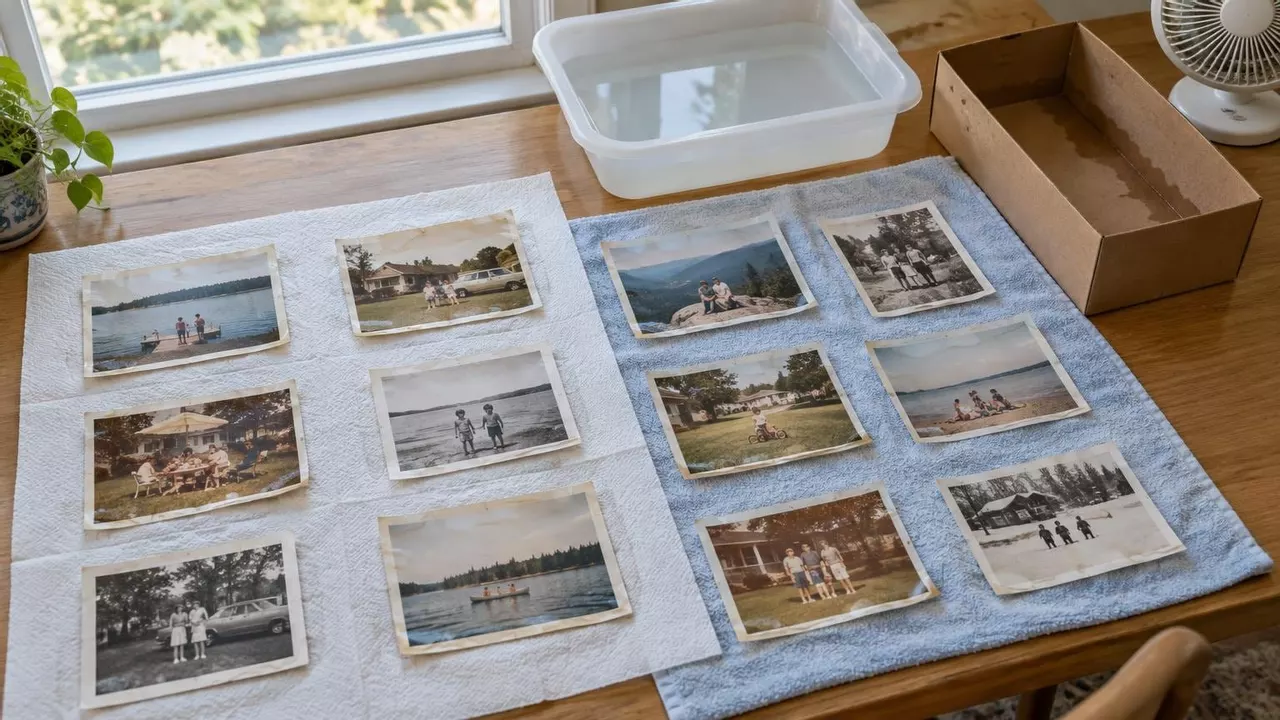
A pipe burst, or the basement flooded, and the box of family pictures was sitting right where the water went. Now you're holding a soggy stack of prints, some glued together, and your first thought is the hair dryer.
Put the hair dryer down. Wet photos are more savable than they look, as long as you dry them gently and soon. The stains can be dealt with later.
The short version
- 1. You have about 48 hours before mold can set in.
- 2. Rinse muddy prints in clean, cold water.
- 3. Air-dry them face up, or freeze the ones you can't get to yet (but never tintypes or old cased photos).
- 4. No heat: no hair dryer, iron, oven or sunny windowsill.
You come first. Wait until the power is off before you go into flooded rooms, and wear gloves. If it was sewage, ask a conservator before you touch them.
You have about two days
Most prints can survive a soaking if they're dried soon. The bigger danger is what grows on them. FEMA's flood advice puts it plainly: mold can form within 48 hours, so you need to work fast.
If you can't dry everything in time, the freezer pauses the clock. FEMA says photos you can't get dry within 48 hours should be frozen. Everyday prints can go into freezer bags as they are, even a stuck clump, and you can thaw and dry them a few at a time later. Air-drying still gives the better result, so freeze only what you can't get to.
Leave the antiques out. Never freeze tintypes, photos in little hinged cases, or glass plates, and the National Park Service says to ask a conservator before freezing anything old or valuable.
Floodwater is rarely clean, so wear disposable gloves and wash your hands often. If the water was sewage or had chemicals in it, FEMA says to get a conservator's advice before you try to save anything, for your own health. Volunteer experts answer questions from families for free at [email protected].
Which photos to save first
You probably can't do the whole box in one evening. Start with the pictures that are hardest to replace, then go in this order:
- 1Color prints first. Water damages them fastest, so they go to the front of the line.
- 2Black-and-white prints next. They tend to hold up a little better.
- 3Negatives and slides last. If you have the negatives for a print, that print is less urgent too.
Take loose prints out of soggy albums and envelopes so they can breathe. If a print is stuck to its page, leave it there.
The stuck stacks are the tricky part. The worst thing you can do is let them dry in a clump, because then they set like glue. Keep them in a tub of clean water until you have time to ease them apart, within 48 hours. If one fights back, stop pulling. Freeze the stack and, if those photos matter a lot, ask a conservator.
A photo stuck to the glass in its frame stays in the frame. Let it dry glass side down, and see our guide to photographing through glass to get a copy of it without the reflections.
How to dry wet photos without heat
If a print is muddy, hold it by the edges and rock it gently in a tray of clean, cold water. Don't touch the picture side. If the image already looks blurry or runny, skip the rinse: the National Archives warns that washing can make that worse.
Then give each print its own space, picture side up, where nothing touches the image. Paper towels, a clean bath towel or a window screen all work, or you can clip prints to a line by one corner with a plastic clothespin.
Swap out the towels as they soak through. Run a fan, open a window or turn on a dehumidifier to move the air around the room, just don't point anything straight at the photos. FEMA lists hair dryers, irons, ovens and long hours in the sun as things that do damage you can't undo.
Expect them to curl as they dry. That's normal. Once they're bone dry, a few days under a heavy book flattens most of them.
Once it's dry, fix the copy
Save the print first. The repair can wait until it's dry and scanned.
Most saved photos come through with brown tide lines, faint stains or a wavy surface. Don't try to wash those out of the paper. Scan the print as it is (here's what resolution to use), keep that file safe, and do the cleanup on a copy.
That's where our photo restorer helps. It takes out stains, tide lines, creases and small missing corners. It repairs the copy, not the print. Here it is on a creased, stained 1942 print. That one wasn't in a flood, but the marks it cleared are the same kind water leaves behind.
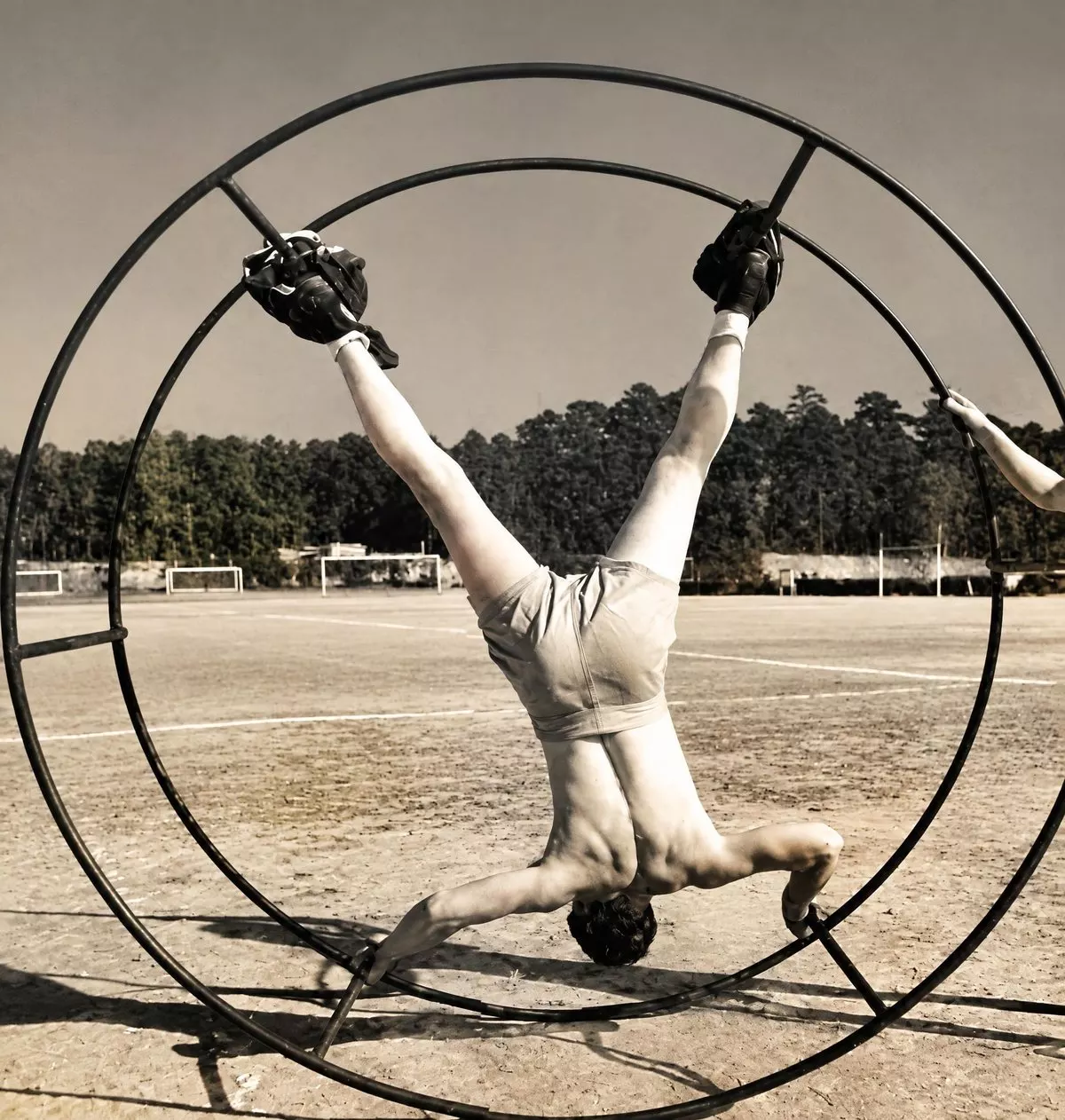
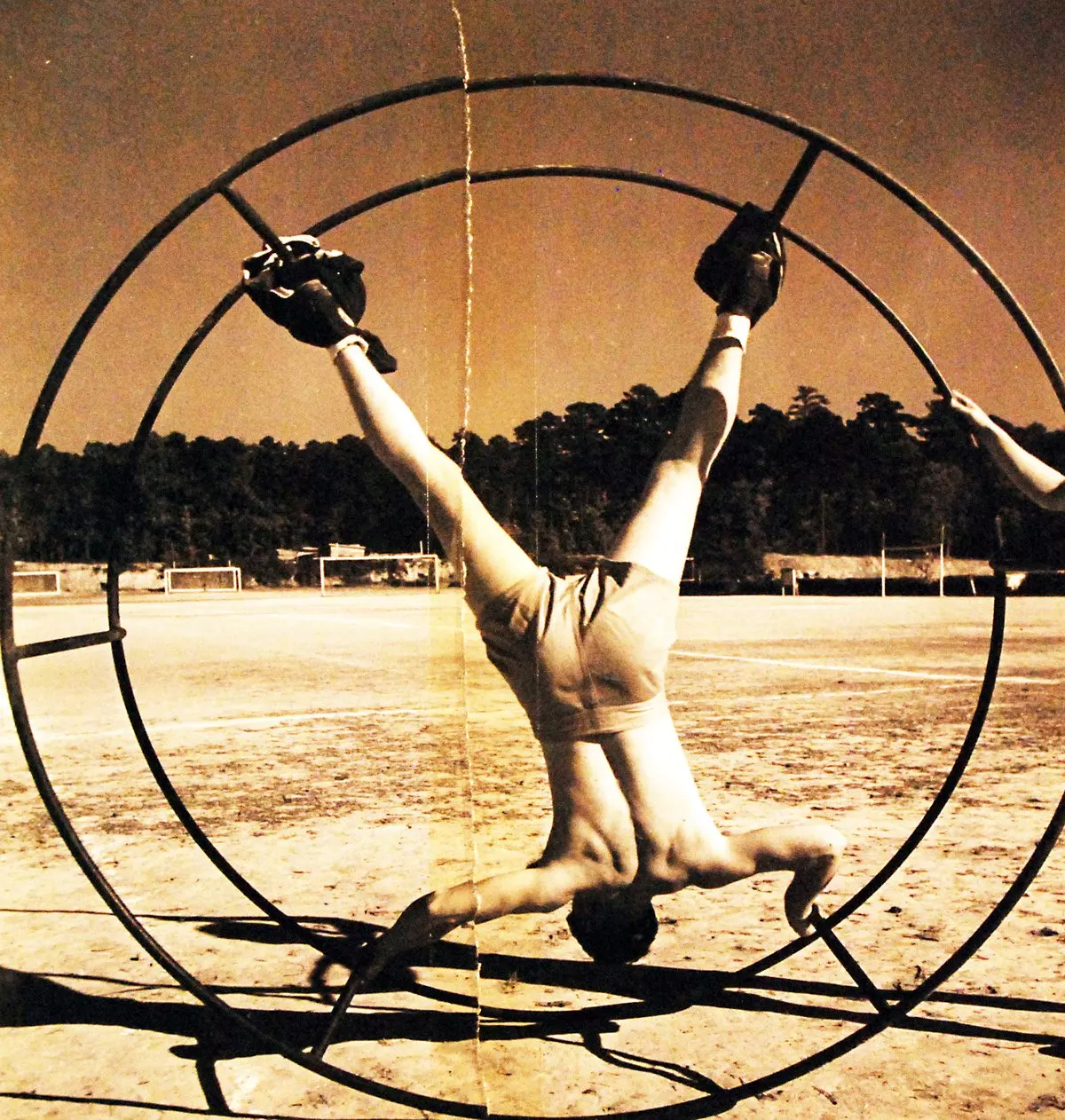
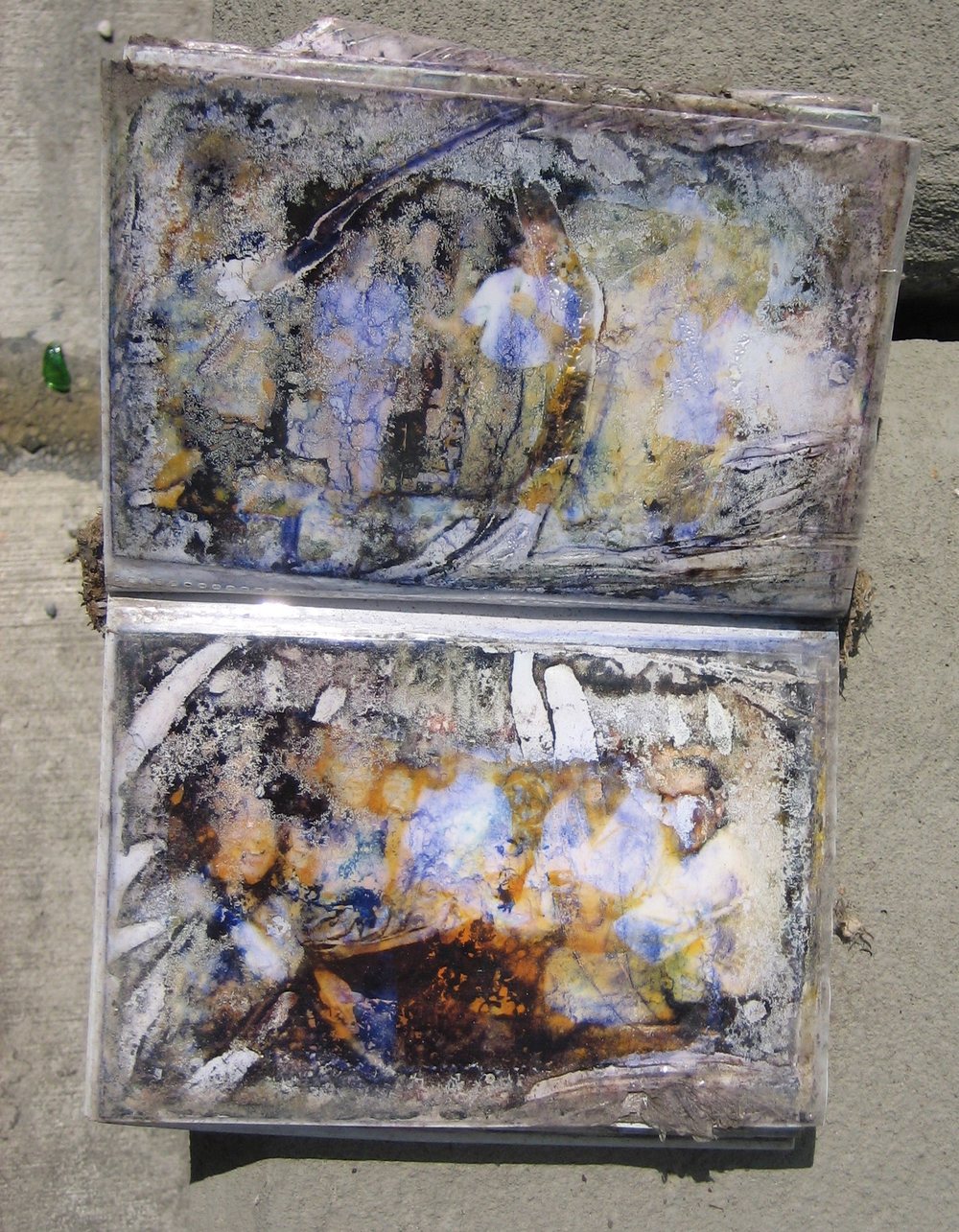
There is a limit. Where the water washed the picture away completely, nothing is left to repair, and any tool that fills the gap is guessing. That matters most on faces, so check a restored face against the original or with someone who knew them.
You can try the restorer free without an account, up to two photos a day. Free results are a watermarked preview, good for checking the repair and showing family. Clean, full-size downloads come with any paid plan, from $14 a month.
Clean up a dried, stained photo
Upload a scan or a phone photo of the print. Try it free; clean downloads are on paid plans.
Quick questions
Can I use a hair dryer on the cool setting?
Skip it. Even on cool it blasts air straight at the picture, and archivists advise against aiming air flow at drying photos. A fan across the room, an open window or a dehumidifier does the job without the risk.
My photos already dried stuck together. Is it too late?
Not always. Prints that dried in a stack sometimes let go after a soak in cold water, but pulling can tear the picture off. If it's a photo you can't replace, ask a photo conservator before you try.
What if mold is already growing on them?
Let them dry completely first. Then, wearing gloves and an N95 mask, brush them gently outdoors or scan them as they are. The moldy photos guide linked below walks through it.
Images: top image is an illustration made with AI (also used, re-projected in 3D, in the drying animation). Flooded album: “Gentilly24Ap06PhotoAlbum3.jpg” by Infrogmation of New Orleans, CC BY 2.5, resized. 1942 print: U.S. Navy photo 80-G-27208, National Museum of the U.S. Navy, public domain, restored by us. Animations: ours. The 48-hour and stuck-stack animations are schematics made by us; the snapshots on their prints are crops of the AI illustration at the top of this post. Advice drawn from FEMA, the National Park Service, the National Archives and CARLI.
Try it on one of your own photos
Most of our photo tools have a free version. Upload a picture and see what it does before you decide anything.