Old Military Photos: How to Find, Save and Restore Them
A 1973 fire destroyed most Army records from 1912 to 1960, so the photos at home may be the best record left. Where to look, what to label and what to check.
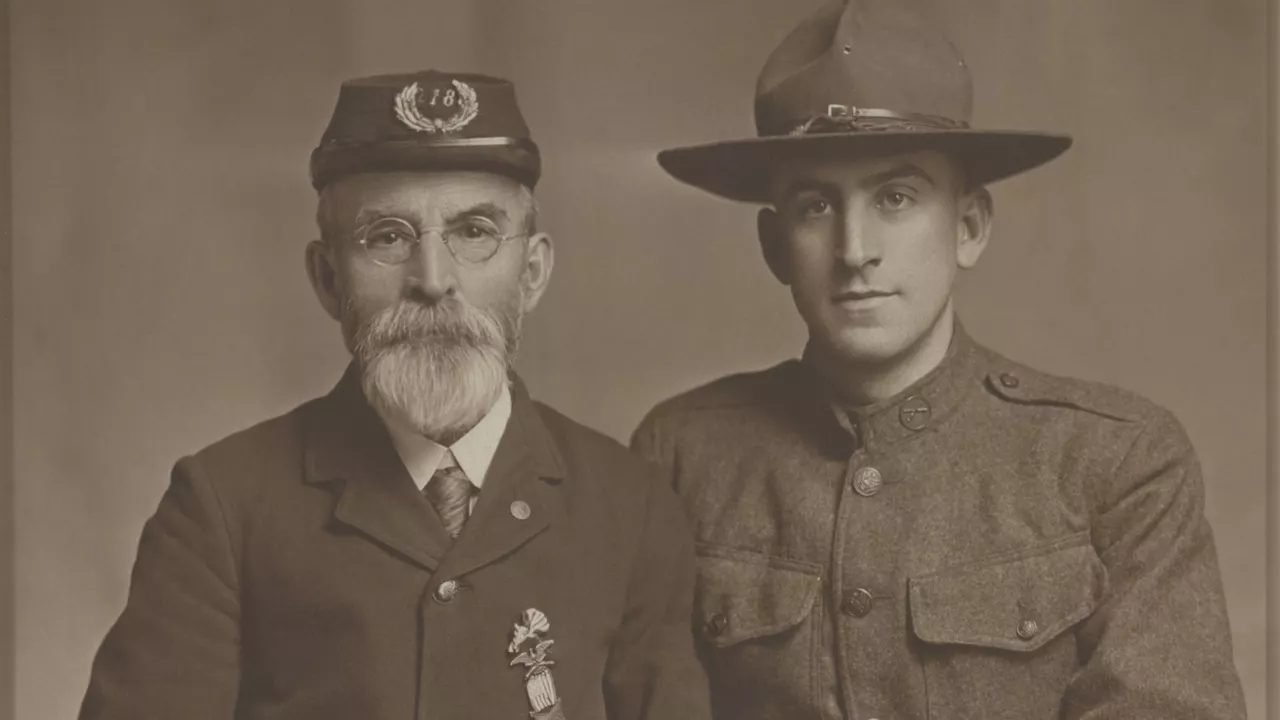
Veterans Day is coming, and you said you'd put something together. Then the drawer comes open: a Marine headshot, a creased snapshot from the war, an Army portrait faded to the color of weak tea.
Here's what most families don't know. For many veterans, those prints are the best record of their service that still exists, because a fire in 1973 destroyed most of the Army's personnel files from the two world wars.
The short version
- 1. Look at home first, then ask every relative.
- 2. Scan the front and the back. The back is where the names are.
- 3. Write down who, which unit, where and when while someone still remembers.
- 4. Restore a copy, then check the badges against the original.
The fire that made your photos the record
Shortly after midnight on July 12, 1973, a fire was reported at the National Personnel Records Center in St. Louis, where the files of discharged service members were kept. It burned out of control for 22 hours and destroyed an estimated 16 to 18 million files.
By the National Archives' own estimate, that was about 80% of the files for Army soldiers discharged between November 1912 and January 1960. For the Air Force it was about 75% of files from September 1947 to January 1964, for surnames alphabetically after Hubbard.
The archive rebuilds what it can from pay vouchers, VA claims and hospital records, and it saved about 6.5 million burned and water-damaged files. Those can prove someone served. Many files can't be fully rebuilt, and none of them was ever going to show a face, a buddy or the day someone came home.
So the print in your drawer is more than a nice picture. The print is the record. Label it, scan it, and keep it.
Where to find old military photos
Start at home, then widen the circle.
- Relatives' boxes. The cousin who got the footlocker, the aunt who kept the scrapbook. Ask by name (“do you have anything of Uncle Ray in uniform?”) and ask for a picture of the back too.
- The hometown paper. Local papers often printed photos of men and women leaving for service. The Library of Congress has digitized many papers up to 1963, free, in Chronicling America. Your library may hold the rest on microfilm.
- The official file. Next of kin can request a service file from the National Archives online or by mail. Files of anyone who left the service more than 62 years ago are open to the public, for a copying fee.
- Genealogy sites. Military-records and family-tree sites hold draft cards, unit records and photos other families uploaded. Some charge, so see what's free first.
The newspaper archive is Chronicling America, and the file request starts on the National Archives' service records page. Found a strip of film in a wallet or footlocker? It may hold pictures nobody ever printed. Here's how to scan negatives.
Write down what only your family knows
A uniform says a lot to someone who can read it. The young soldier at the top of this page wears a collar disc with crossed rifles, the sign of the infantry. Enlisted Army soldiers wear their branch on a brass disc on one side of the collar and “U.S.” on the other (branch insignia). Patches, ribbons and hat badges can narrow it down to a unit.
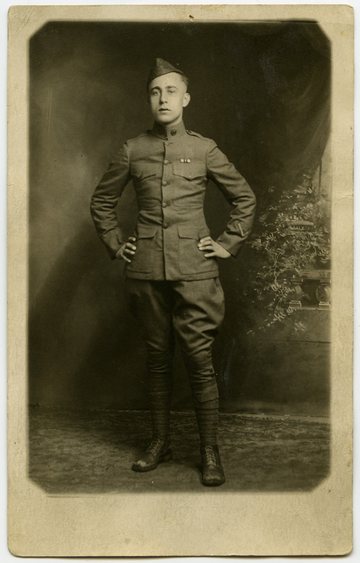
What a uniform can't tell you is the name. The young man below is in a museum collection, catalogued as “Soldier Posing for a Formal Picture in a Studio Setting.” Somebody knew his name once.
So scan the front and the back of every service photo. Write those five things in the file's caption and on the envelope or sleeve the print lives in. The Library of Congress suggests labeling the sleeve; if you must mark the print, use a soft pencil on the back, near the edge.
Not sure what scanner settings to use? Our guide to what DPI to scan photos at keeps it simple.
Restore a copy, then check the badges
Once the scan is safe, the repair is the quick part. Our photo restorer took the yellow and the spots out of that postcard in one try, and he still looks like himself. At a glance, it's a clean win.
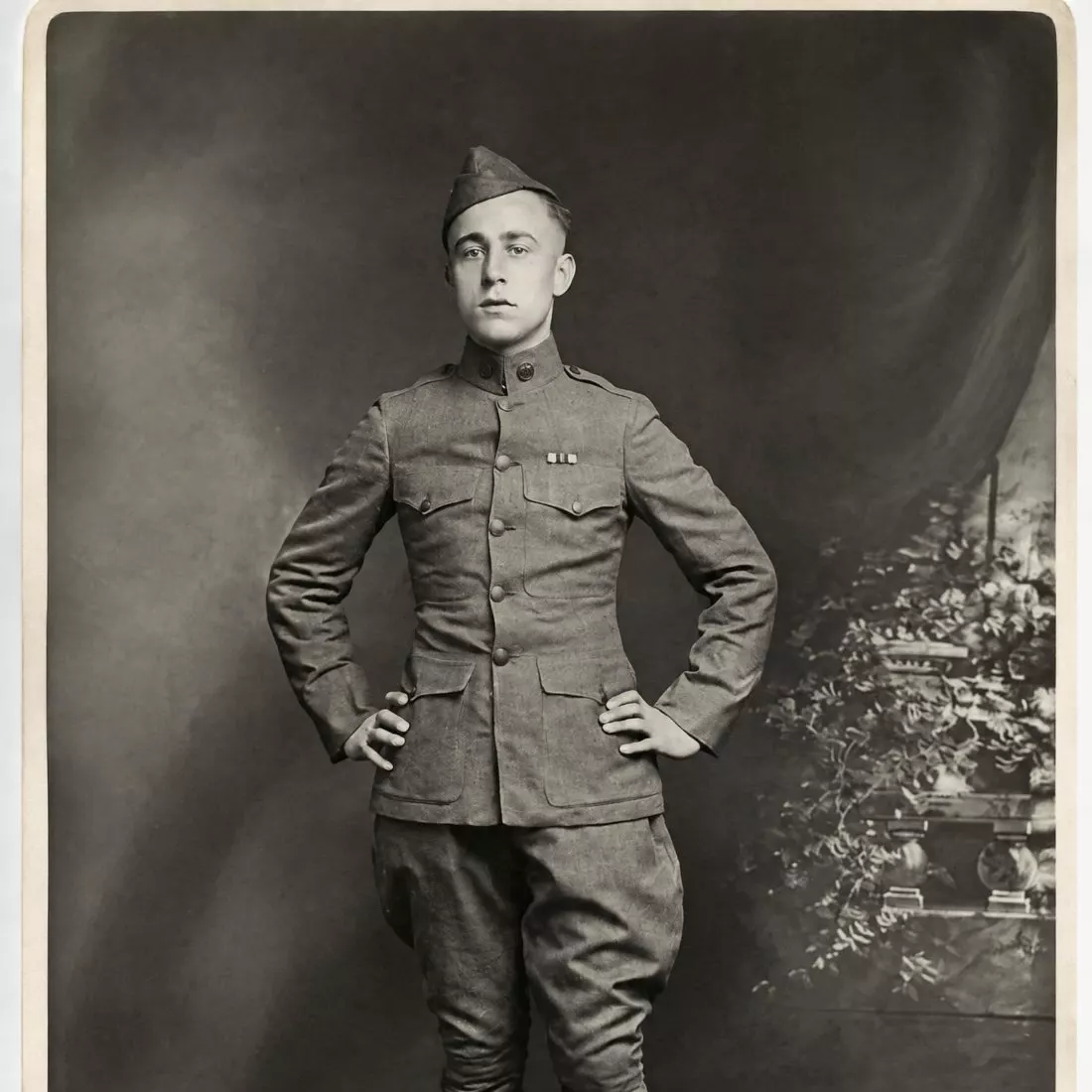
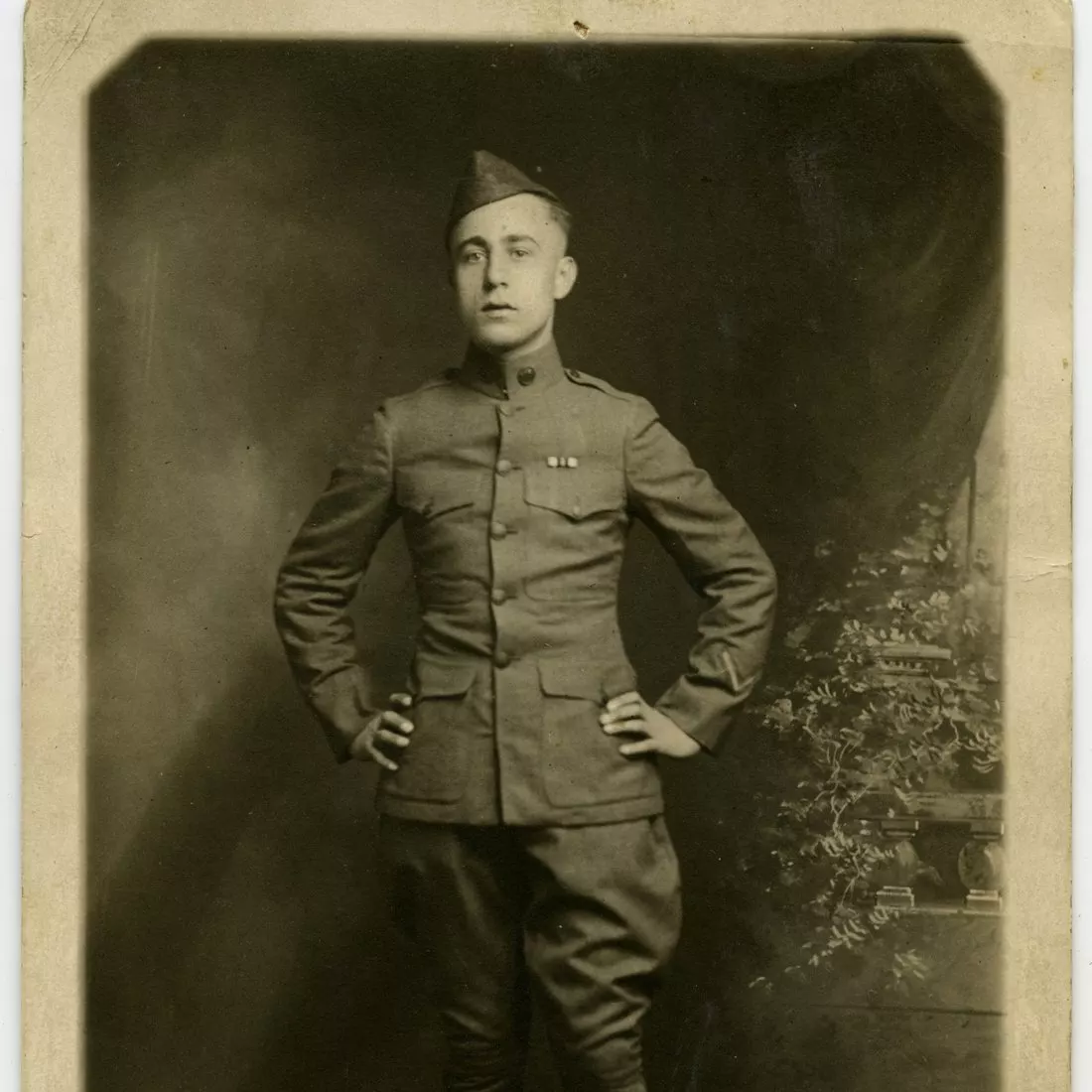
Now zoom in on the uniform. On his lower left sleeve, the print shows a small V. That's a war-service chevron, and in World War I each one stood for six months of wartime service. The restored copy smoothed it away like a crease. It also drew a design inside his plain collar disc and put stripes on a ribbon bar the print shows as pale blocks.
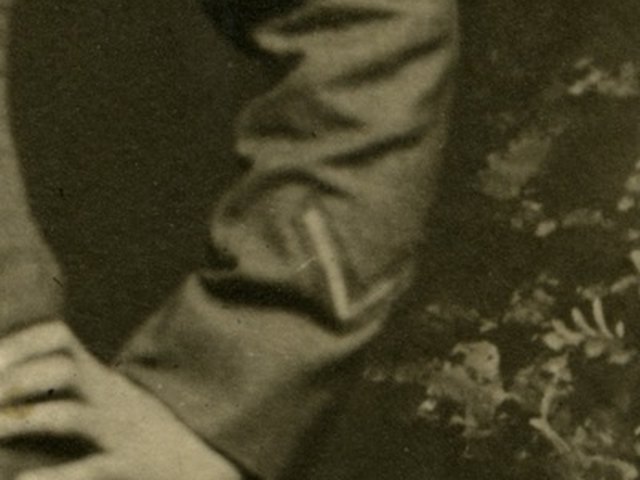
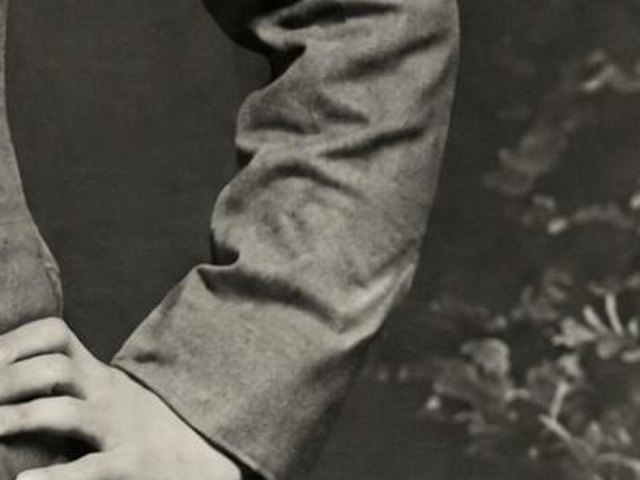 RestoredErased
Restored with our photo restorer on “Restore only”, first try, October 2026.
An AI restorer repaints the whole picture, and small, blurry details are where it guesses. Sometimes it gets them right. On an 1860 militia portrait, the eagle and the letters on the hat came through untouched. Either way, a restored badge isn't evidence: if it disagrees with the original, the original wins. Faces work the same way, and the less of a face survives, the more the AI fills in. Here's how to check a restored face.
If you add color
Color is a guess, and uniforms are where a wrong guess shows. Army uniforms in both world wars came in khaki and shades of olive drab (1902 patterns, World War II). Marines have worn forest green since 1912, and their dress blues are midnight blue (Marine uniforms). Bright green, gray or royal blue means the AI guessed wrong.
Choose “Restore only” to keep the photo black and white. It may take out the old brown tone too, as it did with the postcard above.
Share it with the name on it
When you post it for Veterans Day or print it for a service, put the label in the caption: name, branch and years. Whoever saves it next keeps the label with it. If you colorized it, say so.
Then put the original print back in its sleeve, somewhere dry and away from heat. If a box has already gotten wet, the first two days matter most; here's what to do with water-damaged photos.
You can try the restorer free, without an account, on up to two photos a day. The free result is a watermarked preview, good for checking the badges and showing family. Clean, full-size downloads come with a paid plan.
Restore a service photo
Upload a scan, choose Restore only to keep it black and white, then compare the badges. Try it free; clean downloads are on paid plans.
Quick questions
Were all military records lost in the 1973 fire?
No. The National Archives estimates the fire destroyed about 80% of Army files for soldiers discharged from November 1912 to January 1960, and about 75% of Air Force files for September 1947 to January 1964, surnames after Hubbard. It rebuilds basic service facts from other records where it can.
How do I find old military photos of a relative?
Start with family: relatives' boxes, scrapbooks and footlockers. Then search the hometown newspaper, request the service file from the National Archives and check genealogy sites.
Can AI fix a torn or creased military photo?
Usually, yes, especially when the damage crosses the background. Afterward, compare the face, badges and ribbons with the original, because small blurry details are where AI guesses.
Images: top, a Civil War veteran and a World War I soldier, Schriever studio, Scranton, Pa., 1914 to 1918, Library of Congress, public domain (cropped). Postcard: Soldier Posing for a Formal Picture in a Studio Setting, about 1916 to 1918, Missouri History Museum, public domain. Hat badge: militia captain's portrait, about 1860, Prairie Grove Battlefield State Park, public domain. Restored copies made by us with our photo restorer. Videos: ours, made from the postcard and the 1860 portrait with our restored copies; the postcard's back is drawn, the archive shelves in the fire video are a 3D sketch, and the loupe is an animation. Illustrations: ours.
Try it on one of your own photos
Most of our photo tools have a free version. Upload a picture and see what it does before you decide anything.